Latest Version
2.10.1
May 09, 2026
Softoria LLC
Tools
Android
0
Free
com.soomapps.screenmirroring
Report a Problem
More About Screen Mirroring Cast to TV
Transform Your Viewing Experience: The Ultimate Guide to Screen Mirroring with the Miracast - Castto App
Are you tired of squinting at your smartphone screen? Experience the joy of a big-screen display by connecting your mobile device to your TV using the Miracast - Castto app. This powerful tool allows you to mirror your phone's screen effortlessly, providing an enhanced viewing experience for photos, games, and presentations.
Why Use the Miracast - Castto App?
The Miracast - Castto app is designed to simplify the process of screen mirroring. Whether you're showcasing vacation photos, playing your favorite games, or conducting a presentation, this app makes it easy to duplicate your Android device's screen on your TV. Here are some key benefits:
- Easy Connectivity: Seamlessly connect your smartphone or tablet to your TV.
- Secure Connection: Protect your data, files, and applications with a secure link.
- User-Friendly: The app is simple to navigate and completely free!
Stream Without Limits
With the Miracast - Castto app, you can stream movies, music, and photos directly to your TV without any restrictions. This app is particularly beneficial for Android users looking for a reliable mirroring solution. Enjoy your favorite content on a larger screen, making every viewing experience more enjoyable.
Benefits of Screen Mirroring
Screen mirroring is not just about convenience; it enhances your entertainment experience. Here’s how:
- Stream Movies and Videos: Enjoy your favorite films and shows on a bigger screen.
- Access Photos and Apps: View your pictures and use applications on your TV.
- Search and Stream: Easily find and watch your favorite TV shows and series anytime.
Watching videos on your phone or tablet is convenient, but streaming them on a large TV screen elevates the experience. The Miracast - Castto app is the best solution for viewing your mobile content on your TV.
How to Use the Miracast - Castto App
Setting up screen mirroring is straightforward. Follow these simple steps to display your mobile screen on your TV:
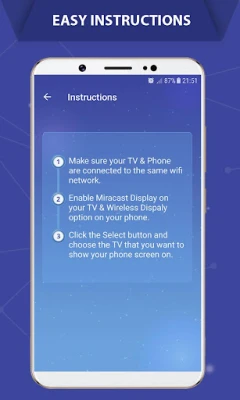
- Ensure that both your TV and smartphone are connected to the same Wi-Fi network.
- Enable Miracast Display on your TV.
- Activate the Wireless Display option on your phone.
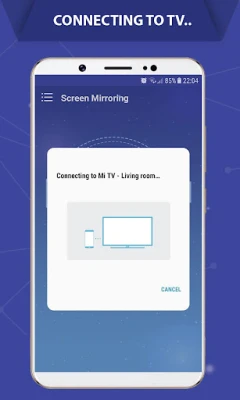
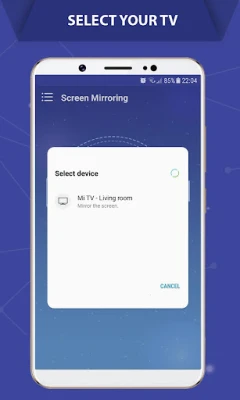
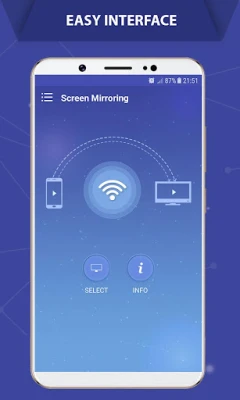
- Click the Select button and choose your TV from the list.
- Enjoy your content on the big screen!
Compatibility and Support
The Miracast - Castto app supports all Android devices and versions, making it accessible to a wide range of users. If you encounter any issues while using the app, don’t hesitate to reach out for assistance.
Contact Us for Support
If you have any questions or feature requests, please contact us at contact@soomapps.com. We are here to help you make the most of your screen mirroring experience!
In conclusion, the Miracast - Castto app is your go-to solution for transforming your small smartphone screen into a captivating big-screen experience. With its user-friendly interface and secure connectivity, you can enjoy all your favorite content in a whole new way. Don’t miss out on the opportunity to enhance your viewing experience—download the app today!
Rate the App
User Reviews















Popular Apps










Editor's Choice









