Latest Version
6.2.8.10
July 21, 2026
Nero AG
Tools
Android
1
Free
com.nero.swiftlink.mirror
Report a Problem
More About Screen Mirroring - 1001 TVs
Unlock the Ultimate Screen Mirroring Experience with 1001 TVs
In today's digital age, seamless connectivity between devices is essential. Whether you're streaming your favorite shows, sharing presentations, or enjoying social media content, having a reliable screen mirroring solution can enhance your experience. Discover why 1001 TVs is the go-to app for effortless screen mirroring and file management.
1. Experience a Smooth & Clear Display
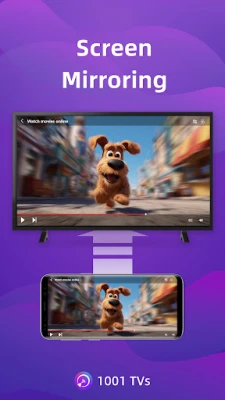
With 1001 TVs, enjoy an original image quality that is second to none. The app boasts a high frame rate and high-definition output, ensuring a flicker-free experience that is easy on the eyes. Subtitles remain crystal clear, making it perfect for watching videos with captions and comments. Say goodbye to blurry images and hello to stunning visuals!
2. Ideal for TikTok, YouTube, and Vertical Videos
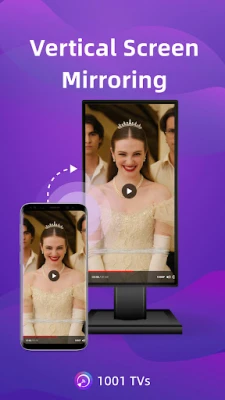
1001 TVs automatically adjusts to your phone's rotation, maintaining the original aspect ratio for a flawless viewing experience. Enjoy TikTok on a larger screen, just like using a smartphone. The vertical screen mode allows you to manually set any angle on your PC, Mac, or TV, making it easier than ever to share your favorite content.
3. Ultra-Low Latency Performance
Experience real-time low-latency mirroring that strikes the perfect balance between image quality and smoothness. With synchronized audio and video, you can enjoy gaming and streaming without any lag. This feature ensures that every moment is captured in real-time, providing an immersive experience.
4. Multi-Phone Mirroring Capability
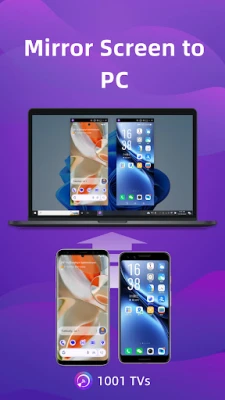
Need to present to a group? 1001 TVs allows you to mirror multiple iPhones, Android phones, or tablets to one PC or Mac simultaneously. This feature is ideal for presentations and team meetings, making collaboration easier than ever.
5. Single App Screen Mirroring
For users with Android 15 and above, 1001 TVs offers the ability to mirror only one app while keeping the rest of your phone private. Alternatively, you can mirror your entire screen for a full display experience. This flexibility ensures that your personal information remains secure while you share content.
6. Smart Display Modes for Optimal Viewing
Choose from three smart display modes—Fit, Fill, and Scale—that adapt to your screen size. These modes eliminate black bars when casting to your TV, providing a seamless viewing experience that maximizes your screen's potential.
7. 100% Private & Secure Mirroring
Your privacy is paramount. All screen mirroring data remains within your local network and is never uploaded to the internet. With 1001 TVs, you can enjoy peace of mind knowing that your information is secure and protected.
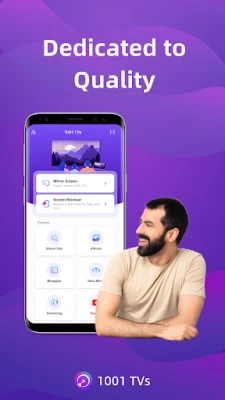
8. User-Friendly Interface
Forget complicated setups! With just one tap, you can connect your devices effortlessly. Use your TV remote to pause or resume streaming anytime, making it incredibly easy to control your viewing experience.
Additional Features to Enhance Your Experience
- File Transfer & Management: Quickly and safely send files between your phone, tablet, PC, and Mac—no cables needed for wireless file transfer.
- Web Streaming: Stream videos, music, and images directly to your Smart TV.
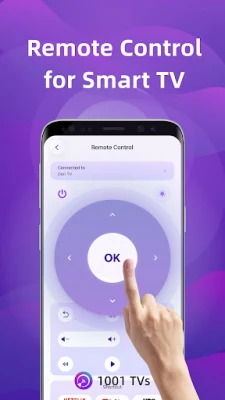
- TV Remote Controller: Use your phone to auto-detect smart TVs on the same Wi-Fi network. Control volume, navigate menus, and select options with ease.
- TV Albums: Upload photos, videos, and music to your TV for anytime viewing, making it easy to share memories with friends and family.
How to Use 1001 TVs
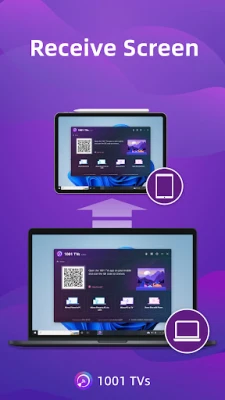
- Install the 1001 TVs screen mirroring app on both your phone and the device you want to mirror to (PC, Mac, TV, or tablet).
- Ensure both devices are connected to the same Wi-Fi network for a seamless wireless display.
- Open the app, select the device, or scan the QR code to start mirroring.
Free Trial and Subscription Plans
Experience the features of 1001 TVs with a free trial. After the trial period, a paid membership is required on the sender side. The following features are available:
- Screen mirroring between Phone, PC, Mac, and TV
- File transferring between Phone, PC, Mac, and TV
Email: 1001tvs@nero.com
Website: 1001 TVs
Terms: Terms of Service
Privacy: Privacy Policy
Subscription Plans
- Service Title: Auto-renew Weekly, Auto-renew Monthly, Auto-renew Yearly, and Lifetime options available.
- Your payment will be charged to your store account upon purchase confirmation.
- Subscriptions automatically renew unless canceled at least 24 hours before the end of the current period.
- You can cancel your subscription anytime through your store account.
Unlock the full potential of your devices with 1001 TVs and enjoy a seamless screen mirroring experience today!
Rate the App
User Reviews















Popular Apps










Editor's Choice









