
Latest Version
3.7.60.1
October 13, 2024
Samsung Electronics Co., Ltd.
Tools
Android
0
Free
com.sec.android.easyMover
Report a Problem
More About Samsung Smart Switch Mobile
Ultimate Guide to Transferring Data to Your New Galaxy Device
Switching to a new Galaxy device can be an exciting experience, but transferring your data can often feel daunting. Fortunately, with Samsung's Smart Switch, the process is seamless and user-friendly. This guide will walk you through who can transfer data, what can be transferred, and which devices are supported, ensuring a smooth transition to your new Galaxy device.
Who Can Transfer Data?
Whether you own an Android or iOS device, transferring your data to a Galaxy device is straightforward. Here’s how:
For Android Users
- Compatible with Android 5.0 (Lollipop) or higher.
For iOS Users
You have several options to transfer your data:
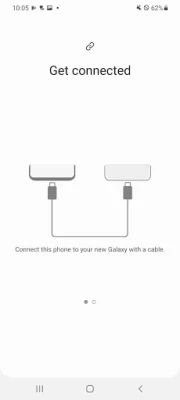
- Wired Transfer: Requires an iOS device running iOS 5.0 or above, an iOS device cable (Lightning or 30-pin), and a USB connector.
- Import from iCloud: Compatible with iOS 4.2.1 or higher and requires your Apple ID.
- PC/Mac Transfer: Use Smart Switch software on your PC or Mac. Get started by visiting Samsung Smart Switch.
What Data Can Be Transferred?
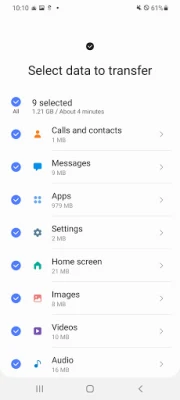
Smart Switch allows you to transfer a wide range of data types, ensuring you don’t lose any important information during your switch. Here’s what you can transfer:
- Contacts
- Calendar (Device content only)
- Messages
- Photos
- Music (DRM-free content only; iCloud content not supported)
- Videos (DRM-free content only)
- Call logs
- Memos
- Alarms
- Wi-Fi settings
- Wallpapers
- Documents
- App data (Galaxy devices only)
- Home layouts (Galaxy devices only)
To transfer app data and home layouts, ensure your Galaxy device is upgraded to M OS (Galaxy S6 or higher).
Supported Devices for Data Transfer
Smart Switch supports a variety of devices, making it easier for users to switch to Galaxy. Here’s a breakdown:
Galaxy Devices
- Recent Galaxy mobile devices and tablets (from Galaxy S2 onwards).
Other Android Devices
Smart Switch is compatible with numerous Android brands, including:
- HTC
- LG
- Sony
- Huawei
- Lenovo
- Motorola
- PANTECH
- Panasonic
- Kyocera
- NEC
- SHARP
- Fujitsu
- Xiaomi
- Vivo
- OPPO
- Coolpad
- RIM
- YotaPhone
- ZTE
- Gionee
- LAVA
- MyPhone
- Cherry Mobile
Note that due to compatibility issues, Smart Switch may not be available on certain devices.
Requirements for Successful Data Transfer
To ensure a smooth data transfer, both devices must meet the following requirements:
- Each device must have at least 500 MB of free internal memory.
- If you experience connectivity issues with a non-Samsung device, navigate to Advanced Wi-Fi settings, disable “Wi-Fi initialize” and “Disconnect low Wi-Fi signal” options, and try again. Availability of these options may vary based on your device manufacturer and OS version.
Permissions Required for Smart Switch
To facilitate data transfer, Smart Switch requires certain permissions. Here’s a breakdown:
Required Permissions
- Phone: Used to confirm your phone number (Android 12 or lower).
- Call Logs: Transfers call log data (Android 9 or higher).
- Contacts: Transfers contact data.
- Calendar: Transfers calendar data.
- SMS: Transfers SMS data.
- Storage: Saves files necessary for data transfer (Android 11 or lower).
- Files and Media: Saves files necessary for data transfer (Android 12).
- Photos and Videos: Saves files necessary for data transfer (Android 13 or higher).
- Microphone: Used for high-frequency audio when searching for Galaxy devices.
- Nearby Devices: Searches for nearby devices using Wi-Fi or Bluetooth (Android 12 or higher).
- Location: Connects to devices using Wi-Fi Direct (Android 12 or lower).
- Notifications: Provides information about the progress of data transfers (Android 13 or higher).
Optional Permissions
- Camera: Scans QR codes to connect to Galaxy phones and tablets.
If your device's system software version is lower than Android 6.0, update your software to configure app permissions. You can reset previously allowed permissions in the Apps menu within device settings after the software update.
Conclusion
Transferring data to your new Galaxy device doesn’t have to be a hassle. With Smart Switch,
Rate the App
User Reviews















Popular Apps










Editor's Choice









