

Latest Version
5.0.7
April 29, 2026
ROVE Dash Cam
Tools
Android
0
Free
com.rovedashcam.android
Report a Problem
More About ROVE Dash Cam
Discover the Latest Features and Updates for Your ROVE Dash Cam
Stay ahead of the curve with the latest enhancements to your ROVE dash cam experience. This article delves into the exciting new features, firmware requirements, and a step-by-step guide on how to update your device for optimal performance.
New Shop Feature: Seamless In-App Purchases
One of the standout additions to the ROVE app is the new shop feature, allowing users to explore and purchase ROVE products directly within the app. This streamlined shopping experience not only saves time but also provides easy access to the latest accessories and upgrades for your dash cam. Whether you're looking for additional mounts, cables, or other essential gear, you can now find everything you need at your fingertips.
Revamped Profile Page for Enhanced User Experience
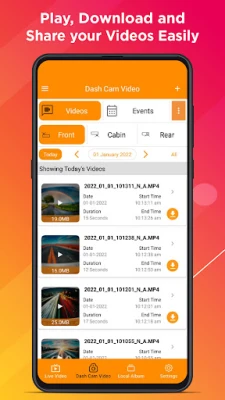
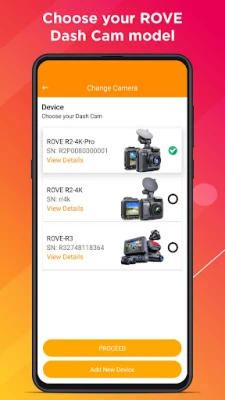
The updated profile page boasts a refreshed design that simplifies the management of your profile and connected dash cams. Users can now easily view their device status, access settings, and manage their connected devices with greater efficiency. This intuitive layout ensures that you can focus on what matters most—capturing every moment on the road.
Firmware Requirements for Optimal Compatibility
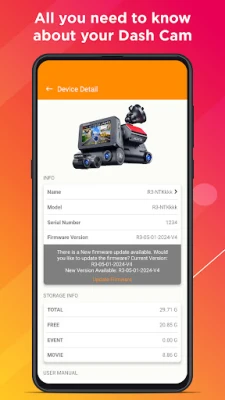
To fully enjoy the new features and enhancements, it’s crucial to ensure that your dash cam firmware is up to date. Below are the required firmware versions for each ROVE model:
- ROVE R2-4K PRO: R2P-10-01-2025-V12
- ROVE R2-4K (New): R2-08-29-2025-V24
- ROVE R2 DUAL: R2-DUAL-07-01-2025-V14
- ROVE R2-4K DUAL PRO: R2DP-09-01-2025-V2
Keeping your firmware updated ensures that you benefit from the latest performance improvements, reliability enhancements, and feature upgrades.
Step-by-Step Guide: How to Update Your ROVE Dash Cam
Updating your dash cam is a straightforward process. Follow these simple steps to ensure your device is running the latest firmware:
- Open the ROVE App on your smartphone.
- Connect your dash cam to the app.
- Navigate to Device Settings and select Firmware Update.
- Follow the on-screen prompts to complete the update.
By keeping your dash cam updated, you ensure optimal performance and access to the latest features, enhancing your overall driving experience.
Conclusion: Elevate Your ROVE Experience
The latest updates to the ROVE app and dash cam firmware bring significant improvements that enhance usability and functionality. With the new in-app shop feature and a redesigned profile page, managing your dash cam has never been easier. Ensure your firmware is up to date to take full advantage of these enhancements. Embrace the future of driving with ROVE, where safety and convenience go hand in hand.
Rate the App
User Reviews















Popular Apps










Editor's Choice









