

Latest Version
5.0
February 12, 2026
Creative Studio BD
Tools
Android
0
Free
com.mrustudio.RouterAdminPage
Report a Problem
More About Router Admin Page: Wi-Fi Setup
Unlocking Your Router's Potential: A Comprehensive Guide to Router Admin Access
In today's digital age, managing your home network efficiently is crucial. Accessing your router's admin page can significantly enhance your internet experience. This article will guide you through the essential features of router management, including how to set up your Wi-Fi password, change configurations, and more.
Instant Access to the Router Admin Page
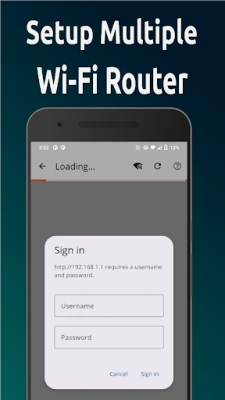
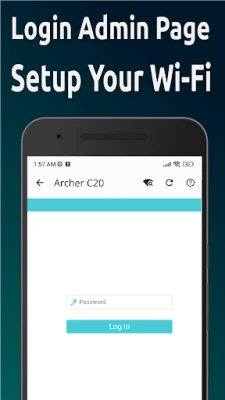
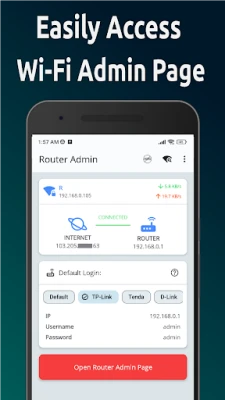
Gaining instant access to the router admin page is the first step in managing your network. This page serves as the control center for your router, allowing you to make necessary adjustments to your settings. To access it, simply enter the router's IP address into your web browser. Common IP addresses include 192.168.1.1 and 192.168.0.1. Once you log in, you can navigate through various settings to optimize your network.
Setting Up Your Wi-Fi Password
One of the most critical aspects of network security is your wifi password. A strong password protects your network from unauthorized access. To set up or change your Wi-Fi password, follow these steps:
- Log in to the router admin page using your credentials.
- Navigate to the wifi setup page.
- Locate the section for Wi-Fi security settings.
- Enter a new password that is at least 12 characters long, combining letters, numbers, and symbols.
- Save your changes and restart the router if necessary.
By following these steps, you ensure that your network remains secure and accessible only to authorized users.
No Need to Memorize an IP Address
Many users find it challenging to remember their router's IP address. Fortunately, most routers come with a default IP address that is easy to find in the user manual or on the device itself. If you prefer not to memorize it, consider bookmarking the router admin page in your web browser for quick access.
Changing Wi-Fi Configuration Easily
Adjusting your wifi configuration is essential for optimizing your network's performance. Whether you want to change the Wi-Fi channel to reduce interference or adjust the frequency band, the router admin page provides a user-friendly interface for these modifications. Here’s how to do it:
- Access the router admin page.
- Go to the wireless settings section.
- Select the desired channel or frequency band (2.4GHz or 5GHz).
- Save your changes and reboot the router if prompted.
These adjustments can lead to improved connectivity and faster internet speeds.
Changing Your Router Password
In addition to your Wi-Fi password, it’s vital to change your router password regularly. This password protects your router's settings from unauthorized access. To change it:
- Log in to the router admin page.
- Find the section for router settings or administration.
- Enter a new password that is unique and secure.
- Confirm the new password and save your changes.
By keeping your router password secure, you enhance your network's overall security.
Router Password Show Feature
Some routers offer a router password show feature, allowing you to view your current password. This can be helpful if you forget your password. However, ensure that you are in a secure environment when using this feature to prevent unauthorized access.
Common Router IP Addresses
When accessing your router, you may encounter various IP addresses. Here are some common ones:
- 192.168.1.1 - Often used by Linksys and some other brands.
- 192.168.0.1 - Common for Netgear and D-Link routers.
- 192.168.31.1 - Frequently used by Xiaomi routers, such as the 192.168.31.1 mi wifi router.
Knowing these addresses can help you troubleshoot connectivity issues and access your router settings more efficiently.
Conclusion
Managing your home network is essential for a seamless internet experience. By understanding how to access the router admin page, set up your wifi password, and make necessary changes, you can optimize your network's performance and security. Remember to keep your passwords secure and regularly update them to protect your network from potential threats.
If you found this guide helpful, please consider giving us a 5-star rating and review. For any suggestions or inquiries, feel free to reach out via email at developer.mru.studio.2019@gmail.com. Thank you for reading!
Rate the App
User Reviews















Popular Apps










Editor's Choice









