

Latest Version
3.5.250G
July 29, 2026
VS REVO GROUP OOD
Tools
Android
2
Free
com.vsrevogroup.revouninstaller
Report a Problem
More About Revo Uninstaller
Unlock the Full Potential of Revo Uninstaller Pro: Your Ultimate Guide
In the digital age, managing your applications efficiently is crucial for maintaining optimal device performance. Revo Uninstaller Pro stands out as a powerful tool that not only enhances your uninstallation experience but also offers a suite of features designed to streamline app management. This article delves into the advanced functionalities of Revo Uninstaller Pro, ensuring you make the most of this exceptional software.
Key Features of Revo Uninstaller Pro
Revo Uninstaller Pro encompasses all the features available in the free version, plus a host of additional capabilities that elevate your app management experience. Here’s what you can expect:
Ad-Free Experience
Enjoy a seamless uninstallation process without interruptions. Revo Uninstaller Pro removes all in-app advertisements, allowing you to focus solely on managing your applications.
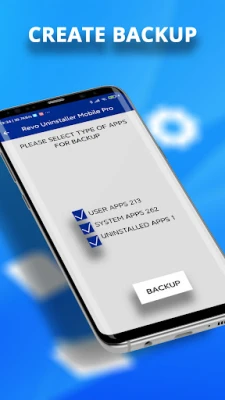
Backup Your Applications
One of the standout features of Revo Uninstaller Pro is its ability to create comprehensive backups of your app files. This includes:
- Installed apps, their names, versions, and sizes.
- Backup options for app categories, such as user apps, system apps, or uninstalled apps.
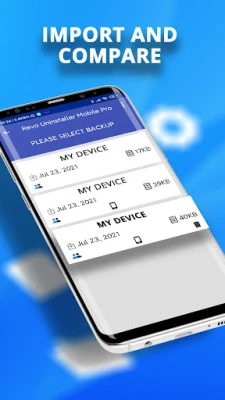
Import and Compare Backups
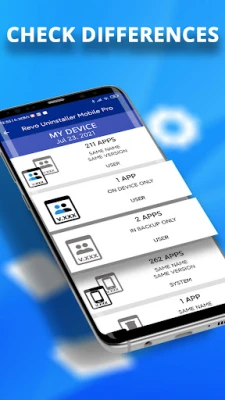
Stay organized by comparing your backup files with the current state of your device. This feature highlights differences in app size, name, and version, and provides links to the Google Play Store for apps you may have uninstalled.
Check Differences in App Lists
Easily compare your selected backup app list with the currently installed applications, ensuring you have a clear overview of your app inventory.
Organize with Categories
Revo Uninstaller Pro allows you to categorize your apps using over 60 predefined categories, including Tools, Communication, and Social apps. This smart filtering system simplifies app management.
Custom App Categories
Create and manage unlimited custom app categories tailored to your preferences, making it easier to locate and organize your applications.
Comprehensive Uninstallation Tools
Revo Uninstaller Pro is equipped with a variety of tools designed to enhance your uninstallation process:
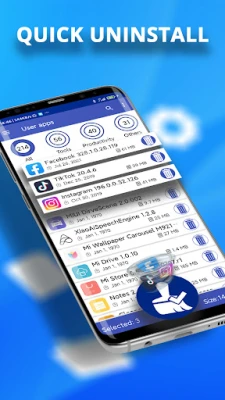
Effortless Uninstallation
Remove user-installed applications that are no longer needed while ensuring that all leftover files and junk data are deleted. This keeps your device clean and efficient.
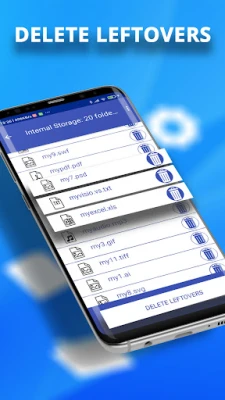
Leftover File Scanning
After uninstalling an app, Revo Uninstaller Pro scans your Android device for any remaining files and folders associated with the uninstalled application, ensuring a thorough cleanup.
Batch Uninstallation
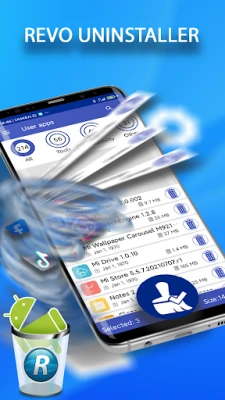
Save time by uninstalling multiple apps simultaneously with just a few clicks. The tool displays the number of selected applications and the total data size you are about to delete, making batch uninstallation straightforward.
Quick Boot Mode
Optimize your app loading times by enabling Quick Boot Mode. When this feature is off, you can view the full size of the files removed from your device, providing transparency in the uninstallation process.
Search and Sort Applications
Quickly find specific apps to uninstall using various filtering and sorting options, including searching by app name. This feature enhances your efficiency in managing applications.
App Ranking System
Revo Uninstaller Pro ranks your applications based on criteria such as size, recency, and brand, helping you identify which apps to keep or remove.
Uninstall History Log
Keep track of your uninstallation activities with a detailed log that shows the dates of uninstallation and provides links to the Google Play Store for easy reinstallation of apps that are still available.
Detailed App Information
Access comprehensive information about each application, including its name, version, installation date, app size, and more. You can even open the app directly in the Google Play Store if it’s still available.
In-App Permission Checker
Stay informed about the permissions requested by your installed applications with the In-App Permission Checker, enhancing your control over app privacy.
Multilingual Support
Revo Uninstaller Pro supports 31 different languages, making it accessible to a global audience.
Night Mode for Comfort
Switch to Night Mode to change the app's color scheme from light to dark, reducing eye strain during nighttime use.
Adjustable Text Size
Customize your viewing experience with adjustable text sizes, allowing for smaller or larger text according to your preference.
Stay Connected with Revo Uninstaller
For updates, tips, and support, follow Revo Uninstaller on social media:
Note: Revo Uninstaller cannot remove pre-installed apps due to Android OS restrictions.
In conclusion, Revo Uninstaller Pro is an indispensable tool for anyone looking to manage their applications effectively. With its robust features and user-friendly interface, it ensures a smooth and efficient uninstallation process, making it a must-have for Android users.
Rate the App
User Reviews















Popular Apps










Editor's Choice









