


Latest Version
February 07, 2026
Mobile Apps Hub
Tools
Android
0
Free
com.codefsd.reverseimagesearch
Report a Problem
More About Reverse Image Search: Photo
Unlock the Power of Reverse Image Search: Find Your Desired Images Instantly
In today's digital age, the ability to search by image has revolutionized how we find and interact with visual content. This innovative feature allows users to conduct a reverse image search using photos from their camera or gallery, enabling them to discover related images across the internet effortlessly.
What is Reverse Image Search?
Reverse image search is a powerful tool that allows you to upload a photo from your device and find similar images online. Whether you want to identify a product, discover the source of an image, or simply explore visually similar content, this feature makes it quick and easy. With just a few taps, you can access a wealth of information and visuals that match your uploaded image.
How to Use the Image Search App
Using a reverse image search app is straightforward and user-friendly. Here’s how you can get started:
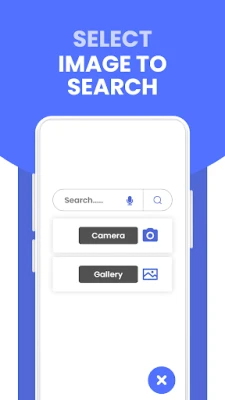
1. Search by Camera 📸
One of the standout features of this image search application is its ability to search using your camera. Simply tap the camera icon within the app, capture a photo of the object or scene you want to explore, and the app will provide you with relevant results in seconds. This functionality is perfect for identifying products or finding similar images on the web.
2. Search by Gallery
If you have an image saved on your device, you can easily search for it through your gallery. Just select the desired photo, and the app will utilize its advanced algorithms to find similar images, ensuring you get the best results possible.
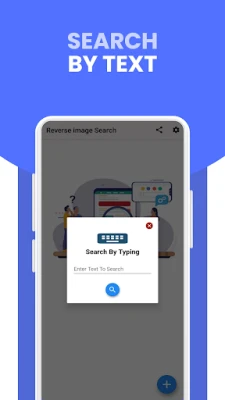
3. Search by Text
In addition to image uploads, this app allows you to search for images using text. Simply type in a description or keywords related to the image you’re looking for, and the app will display high-definition images that match your query. This feature is particularly useful for finding specific visuals or exploring popular images related to your search terms.
Key Features of the Reverse Image Search Tool
This reverse image search tool is packed with features designed to enhance your experience:
Safe and Secure
Your privacy is paramount. This app does not require any personal information to use its features, ensuring a safe and secure experience. You can enjoy the benefits of reverse image search without the need to create an account or share sensitive data.
Image Editing Options: Rotate & Crop
Once you find the images you’re looking for, you can easily edit them within the app. The rotate and crop features allow you to adjust images to your liking, making it simple to focus on the details that matter most.
How to Get Started with the App
To begin using the reverse image search app, follow these simple steps:
- Download and install the Reverse Image Search app on your mobile device.
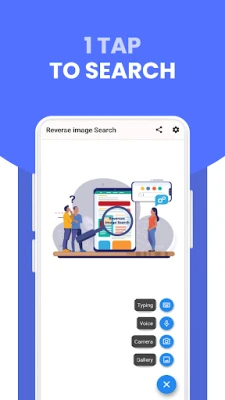
- Open the app and choose between the camera or gallery options.
- If using the camera, capture a photo to initiate the search.
- If using the gallery, select a photo and upload it for analysis.
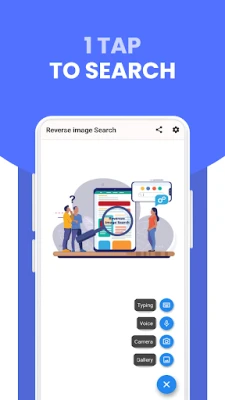
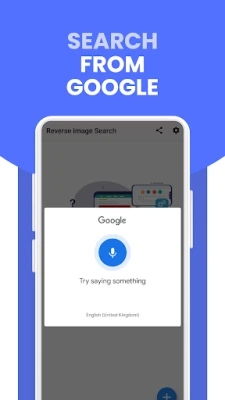
- Explore additional search options, including voice and text searches, for a comprehensive experience.
Conclusion
The reverse image search tool is an invaluable resource for anyone looking to find images quickly and efficiently. With its user-friendly interface, robust features, and commitment to privacy, this app stands out as a top choice for image searching. Whether you’re a casual user or a professional, the ability to search by image opens up a world of possibilities for discovering and exploring visual content.
Start using the reverse image search app today and unlock the potential of visual discovery at your fingertips!
Rate the App
User Reviews















Popular Apps










Editor's Choice









