

Latest Version
May 23, 2026
Xicodex
Tools
Android
0
Free
com.xicodex.reversimagesearch
Report a Problem
More About Reverse Image Search Lens
Unlocking the Power of Reverse Image Search: A Comprehensive Guide
In today's digital age, images play a crucial role in communication and information sharing. Reverse image search technology has emerged as a powerful tool that allows users to find, verify, and analyze images with ease. This article explores the popular uses of reverse image search, its features, and how to effectively utilize this innovative technology.
Popular Uses of Reverse Image Search
Reverse image search is not just a novelty; it serves several practical purposes that can enhance your online experience. Here are some of the most common applications:
- Discover Similar Images: Users can find visually similar images or photos, making it easier to explore variations of a particular subject.
- Verify Image Sources: This tool allows users to trace the origin of an image, ensuring that the source is credible and trustworthy.
- Check Image Authenticity: Users can determine whether an image is original or has been modified, which is particularly useful in journalism and research.
- Explore Online Availability: Reverse image search helps users find out if similar images are already available on the web, saving time and effort.
- Identify Image Origins: Users can discover the original website where an image was first published, providing context and additional information.
Key Features of Reverse Image Search
The functionality of reverse image search tools is designed to be user-friendly and efficient. Here are some standout features:
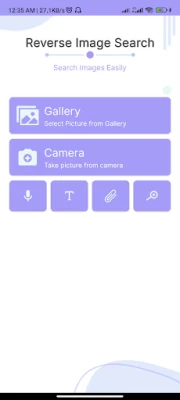
- Image Upload: Users can easily upload images from their device's gallery by clicking the Gallery button.
- Real-Time Camera Capture: Take pictures directly from your camera for immediate image searching.
- Image Editing Tools: A built-in real-time image editor allows users to crop, zoom, or resize images before conducting a search.
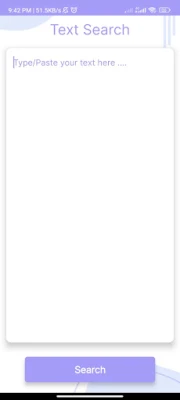
- Keyword Search: Users can type keywords into a text area to find related images quickly.
- Voice Search: The voice typing feature enables users to search for images by speaking, making the process even more convenient.
- URL Search: Users can paste an image URL or web address to find images associated with that link.
How to Use Reverse Image Search Effectively
Getting started with reverse image search is straightforward. Follow these steps to maximize your experience:
- Download and Install: Begin by downloading the application from the Play Store and open it.
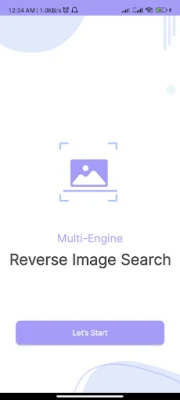
- Start Searching: Click on the "Let’s Start" button to access the main screen of the image search tool.
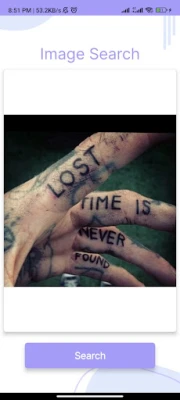
- Gallery Search: To search for an image from your gallery, click the Gallery button, select your image, and then hit the search button. You will receive results from multiple search engines.
- Real-Time Camera Search: For a real-time search, click the Camera button, grant camera access, take a photo, and click the search button to see results.
- Voice Search: To search by voice, click the microphone button, allow microphone access, and speak your query. The spoken words will convert to text, and results will appear after clicking the search button.
- Keyword Search: Click the text button on the main screen, enter your keywords, and click search to find related images.
- URL Search: If you have an image URL, click the link button, paste the address, and click search to find images from that link.
Permissions Required for Optimal Functionality
To ensure smooth operation, the reverse image search application requires specific permissions:
- Gallery Access: Required for uploading photos from your gallery.
- Camera Access: Necessary for capturing images in real-time.
- Microphone Access: Needed for utilizing the voice recognition feature.
Important Disclaimer
While reverse image search is a powerful tool, users should be aware of the following:
- The images retrieved through reverse image search may be protected by copyright.
- The effectiveness of search results depends on the capabilities of the search engine used.
- Any violations of property rights or unauthorized activities are the responsibility of the end user.
In conclusion, reverse image search is an invaluable tool for anyone looking to enhance their online experience. Whether you're a researcher, journalist, or simply a curious user, this technology can help you find, verify, and analyze images with ease. For any suggestions or issues, feel free to reach out to our official email: info@xicodex.com.
Rate the App
User Reviews















Popular Apps










Editor's Choice









