


Latest Version
Update
February 17, 2026
February 17, 2026
Developer
RubicInc
RubicInc
Categories
Tools
Tools
Platforms
Android
Android
Downloads
0
0
License
Free
Free
Package Name
com.reverse.image.search.app
com.reverse.image.search.app
Report
Report a Problem
Report a Problem
More About Reverse Image Search for Photo
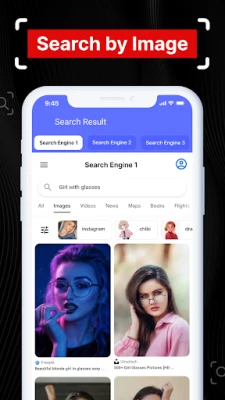
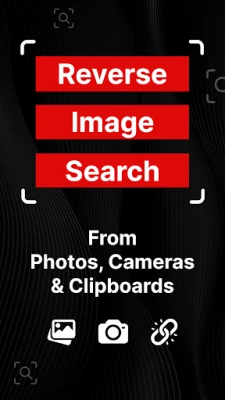
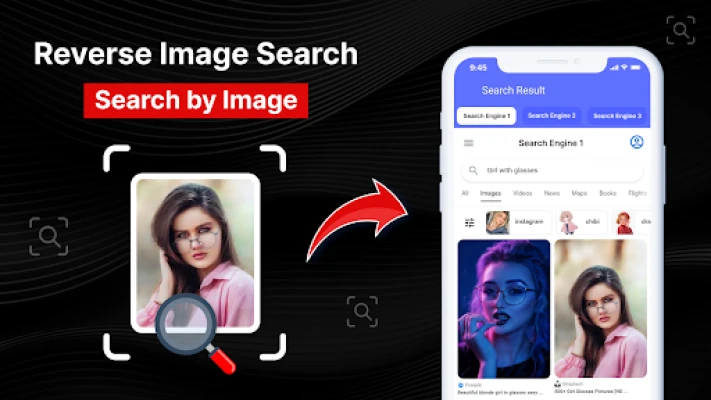
Reverse image search for photos can search matching images from the internet with different search engines. You can easily find related images data from the web using photo search lookup. With our reverse image search & lookup you can find all queries related to anything you want to search on the internet. Just upload an image from the gallery or capture it using a camera & you will find your related images data.
Unlock the Power of Visual Discovery with Reverse Image Search
In today's digital age, the ability to search for images using other images has transformed how we interact with visual content. The **Reverse Image Search App** offers an innovative solution that enhances your image exploration experience, providing you with relevant search results from various search engines. This user-friendly tool allows you to find related images effortlessly, making it an essential resource for anyone who works with visuals.What is Reverse Image Search?
Reverse image search is a groundbreaking feature that allows users to upload an image and receive a wealth of information in return. Unlike traditional text-based searches, this method enables you to discover the original source of an image, find similar visuals, identify websites where the image appears, and even uncover copyright details. This functionality is invaluable for photographers, graphic designers, and artists who need to protect their work and monitor its usage.Key Features of the Reverse Image Search App
The **Reverse Image Search App** is packed with features designed to enhance your image search experience. Here are some of the standout functionalities:- Comprehensive Reverse Image Search: Quickly find similar images across multiple search engines.
- Multiple Search Engines: Access various search engines to ensure you find the best match for your image.
- User-Friendly Interface: Navigate the app with ease, making image searches simple and efficient.
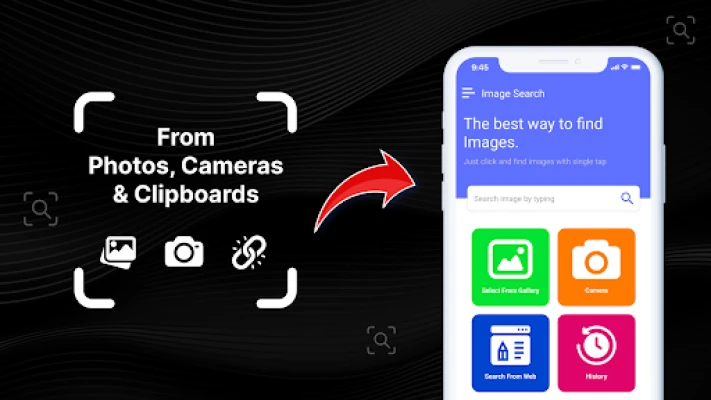
- Direct Capture: Capture images directly from the web and find results instantly.
- Gallery Upload: Upload images from your gallery for a seamless photo search experience.
- Image Identifier: Identify images and conduct picture searches effortlessly.
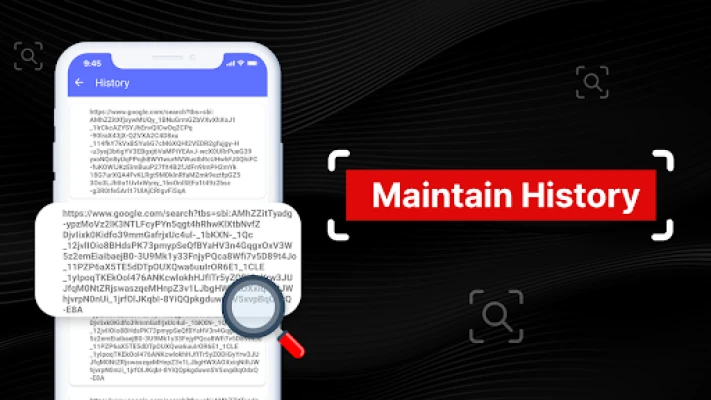
- Search History: Keep track of your recent image searches for easy access.
- Image Cropping: Crop images before uploading to refine your search results.
Why Use the Reverse Image Search App?
The **Reverse Image Search App** is not just a tool; it’s a game-changer for professionals in the creative industry. Here’s why you should consider integrating it into your workflow: 1. **Protect Your Work:** Photographers and artists can safeguard their intellectual property by regularly checking for unauthorized use of their images. The app allows for quick identification of copyright infringement, enabling you to take necessary action. 2. **Discover Related Visuals:** By uploading an image, you can access a plethora of related visuals, historical data, and relevant resources. This feature is particularly useful for inspiration and research. 3. **Enhance Your Projects:** Graphic designers can utilize the app to find similar images that complement their projects, ensuring a cohesive visual narrative. 4. **Safe and Secure:** The app prioritizes your privacy. All images captured or uploaded are secure, ensuring that only you have access to them.How to Use the Reverse Image Search App
Using the **Reverse Image Search App** is straightforward. Follow these simple steps to unlock the full potential of visual exploration: 1. **Download the App:** Start by downloading the Reverse Image Search App from your preferred app store. 2. **Upload an Image:** You can either capture a new image using your device’s camera or upload an existing image from your gallery. 3. **Select Search Options:** Choose from various search engines provided by the app to find the best match for your image. 4. **Review Results:** The app will display a list of related images, sources, and potential copyright information. 5. **Explore Further:** Use the search history feature to revisit previous searches and refine your image exploration.Conclusion
The **Reverse Image Search App** is an indispensable tool for anyone who engages with visual content. Its ability to provide comprehensive search results from multiple engines, combined with a user-friendly interface, makes it a must-have for photographers, designers, and artists alike. By leveraging this powerful app, you can protect your work, discover new visuals, and enhance your creative projects. Download the Reverse Image Search App today and unlock the full potential of your visual exploration journey!Rate the App
Add Comment & Review
User Reviews
Based on 0 reviews
No reviews added yet.
Comments will not be approved to be posted if they are SPAM, abusive, off-topic, use profanity, contain a personal attack, or promote hate of any kind.















More »

Popular Apps

Nova BrowserJef Studios

Throne WishlistThrone.com

Dark Web Browser : OrNETStronger Apps

LINE: Calls & MessagesLINE (LY Corporation)

XENO; Plan, AutoSave & InvestXENO Investment

Rogue SlimeQuest Seeker Games

Дядя Ваня VPNKONDAKOV

PrivacyWallPrivacyWall

Robinhood WalletRobinhood

Roman empire games - AoD RomeRoboBot Studio
More »
Editor's Choice

Grim Soul: Dark Survival RPGBrickworks Games Ltd

Craft of Survival - Gladiators101XP LIMITED

Last Shelter: SurvivalLong Tech Network Limited

Dawn of Zombies: Survival GameRoyal Ark

Merge Survival : WastelandStickyHands Inc.

AoD Vikings: Valhalla GameRoboBot Studio

Viking Clan: RagnarokKano Games

Vikings: War of ClansPlarium LLC

Asphalt 9: LegendsGameloft SE

Modern Tanks: War Tank GamesXDEVS LTD