

Latest Version
1.0.191
April 19, 2026
KF Software House
Tools
Android
0
$3.99
info.kfsoft.android.MemoryIndicatorPro
Report a Problem
More About Resource Monitor Mini Pro
Customize Your Screen Overlay: A Comprehensive Guide
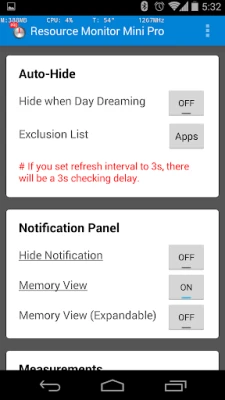
In today's digital age, personalizing your device's interface can significantly enhance your user experience. One of the most effective ways to achieve this is by setting an overlay on your screen. This article will guide you through the process of customizing your screen overlay, including positioning, color, and transparency options.
Understanding Screen Overlays
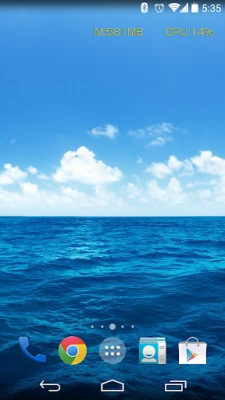
A screen overlay is a semi-transparent layer that appears on top of your existing applications. It can serve various purposes, such as displaying notifications, providing quick access to tools, or simply adding a personal touch to your device. By customizing the overlay, you can create a unique look that reflects your style and preferences.
Positioning Your Overlay
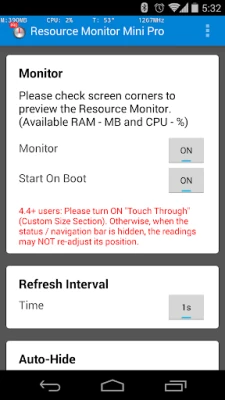
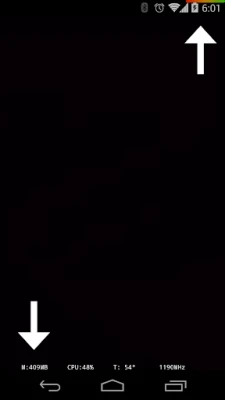
One of the first steps in customizing your screen overlay is deciding where to place it. You can position the overlay in any corner of your screen, allowing for maximum flexibility. Here’s how to do it:
- Top Left Corner: Ideal for quick access to notifications without obstructing your main view.
- Top Right Corner: Great for users who prefer to keep their notifications out of the way while still being easily accessible.
- Bottom Left Corner: A perfect spot for tools or shortcuts that you frequently use.
- Bottom Right Corner: This position is often favored for its unobtrusive nature, allowing for a clean interface.
Customizing Color and Transparency
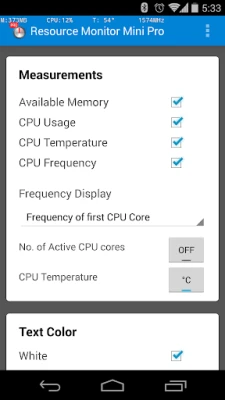
Once you’ve decided on the position of your overlay, the next step is to customize its appearance. Adjusting the color and transparency can significantly impact how the overlay integrates with your device's overall aesthetic.
Choosing the Right Color
Selecting a color that complements your device's theme is crucial. Here are some tips:
- Match Your Theme: If your device has a dark theme, consider using darker shades for your overlay. Conversely, lighter colors work well with bright themes.
- Use Contrasting Colors: A contrasting color can make your overlay stand out, ensuring that it catches your attention when needed.
- Experiment with Gradients: Gradients can add depth and sophistication to your overlay, making it visually appealing.
Adjusting Transparency Levels
Transparency is another critical aspect of overlay customization. Here’s how to find the right balance:
- High Transparency: A more transparent overlay allows you to see the underlying content clearly, making it less intrusive.
- Low Transparency: A less transparent overlay can provide a stronger visual impact but may obscure some of the content beneath it.
- Test Different Levels: Experiment with various transparency settings to find the perfect level that suits your needs.
Understanding CPU Loading
When customizing your overlay, it’s essential to consider the impact on your device's performance. CPU loading is an estimation that can vary based on the device's specifications. Newer devices typically handle overlays more efficiently, ensuring smooth performance without significant lag.
Trial Version Availability
If you're eager to try out these customization features, a trial version is available for download. You can explore the functionalities and see how they enhance your device's interface. Visit the following link to get started:
Conclusion
Customizing your screen overlay is a fantastic way to enhance your device's functionality and aesthetics. By carefully selecting the position, color, and transparency, you can create a personalized experience that suits your style. Don't hesitate to experiment with different settings to find the perfect combination that works for you. Enjoy the process of making your device truly yours!
Rate the App
User Reviews















Popular Apps










Editor's Choice









