

Latest Version
1.0.191
June 03, 2026
KF Software House
Tools
Android
0
Free
info.kfsoft.android.MemoryIndicator
Report a Problem
More About Resource Monitor Mini
Customize Your Screen Overlay: A Comprehensive Guide
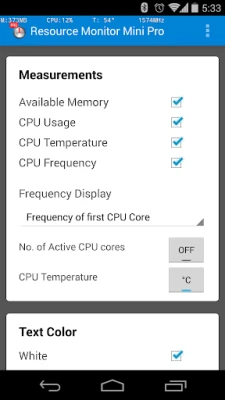
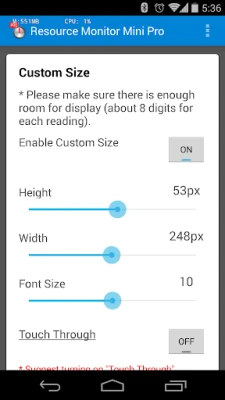
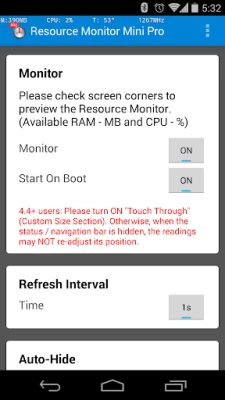
In today's digital age, personalizing your device's interface can significantly enhance your user experience. One of the most effective ways to achieve this is by setting an overlay on your screen. This article will guide you through the process of customizing your screen overlay, including its position, color, and transparency settings.
Understanding Screen Overlays
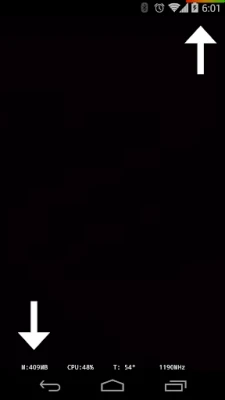
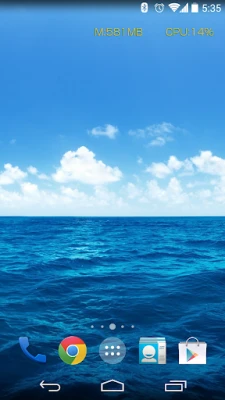
A screen overlay is a semi-transparent layer that can be placed over your device's display. It serves various purposes, from providing quick access to information to enhancing the aesthetic appeal of your device. By adjusting the overlay's position, color, and transparency, you can create a unique look that suits your preferences.
Setting the Overlay Position
One of the first steps in customizing your screen overlay is determining its position. You can set the overlay to appear in any corner of your screen, allowing for maximum flexibility. Whether you prefer it in the top left, top right, bottom left, or bottom right corner, the choice is yours. This feature ensures that the overlay does not obstruct your view while still being easily accessible.
Customizing Color and Transparency
Color customization is another essential aspect of creating a personalized overlay. You can choose from a wide range of colors to match your device's theme or your personal style. Additionally, adjusting the transparency level allows you to control how much of the underlying content is visible. A higher transparency level will make the overlay less intrusive, while a lower level will make it more prominent.
Estimating CPU Load for Newer Devices
For users with newer devices, estimating CPU load can be beneficial. This feature provides insights into your device's performance, helping you manage resources effectively. By monitoring CPU usage, you can optimize your device's performance and ensure a smoother user experience.
Exploring the Pro Version
If you're looking for advanced features and enhanced customization options, consider upgrading to the Pro version of the application. The Pro version offers additional functionalities that can further improve your experience. You can find it on the Google Play Store at the following link: Memory Indicator Pro.
Conclusion
Customizing your screen overlay is a simple yet effective way to enhance your device's functionality and aesthetics. By setting the overlay to your preferred corner, adjusting its color, and managing transparency, you can create a personalized experience that reflects your style. Don't forget to explore the Pro version for even more features that can elevate your device's performance. Start customizing today and enjoy a more tailored user experience!
Rate the App
User Reviews















Popular Apps










Editor's Choice









