





Latest Version
1.1.5
September 24, 2024
CAPCOM
Games
iOS
1.4 GB
0
Free
Report a Problem
More About Resident Evil Village
Essential Guide to Resident Evil Village: Installation, Gameplay, and In-App Purchases
Welcome to the ultimate guide for Resident Evil Village, where we delve into everything you need to know about installation, gameplay requirements, and in-app purchases. Whether you're a seasoned gamer or a newcomer to the franchise, this article will provide you with all the essential information to enhance your gaming experience.
Network Connection Requirement
To start your adventure in Resident Evil Village, a stable network connection is mandatory. This requirement ensures that you can access all game features and updates seamlessly. Make sure your device is connected to the internet before launching the application.
Understanding the End User License Agreement
Before diving into the game, it's crucial to familiarize yourself with the End User License Agreement (EULA). This agreement governs your use of the game software and comes into effect upon installation. Here are some key points:
- The agreement is binding between Capcom Co., Ltd. and the user upon installation.
- Users aged 13 to 18, or those with limited capacity, must obtain parental or guardian approval before installation.
Ensure you read and agree to these terms before purchasing the game to avoid any future complications.
Controller Recommendations for Optimal Gameplay
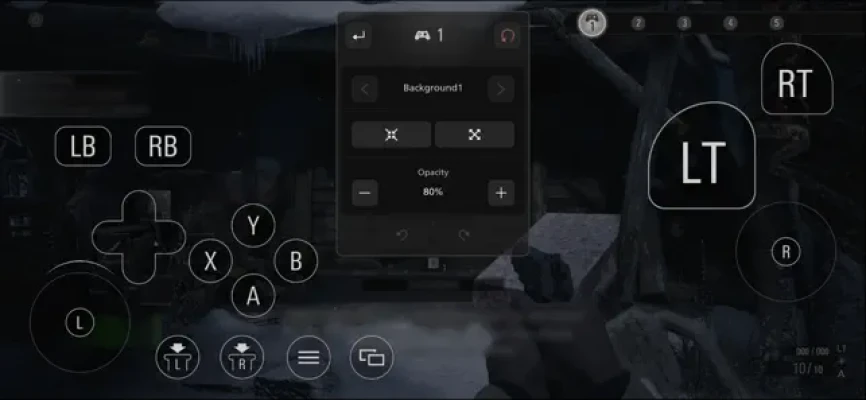
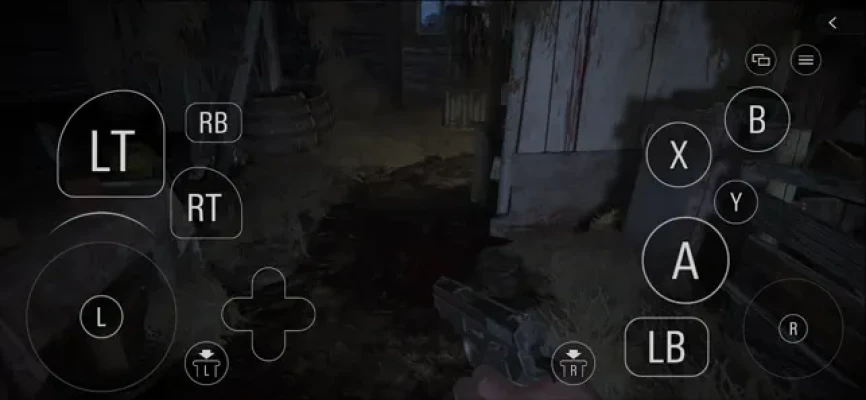
While Resident Evil Village can be played on an iPad, it is highly recommended to use a controller for the best gaming experience. The game does not support keyboard and mouse controls, so investing in a compatible controller will enhance your gameplay significantly. For a list of compatible controllers, visit the Apple website.
Free Gameplay and In-App Purchases
A limited portion of the base game is available for free, allowing players to experience the game before committing to a purchase. To unlock the full game, an in-app purchase is necessary. Here’s a breakdown of what you can expect:
- The base game requires an in-app purchase for full access.
- Additional content packs, such as the Trauma Pack and Winters' Expansion, offer exciting new features and gameplay modes.
Installation Requirements and Download Times
The application size for Resident Evil Village is approximately 16GB. To ensure a smooth installation process, you must have at least double the application size in free storage space. For optimal download speeds, connect to a reliable network. Here are estimated download times based on different connection speeds:
- 10 Mbps: Over 3 hours
- 100 Mbps: 30 to 40 minutes
- 300 Mbps: 8 to 10 minutes
Save Data Management with iCloud Drive
One of the exciting features of Resident Evil Village is the ability to upload and download save data via iCloud Drive. However, note that save data cannot be transferred between MacOS and iOS devices. Additionally, be cautious when signing out of your Apple ID, as it may lead to issues with your save data.
In-App Purchase Details
When considering in-app purchases, here’s what you can expect:
- Resident Evil Village (Base Game): Unlocks the entire base game.
- Trauma Pack DLC: Includes various enhancements such as the Samurai Edge weapon and exclusive filters.
- Winters' Expansion: Introduces new content, including Third Person Mode and additional gameplay orders.
- Street Wolf Outfit: A unique outfit for Rose, applicable only to the Shadow of Rose content.
- Extra Content Shop All Access Voucher: Provides access to additional content.
Keep in mind that all purchases are final and cannot be exchanged or refunded. In-app purchases are tied to the Apple ID used for the transaction and cannot be shared with Family Sharing members.
Compatible Operating Systems and Devices
To ensure a smooth gaming experience, check the compatibility of your device with Resident Evil Village. For detailed information on compatible operating systems and devices, visit the official Capcom website.
Conclusion
In summary, Resident Evil Village offers an immersive gaming experience that requires careful attention to installation requirements, controller recommendations, and in-app purchases. By following this guide, you can ensure a seamless and enjoyable adventure in the world of Resident Evil. Prepare yourself for a thrilling journey filled with suspense and excitement!
Rate the App
User Reviews














Popular Apps










Editor's Choice









