

Latest Version
4.18.03
June 10, 2026
EV CODE LABS, LLC
Tools
Android
0
Free
com.shevauto.remotexy.free
Report a Problem
More About RemoteXY: Arduino control
Unlocking the Power of RemoteXY: A Comprehensive Guide for Developers
Connecting devices seamlessly has never been easier. With the right tools and platforms, developers can create custom user interfaces that enhance functionality and user experience. One such powerful platform is RemoteXY, which allows developers to design graphical user interfaces (GUIs) effortlessly. This article will guide you through the process of utilizing RemoteXY to its fullest potential, ensuring you can connect and control your devices with ease.
Getting Started with RemoteXY
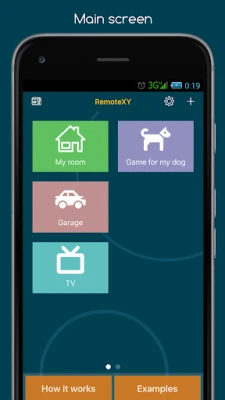
To connect to a device using RemoteXY, the first step is to install the application. Follow the instructions provided by the device developer to ensure a smooth setup. Once the app is installed, you can begin creating your custom GUI.
Creating Custom User Interfaces
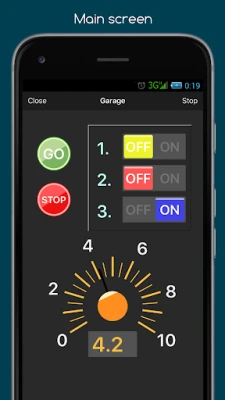
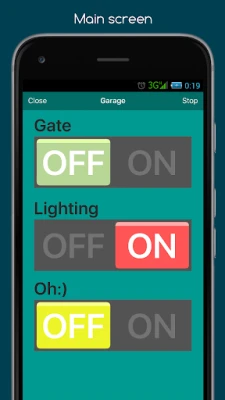
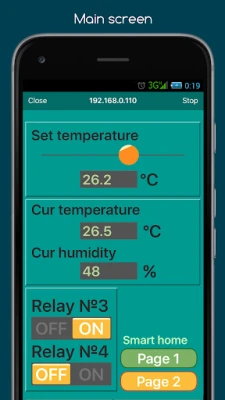
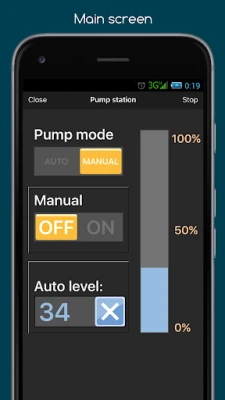
RemoteXY offers an intuitive editor accessible at remotexy.com. This platform allows you to design a personalized graphical interface tailored to your specific needs. The editor automatically generates a source code template compatible with the Arduino IDE, streamlining the development process.
Features of the RemoteXY Editor
- Automatic source code generation for various communication methods.
- Support for multiple controllers, ensuring versatility in your projects.
- A fully functional graphical interface that can be easily integrated with your tasks.
By following the detailed documentation and examples provided, you can upload the generated source code to your board. This allows you to connect to your device and control it through your custom graphical interface.
Supported Connection Methods
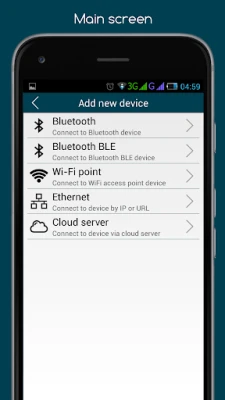
RemoteXY supports a variety of connection methods, making it adaptable to different project requirements. Here are the primary connection options:
- Internet: Connect from anywhere using the Cloud Server.
- WiFi: Utilize both client and access point modes.
- Bluetooth: Establish connections via Bluetooth technology.
- Ethernet: Connect using IP or URL.
- USB OTG: Directly connect via USB On-The-Go.
Compatible Boards and Modules
RemoteXY is compatible with a wide range of boards and communication modules, making it a versatile choice for developers. Here’s a list of supported boards:
- Arduino UNO, MEGA, Leonardo, Pro Mini, Nano, MICRO, and compatible AVR boards.
- ESP8266 and ESP32 boards.
- STM32F1 boards.
- nRF51822 boards.
Additionally, RemoteXY supports various communication modules, including:
- Bluetooth HC-05, HC-06, or compatible modules.
- Bluetooth BLE HM-10 or other UART BLE modules.
- ESP8266 used as a modem.
- Ethernet modules W5100 and W5500.
Supported Integrated Development Environments (IDEs)
To facilitate development, RemoteXY is compatible with several popular IDEs:
- Arduino IDE
- FLProg IDE
- Visuino IDE
Developing Graphical Control Interfaces for Clients
RemoteXY is not just for personal projects; it’s also an excellent tool for developers looking to create graphical control interfaces for clients. By leveraging the platform’s capabilities, you can deliver customized solutions that meet specific client needs, enhancing their experience and satisfaction.
Conclusion
In summary, RemoteXY is a powerful platform that simplifies the process of creating custom graphical user interfaces for various devices. By following the steps outlined in this guide, developers can harness the full potential of RemoteXY, ensuring seamless connectivity and control over their projects. Whether you are working on personal projects or developing solutions for clients, RemoteXY provides the tools necessary to succeed in today’s technology-driven landscape.
Start your journey with RemoteXY today and unlock endless possibilities for device connectivity and control!
Rate the App
User Reviews















Popular Apps










Editor's Choice









