Latest Version
1.4.4
October 08, 2024
BoostVision
Tools
Android
0
Free
com.boost.roku.remote
Report a Problem
More About Remote for Roku: TV Remote
The Ultimate Guide to the Roku TV Remote App: Features, Setup, and Troubleshooting
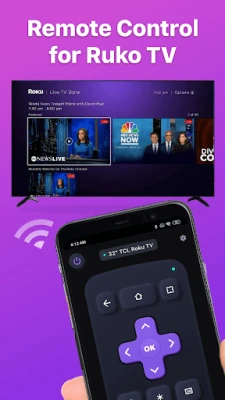
The Roku TV Remote App is a versatile tool designed to enhance your streaming experience. Compatible with a wide range of Roku devices and TVs, this app offers a convenient alternative to the traditional remote control. Whether you’ve lost your physical remote or simply prefer the ease of using your smartphone, the Roku Remote App is your go-to solution for seamless control over your Roku TV.
Compatibility of the Roku TV Remote App
The Roku TV Remote App is compatible with various Roku streaming devices and television brands, ensuring that you can control your entertainment setup effortlessly. Here’s a breakdown of the compatible devices:
- Roku Streaming Devices: Roku Express, Roku Express+, Roku Streaming Stick, Roku Streaming Stick+, Roku Premiere, Roku Premiere+, Roku Ultra
- Roku TVs: TCL, Hisense, Philips, Sharp, Insignia, Hitachi, Element, RCA, Onn
To use the app, your Android mobile device must be running version 7.0 or later.
Key Features of the Roku Remote App
The Roku Remote App is packed with features that make controlling your Roku TV a breeze. Here are some of the standout functionalities:
- Easy Setup: Download the app, connect it to your Roku TV, and you’re ready to go in just a few taps.
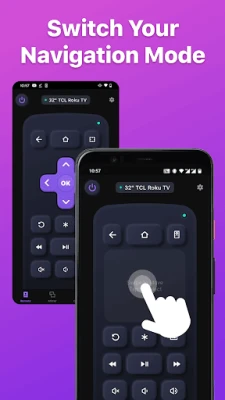
- Simple Navigation: Navigate the Roku TV interface effortlessly with a touchpad for scrolling and swiping.
- Playback Controls: Control your content playback with familiar buttons like Play/Pause, Fast Forward, Rewind, and Volume Control.
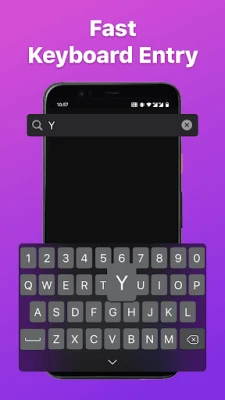
- Keyboard Input: Use the virtual keyboard for easy text entry, whether you’re entering passwords or searching for content.
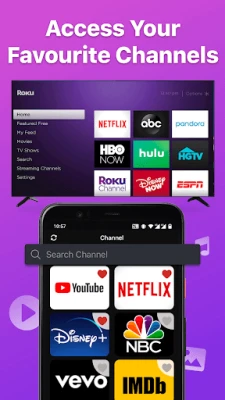
- Channel Shortcuts: Create shortcuts for your favorite channels, allowing you to launch them with a single tap.
- Power ON/OFF: Turn your Roku TV on or off directly from your mobile device with just one tap.
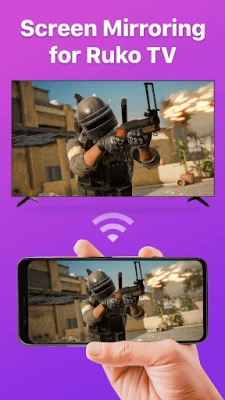
- Screen Mirroring: Share your screen on a smart view TV using the mirroring function.
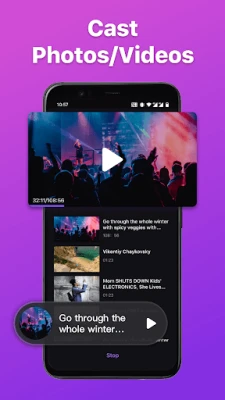
- Cast to TV: Enjoy local photos and videos on the big screen by casting from your device.
How to Connect the Roku Remote App to Your Roku TV
Connecting the Roku Remote App to your Roku TV is a straightforward process. Follow these steps to get started:
- Ensure your Android smartphone is connected to the same Wi-Fi network as your Roku TV.
- Download and launch the Roku TV Remote App, then select your Roku device from the list to connect.
- Once connected, you can control your Roku devices using the app.
Troubleshooting Connection Issues
If you encounter issues while trying to connect the Roku Remote App to your Roku TV, consider the following troubleshooting tips:
- Ensure that your smartphone and Roku TV are on the same Wi-Fi network, as the app requires this for connectivity.
- If you’re unable to connect, try reinstalling the Roku Remote App and rebooting your Roku TV. This often resolves common bugs.
Important Notes
It’s essential to note that BoostVision is not affiliated with Roku, Inc., and the Remote for Roku: TV Remote is not an official product of Roku, Inc. For more information, you can review the following:
Visit Our Page for More Information
For additional details about the Roku TV Remote App, including download links and updates, visit our official page: Roku TV Remote App.
In conclusion, the Roku TV Remote App is an indispensable tool for any Roku user. With its user-friendly interface and robust features, it simplifies the way you interact with your Roku devices, making your streaming experience more enjoyable than ever.
Rate the App
User Reviews















Popular Apps










Editor's Choice









