Latest Version
April 13, 2026
Ratna development
Tools
Android
0
Free
com.remoteforkartinatv.irapp
Report a Problem
More About Remote for Kartina Tv
Ultimate Guide to the Remote for Kartina TV: Your Convenient Control Solution
In the world of digital entertainment, having a reliable remote control is essential. The Remote for Kartina TV app emerges as a powerful tool for users seeking a seamless experience with their Kartina TV devices. This article delves into the features, compatibility, and benefits of this innovative app, ensuring you have all the information you need to enhance your viewing experience.
What is the Remote for Kartina TV?
The Remote for Kartina TV is an unofficial third-party application designed to provide users with an alternative way to control their Kartina TV setup boxes. This app is not affiliated with Kartina or its suppliers, ensuring that it operates independently while still delivering a high-quality user experience. It is specifically engineered to work with various Kartina TV models through an infrared (IR) blaster, making it a versatile option for many users.
Key Features of the Remote for Kartina TV
This app boasts several features that make it a must-have for Kartina TV users:
- Wide Compatibility: The app is compatible with most Kartina TV models, ensuring that a broad range of users can benefit from its functionality.
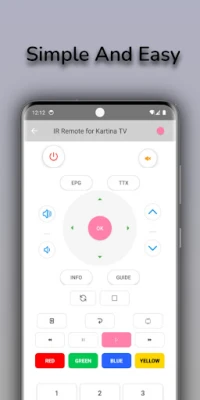
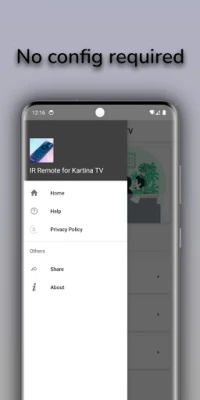
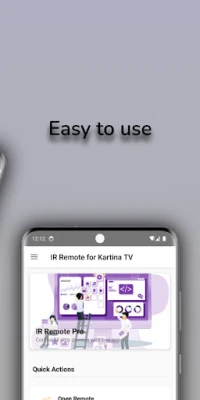
- User-Friendly Interface: The clean and intuitive design allows users to navigate the app effortlessly, making it accessible for everyone.
- Instant Response: Utilizing infrared technology, the app provides immediate response times, allowing for smooth control of your TV.
- No Network Connection Required: Unlike many other remote control apps, this one does not require an internet connection, making it reliable in any situation.
- Lightweight and Quick Launch: The app is designed to be lightweight, ensuring it launches quickly and does not consume excessive resources on your device.
How to Use the Remote for Kartina TV
Using the Remote for Kartina TV app is straightforward and user-friendly. Follow these simple steps to get started:
- Ensure your Android device is equipped with a built-in IR blaster.
- Download and install the Remote for Kartina TV app from the Google Play Store.
- Open the app and point your device at your Kartina TV setup box.
- Begin controlling your TV immediately without the need for pairing or complex setup.
Why Choose the Remote for Kartina TV?
There are several reasons why the Remote for Kartina TV app stands out among other remote control solutions:
- Convenience: This app provides a quick and easy alternative to traditional remotes, especially when the original remote is lost or damaged.
- Accessibility: With no need for pairing or internet connectivity, users can control their TV anytime and anywhere, as long as they have their Android device.
- Cost-Effective: The app is free to download, making it an economical choice for users looking to enhance their viewing experience without additional costs.
Important Considerations
While the Remote for Kartina TV app offers numerous benefits, there are a few important considerations to keep in mind:
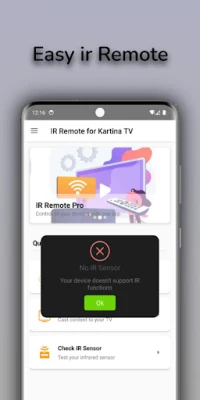
- IR Blaster Requirement: Your Android device must have a built-in IR blaster for the app to function properly. Ensure your device meets this requirement before downloading.
- Unofficial Status: As an unofficial third-party app, it is not endorsed or affiliated with Kartina. Users should be aware of this distinction when using the app.
Conclusion
The Remote for Kartina TV app is an excellent solution for anyone looking to control their Kartina TV setup box conveniently. With its user-friendly interface, instant response capabilities, and compatibility with various models, it provides a reliable alternative to traditional remotes. By following the simple steps outlined above, you can enhance your viewing experience and enjoy the convenience of controlling your TV directly from your Android device.
Download the Remote for Kartina TV app today and take control of your entertainment experience like never before!
Rate the App
User Reviews















Popular Apps










Editor's Choice









