Latest Version
38.0
December 07, 2025
Remote Control - TV Remote, TV Cast
Entertainment
Android
0
Free
tv.remote.control.firetv.tvremote
Report a Problem
More About Remote for Fire TV, FireStick
Unlock Seamless Screen Mirroring with Fire TV Remote - Firestick
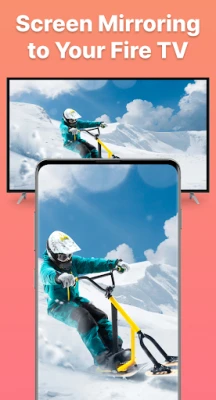
Experience the ultimate convenience of screen mirroring as you cast videos, photos, movies, and more directly to your Fire TV. The Fire TV Remote - Firestick app transforms your smartphone into a powerful remote control, placing all your entertainment options right at your fingertips.
Key Features of Fire TV Remote - Firestick
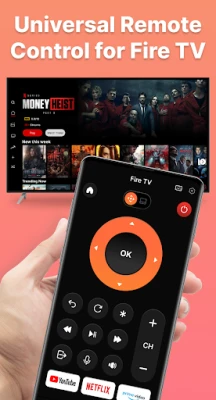
- Universal Remote Control: Enjoy complete control over your Fire TV and Fire Stick with this all-in-one remote solution.
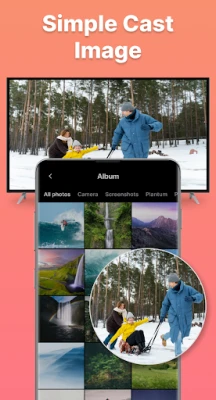
- Smooth Screen Mirroring: Instantly cast content from your phone to your Fire TV for a seamless viewing experience.
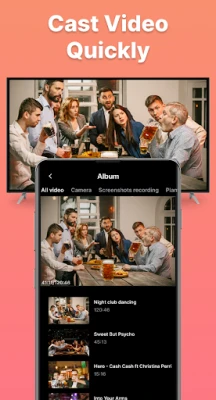
- High-Quality Casting: Share photos and videos in stunning quality, enhancing your immersive viewing experience.
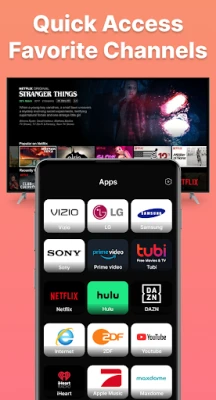
- Quick Access to Favorite Channels: Easily navigate to your preferred channels on Fire Stick with rapid access features.
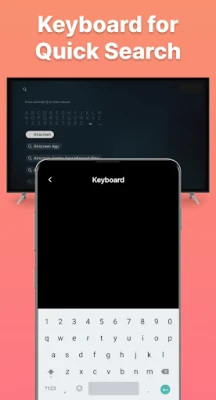
- Integrated Keyboard and Voice Input: Utilize the built-in keyboard or voice feature for effortless text input and quick searches on Fire TV.
- Convenient Touchpad Navigation: Navigate your Fire TV effortlessly with a user-friendly touchpad.
- Simple Connection Process: Connect your Fire TV device in just a few easy steps.
- User-Friendly Interface: Enjoy a clear setup process designed for fast and easy use.
How to Connect Fire TV Remote - Firestick to Your TV
- Power on your Fire TV.
- Ensure that both your Fire TV and Android phone are connected to the same Wi-Fi network.
- Open the app and tap to connect; it will automatically search for available Fire devices.
How to Start Screen Mirroring on Fire TV
- Launch the Fire TV remote control app and confirm it connects to your Fire TV or Fire Stick on the same network.
- Tap on "Mirror" to access the mirroring interface and select the Cast Screen option.
- Choose your TV’s name from the list of available devices to connect and begin casting your screen.
- Enjoy your favorite content on your Fire TV!
Troubleshooting Fire TV Remote - Firestick
If you experience connectivity issues, follow these troubleshooting tips:
- Ensure that both your TV device and the Fire TV controller app are connected to the same Wi-Fi network for successful connectivity.
- If you cannot connect your phone to the Fire TV, try reinstalling the Fire TV app and rebooting your device. This often resolves most connectivity problems and bugs.
Start Using Fire TV Remote - Firestick Today!
Unlock the full potential of your Fire TV with the Fire TV Remote - Firestick app. Enjoy the ultimate casting and remote control experience, bringing your favorite content to life on the big screen.
Disclaimer
Please note that we are not affiliated with Amazon.com Inc. The Fire TV Remote - Firestick app is not an official product of Amazon.com Inc. or its affiliates.
Your feedback is invaluable to us as we continue to develop the Fire TV Remote - Firestick app. For any inquiries or support, please contact our team at hoangvan94.inc@gmail.com.
Rate the App
User Reviews




Popular Apps










Editor's Choice









