
Latest Version
December 04, 2025
Optima Tools
Tools
Android
1
Free
optima.firre.tvremote.control.stick
Report a Problem
More About Remote for Fire TV (FireStick)
Transform Your Fire TV Experience with the Ultimate Android Remote Control
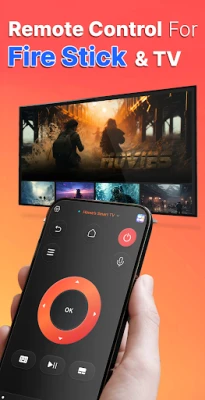
Are you tired of endlessly searching for your Fire TV remote around the house? Do you often find yourself frustrated when the remote runs out of battery? If so, it’s time to upgrade to a smarter solution. Replace your traditional plastic remote with a cutting-edge software smart remote that allows you to control your FireStick TV directly from your Android phone!
Why Choose a Smart Remote for Your Fire TV?
The Remote for Fire TV (FireStick) is specifically designed to enhance your viewing experience by allowing you to control your Fire TV Stick using your Android device. By connecting your mobile device and Fire Stick TV to the same Wi-Fi network, you can effortlessly manage your entertainment without the hassle of a physical remote. Say goodbye to the days of misplacing your remote or dealing with dead batteries!
Seamless Control at Your Fingertips
With the Fire TV Remote app, you can enjoy a range of features that make controlling your TV easier than ever:
- Fully Functional Remote Control: Experience all the functionalities of a traditional remote, including navigation and channel selection.
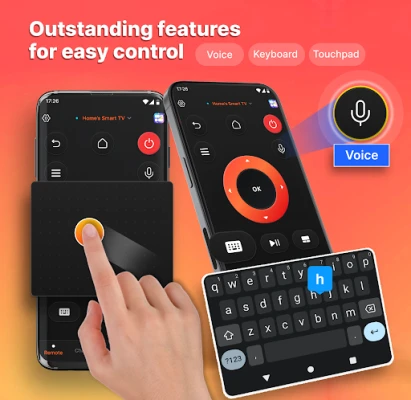
- Smart Keyboard: Quickly search for your favorite shows and movies with an integrated keyboard.
- Ultra Touchpad: Navigate your Fire TV interface with precision and speed.
- Voice Search: Use your voice to find content effortlessly, making your viewing experience more convenient.
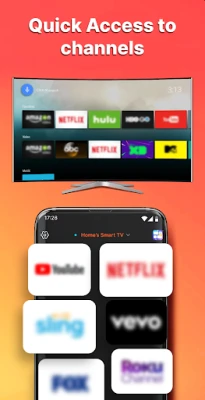
- Quick Access to Apps: Instantly launch your favorite applications and channels with just a tap.
Cast and Mirror Your Content
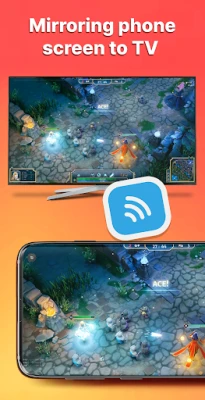
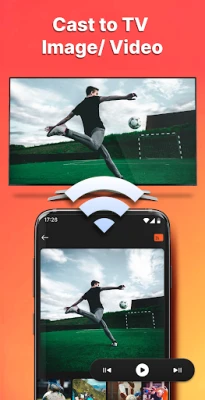
One of the standout features of the Fire TV Remote app is its ability to cast photos and videos from your phone to your Fire TV. This functionality allows you to enjoy your favorite content on a larger screen, making it perfect for family gatherings or movie nights with friends. Experience seamless and uninterrupted casting, bringing your media to life like never before.
How to Get Started with Your New Remote
Getting started with the Remote for Fire TV (FireStick) is simple:
- Download the Fire TV Remote app from the Google Play Store.
- Ensure your Android device and Fire Stick TV are connected to the same Wi-Fi network.
- Open the app and follow the on-screen instructions to pair your devices.
- Start enjoying your favorite shows and movies with the convenience of your smartphone!
Disclaimer
Please note that this app is not affiliated with or endorsed by Amazon, Amazon.com Inc, or any other brands. It is a third-party tool designed for compatibility with Fire TV and Firestick, providing you with an innovative way to control your entertainment.
Download the Fire TV Remote for Android Today!
Don’t let the hassle of a traditional remote hold you back. Download the Remote for Fire TV (FireStick) app now and revolutionize the way you interact with your Fire TV. Enjoy the freedom and convenience of controlling your entertainment from the palm of your hand!
Thank you for choosing the Remote for Fire TV (FireStick) app. Your viewing experience will never be the same!
Rate the App
User Reviews















Popular Apps










Editor's Choice









