Latest Version
2.1.11
July 28, 2025
DOSA Apps
Tools
Android
0
Free
com.toolslab.remotefiretv
Report a Problem
More About Remote for Fire TV - Firestick
Ultimate Guide to Controlling Your Fire TV with an Android Device
Connecting your Android mobile device to your Fire TV or Fire Stick can transform your viewing experience. By enabling ADB on your Fire TV, you can effortlessly control your device, making it a breeze to navigate your favorite shows and apps. This guide will walk you through the features, connection process, and screen mirroring capabilities, ensuring you get the most out of your Fire TV.
Key Features of the Android Remote Control App
The Android remote control app offers a plethora of features that enhance your interaction with Fire TV. Here’s what you can expect:
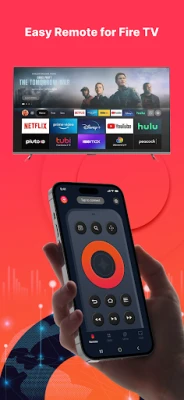
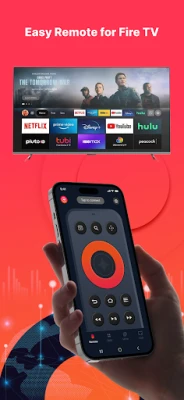
- Fully Functional Remote Control: Experience the convenience of a real Fire TV remote, allowing you to navigate menus and settings with ease.
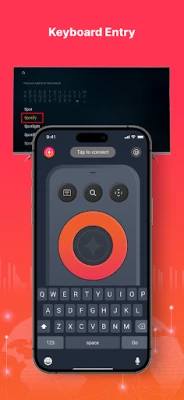
- Keyboard Feature: Simplify text input and search for content on your TV with an integrated keyboard.
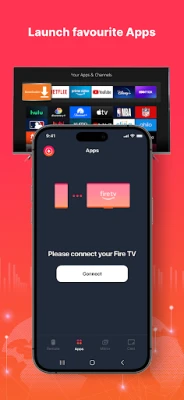
- Quick Access to Favorites: Instantly access your favorite channels and applications, streamlining your viewing experience.
- Low Latency Screen Mirroring: Mirror your phone’s screen to your Fire TV with minimal delay, perfect for sharing content.
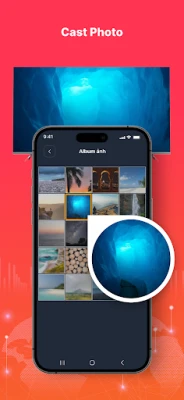
- Cast Local Media: Effortlessly cast photos and videos from your phone to your Fire TV, enhancing your media consumption.
- Power Control: Turn your Fire TV on or off with just a tap, adding convenience to your routine.
- Volume Control: Adjust the volume easily, ensuring you have the perfect sound for your viewing experience.
- Auto-Connect Feature: Enable the Fire device auto-connect control button for seamless connectivity.
To ensure smooth screen mirroring, please download our companion app, Screen Mirroring for Fire TV, on your TV device.
Steps to Connect Your Android Device to Fire TV or Fire Stick
Connecting your Android device to your Fire TV is a straightforward process. Follow these steps to get started:
- Enable ADB Debugging: Before connecting, ensure that ADB debugging is enabled on your Fire device.
- Connect to Wi-Fi: Your Fire TV must be connected to your home’s Wi-Fi network.
- Activate Wi-Fi on Your Phone: Make sure your Android phone’s Wi-Fi is turned on and connected to the same network as your Fire TV.
- Tap to Connect: Open the app and tap to connect your device. The app will automatically search for Fire devices in your home.
How to Screen Mirror to Fire TV
Screen mirroring allows you to display your Android device’s screen on your Fire TV. Here’s how to do it:
- Launch the Remote App: Open the remote app and connect it to your Fire TV while on the same network.
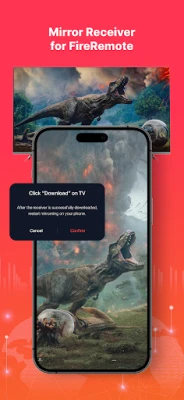
- Enter Mirroring Interface: Click "Mirror" to access the mirroring interface. Follow the prompt to download our receiver app, Screen Mirroring Receiver for Fire TV, on your TV device.
- Restart Mirroring: Once the receiver app is successfully downloaded on your Fire TV, restart the mirroring process on your phone.
- Enjoy Screen Mirroring: Experience rapid screen mirroring and share your content effortlessly!
Important Notes
It’s essential to note that this app was not created or endorsed by Amazon. However, it provides a robust solution for controlling your Fire TV and enhancing your viewing experience.
Conclusion
Connecting your Android device to your Fire TV or Fire Stick opens up a world of convenience and functionality. With features like a fully functional remote control, keyboard input, and seamless screen mirroring, you can elevate your entertainment experience. Follow the steps outlined in this guide to make the most of your Fire TV setup. Enjoy your viewing!
Rate the App
User Reviews















Popular Apps










Editor's Choice









