Latest Version
March 07, 2026
MANDALA CONSULTING CO.,LTD
Tools
Android
0
Free
com.fire.tvremote.control.remotetv
Report a Problem
More About Remote for Fire TV, FireStick
Unlock the Ultimate Streaming Experience with the Smart Remote for Fire TV & FireStick
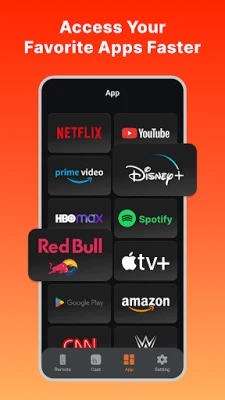
In today's digital age, streaming has become an integral part of our entertainment landscape. With the Smart Remote for Fire TV & FireStick, you can elevate your viewing experience to new heights. This innovative app combines functionality with ease of use, allowing you to control your streaming device effortlessly. Let’s explore the key features that make this app a must-have for every Fire TV and FireStick user.
Seamless Control with Your Smartphone
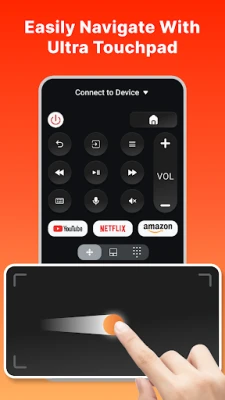
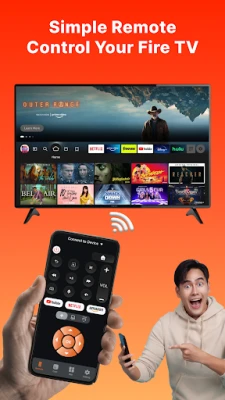
The Smart Remote transforms your smartphone into a powerful remote control for your Fire TV and FireStick. No more fumbling around for the physical remote; simply download the app and take charge of your streaming experience directly from your phone. This feature not only enhances convenience but also ensures that you can navigate your favorite shows and movies with ease.
Classic Remote Design Meets Modern Technology
One of the standout features of this app is its design. It mimics the look and feel of a traditional remote, making it familiar and easy to use. The intuitive layout allows users of all ages to navigate without confusion. Whether you’re a tech-savvy individual or someone who prefers simplicity, this app caters to everyone.
Instant Screen Mirroring for Enhanced Viewing
Imagine being able to mirror your smartphone screen to your TV instantly. With the Smart Remote, this is a reality. This feature is perfect for sharing photos, videos, or presentations on a larger screen, making it an excellent tool for both personal and professional use. Enjoy the flexibility of displaying your content without the hassle of complicated setups.
Effortless Setup – No Additional Hardware Required
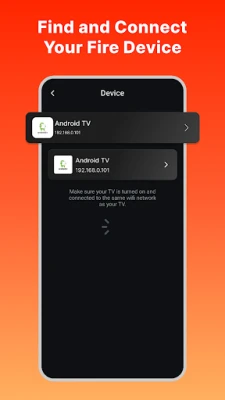
Setting up the Smart Remote is a breeze. There’s no need for additional hardware or complicated configurations. Simply download the app, connect to your Fire TV or FireStick, and you’re ready to go. This straightforward setup process ensures that you can start enjoying your favorite content in no time.
User-Friendly Interface – No Tutorials Needed
The app boasts an easy-to-use interface that requires no tutorials or prior experience. Users can navigate through the app’s features seamlessly, making it accessible for everyone. Whether you’re searching for a specific show or adjusting the volume, the app’s design ensures that you can do so with minimal effort.
Download Now and Enjoy Effortless Streaming
Don’t miss out on the opportunity to enhance your streaming experience. Download the Smart Remote for Fire TV & FireStick today and enjoy the convenience of controlling your entertainment from your smartphone. Whether you’re relaxing at home or on the go, this app allows you to engage with your favorite content effortlessly.
Disclaimer
Please note that this application is not affiliated with Amazon.com Inc. and is not an official product of Amazon.com Inc. or its affiliates. It is designed to enhance your experience with Fire TV and FireStick, providing you with a unique and user-friendly way to control your streaming device.
In conclusion, the Smart Remote for Fire TV & FireStick is an essential tool for anyone looking to streamline their streaming experience. With its classic design, instant screen mirroring, and user-friendly interface, it stands out as a top choice for Fire TV and FireStick users. Download the app today and take your entertainment to the next level!
Rate the App
User Reviews















Popular Apps










Editor's Choice









