


Latest Version
January 05, 2026
Code Stars
Tools
Android
0
Free
com.remotecontrol.firetvremote
Report a Problem
More About Remote for Fire TV - FireStick
Transform Your Streaming Experience with the Ultimate Fire Stick Remote App
Are you tired of searching for your physical remote or dealing with the frustration of dead batteries? Look no further! The Fire Stick Remote App is here to revolutionize your streaming experience. This innovative application allows you to control your Fire TV effortlessly, using your smartphone as a powerful remote. With features designed for convenience and efficiency, you can enjoy seamless navigation and playback management like never before.
Key Features of the Fire TV Remote App
- Complete Remote Control: Transform your smartphone into a fully functional Fire TV remote, equipped with all essential controls.
- Fast Typing and Instant Search: Utilize the built-in mobile keyboard for quicker typing and instant search capabilities.
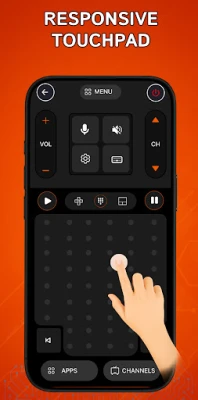
- Smooth Navigation: Experience accurate navigation with an intuitive gesture touchpad that enhances user interaction.
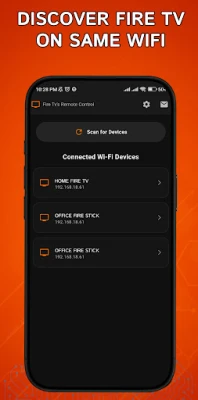
- Automatic Wi-Fi Connection: Effortlessly connect to your Fire TV, Fire TV Stick, Fire TV Cube, or Fire TV Box over Wi-Fi.
- Quick Access Shortcuts: Open your favorite apps and channels in seconds with convenient shortcuts.
- One-Tap Power Control: Turn your TV on or off with a single tap, making it easier to manage your entertainment.
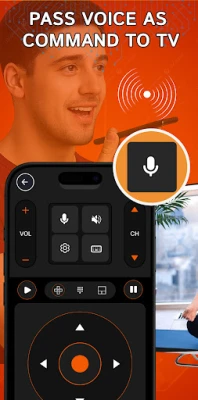
- Effortless Volume and Playback Adjustment: Control volume and playback settings directly from your Android device.
- No More Lost Remotes: Say goodbye to misplaced remotes and battery issues—your phone becomes the ultimate Fire Stick remote replacement.
How to Connect and Use the Fire Stick Remote App
Getting started with the Fire Stick Remote App is simple. Follow these easy steps to connect and use the app:
- Ensure your Fire TV or Fire Stick is connected to the same home Wi-Fi network as your Android phone.
- Open the app on your smartphone and tap “Connect.” The app will automatically detect your Fire TV device.
- A four-digit PIN will appear on your TV screen. Enter this PIN in the app to establish the connection.
Why Choose the Fire Stick Remote App?
The Fire Stick Remote App is not just another remote control; it’s a comprehensive solution for enhancing your streaming experience. With its lightweight and responsive design, you can manage your entertainment effortlessly. Whether you’re binge-watching your favorite series or enjoying a movie night, this app ensures you have complete control at your fingertips.
Disclaimer
Please note that this app is not affiliated with or endorsed by Amazon or Fire TV brands. It is not an official product of Amazon.com Inc. or its affiliates. All trademarks belong to their respective owners. A Wi-Fi connection is required for the app to function properly.
Contact Us
For support, feedback, or inquiries, feel free to reach out to us:
📧 Email: codewizardservices@gmail.com
Upgrade your streaming experience today with the Fire Stick Remote App and enjoy the convenience of controlling your Fire TV from your smartphone!
Rate the App
User Reviews















Popular Apps










Editor's Choice









