
Latest Version
July 10, 2026
Tea Studio
Tools
Android
0
Free
com.tea.remoteappletv.appletvremote.remotetv
Report a Problem
More About Remote for Apple TV
Unlock the Full Potential of Your Apple TV with the Ultimate Remote Control App
In the ever-evolving world of home entertainment, having a reliable and efficient remote control is essential. The Remote for Apple TV app stands out as a powerful tool designed to enhance your viewing experience. This article delves into the key features of this innovative app, its compatibility with various Apple TV models, and important disclaimers regarding its affiliation with Apple Inc.
Key Features of the Remote for Apple TV App
The Remote for Apple TV app is packed with features that make navigating your Apple TV seamless and enjoyable. Here are some of the standout functionalities:
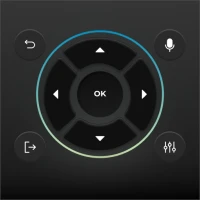
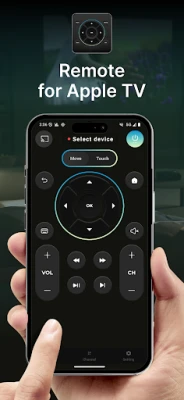
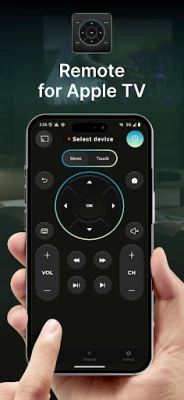
- Fully Functional Apple TV Remote Control: Take complete control of your Apple TV with a user-friendly interface that mimics the original remote.
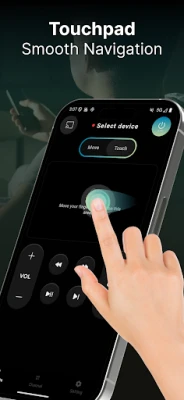
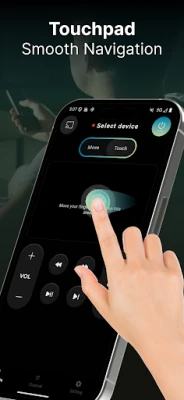
- Large Touchpad for Content Navigation: Effortlessly swipe through menus and select content with a responsive touchpad that enhances your navigation experience.
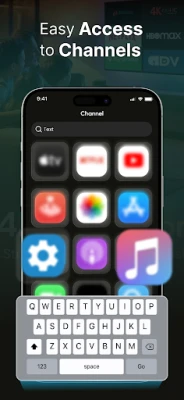
- Convenient Keyboard for Text Entry: Say goodbye to tedious typing. The built-in keyboard allows for quick and easy text input, making searches and logins a breeze.
- Playback Control: Manage your viewing experience with intuitive playback controls, allowing you to pause, rewind, or fast-forward with ease.
- Quick Access to All Apps: Instantly access your favorite applications without the hassle of scrolling through menus.
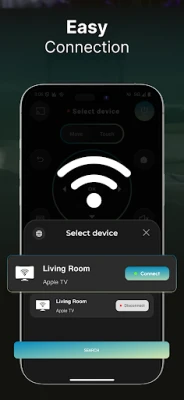
- Automatic Connection to Devices: The app connects to your Apple TV automatically, ensuring you can start using it right away without complicated setup processes.
- Wear OS Compatibility: For those who prefer using their smartwatch, the app is compatible with Wear OS, providing a convenient alternative for controlling your Apple TV.
Supported Devices for the Remote for Apple TV App
The Remote for Apple TV app is designed to work with specific Apple TV models, ensuring a smooth and efficient user experience. Here are the supported devices:
- Apple TV (4th Generation): Requires tvOS 9.2.1 or later for optimal performance.
- Apple TV (3rd Generation): Compatible with Apple TV Software 7.2.1, allowing users to enjoy the app's features.
Important Notice Regarding the Remote for Apple TV App
It is crucial to understand that the Remote for Apple TV app operates independently and is not an official Apple product. Here are some key points to note:
- This application serves as an independent remote control tool, providing users with an alternative to the standard Apple remote.
- The app is not affiliated with, endorsed by, sponsored by, or associated with Apple Inc. in any capacity.
- Apple TV is a registered trademark of Apple Inc. All product names, trademarks, and logos mentioned are used solely for identification and compatibility reference purposes.
Conclusion: Elevate Your Apple TV Experience
The Remote for Apple TV app is a game-changer for Apple TV users, offering a range of features that enhance usability and convenience. With its intuitive design and robust functionality, this app allows you to navigate your Apple TV effortlessly, making it an essential tool for any home entertainment setup. Whether you’re searching for your favorite show or controlling playback, this app ensures a smooth and enjoyable experience.
Download the Remote for Apple TV app today and unlock the full potential of your Apple TV!
Rate the App
User Reviews















Popular Apps










Editor's Choice









