Latest Version
1.2.6
February 27, 2026
Maxlabs Remote Control Tools
Tools
Android
0
Free
com.azmobile.remote.control.tv
Report a Problem
More About Remote Control for TV - All TV
Transform Your TV Experience with the Universal TV Remote Control App
Are you frustrated with the constant struggle of finding your remote? Do you often deal with drained batteries or a collection of similar-looking remotes cluttering your living space? If so, it’s time to simplify your TV experience with the Universal TV Remote Control app. This innovative solution allows you to control your Smart TV directly from your smartphone, making your viewing experience more enjoyable and hassle-free.
Why Choose the Universal TV Remote Control App?
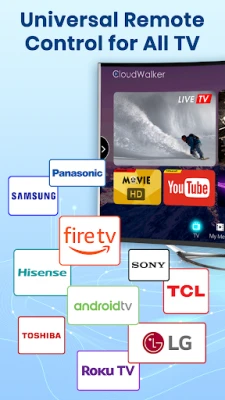
The Universal TV Remote Control app is designed with user convenience in mind. It seamlessly connects to a variety of Smart TV brands, including:
- Samsung
- Roku
- LG
- Sony
- FireTV
- AndroidTV
- Vizio
- Hisense
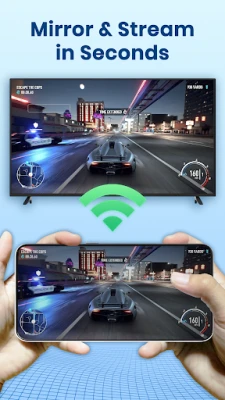
By connecting your smartphone to your TV via Wi-Fi, you can easily manage functions such as volume, channels, and input sources. Whether you’re watching movies, gaming, or just relaxing, this app provides you with the control you need, right at your fingertips.
Key Features of the Universal TV Remote Control App
This app is packed with features that enhance your TV-watching experience:
- Automatic TV Detection: The app automatically finds Smart TVs on the same Wi-Fi network, eliminating the need for manual setup.
- Support for Major Brands: It supports a wide range of TV brands, ensuring compatibility with your device.
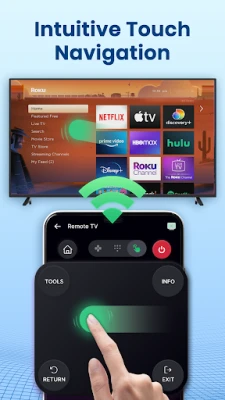
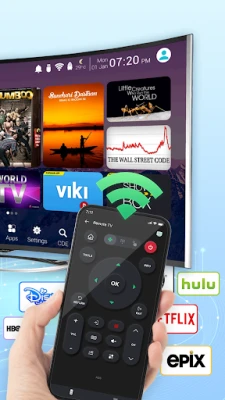
- Large Touchpad: Navigate your TV effortlessly with a large touchpad designed for easy control.
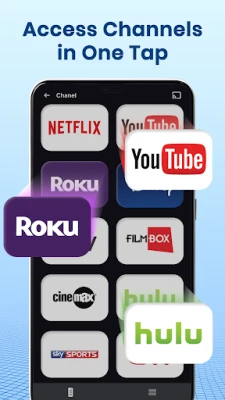
- Direct Channel Access: Start channels directly from the app, making it quicker to find your favorite shows.
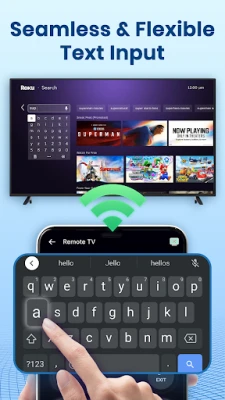
- Simple Keyboard: Type quickly and easily with a user-friendly keyboard interface.
- Hands-Free Voice Search: Use voice commands to search for content, making it even more convenient.
Replace Your Traditional Remotes with Ease
The Universal TV Remote Control app can replace various traditional remotes, including:
- Smart TV remote for Samsung TV
- Control remote for Sony TV
- Smart TV remote for LG TV
- Smart TV remote for Roku TV
- TV Remote for TCL TV
- Smart TV remote for Fire TV
- Control TV remote for Chromecast
- Control TV remote for Panasonic
- Control TV remote for Philips
- Smart TV remote for Android Box TV
- TV remote for Xiaomi TV
- Remote control for EcoStar TV
- TV remote for Toshiba
- Smart TV remote for IR Blaster TV
- And many more!
How to Use the Universal TV Remote Control App
Getting started with the Universal TV Remote Control app is simple. Follow these easy steps:
- Download and install the Universal TV Remote Control app from your app store.
- Select your TV brand or streaming device, such as Fire TV, Samsung, Roku, or LG webOS TV.
- Tap to connect the app to your Smart TV.
- That’s it! Your TV remote control is ready to use.
Disclaimer
Please note that the Universal TV Remote Control app is not affiliated with any of the TV brands listed. All copyrights are respected and reserved to their respective owners. If you notice any content within the app that violates copyrights, please notify us, and we will address the issue promptly.
Enhance Your TV-Watching Experience Today!
The Universal TV Remote Control app is an essential tool for anyone who loves watching TV. With its all-in-one features, intuitive touchscreen interface, and programmable options, controlling your TV has never been easier. Say goodbye to the hassle of multiple remotes and enjoy a streamlined viewing experience.
Download the Universal TV Remote Control app now and take the first step towards hassle-free TV control!
Connect with Us
If you have any questions or feedback, feel free to reach out to us at maxlabs.ltd@gmail.com.
Rate the App
User Reviews















Popular Apps










Editor's Choice









