Latest Version
January 05, 2026
MetaMobile
Tools
Android
0
Free
com.firetv.firestick.remote.tvcast.keyboard.smartcontrol
Report a Problem
More About Remote Control For Fire TV
Ultimate Guide to Using the Remote Control for Fire TV: Control Your Entertainment Effortlessly
In today's fast-paced world, convenience is key, especially when it comes to enjoying your favorite shows and movies. The Remote Control for Fire TV app transforms your Android phone into a powerful remote, allowing you to manage your Fire TV effortlessly. Say goodbye to the hassle of misplaced remotes, dead batteries, and cumbersome plastic controllers. With this innovative app, your smartphone becomes the ultimate smart remote for your Fire TV.
Why Choose the Remote Control for Fire TV?
Are you tired of losing your Fire TV remote? Frustrated by a remote that runs out of battery at the most inconvenient times? Or perhaps you find typing on your TV screen to be a slow and tedious process? The Remote Control for Fire TV app is designed to address these common issues, providing a seamless and efficient way to control your entertainment experience.
Key Features of the Remote Control for Fire TV
This app is packed with features that enhance your viewing experience. Here are some of the standout functionalities:
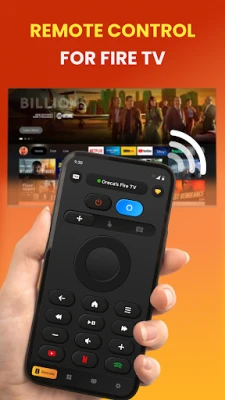
- Fully Functional Remote Control: Operate your Fire TV just like you would with a traditional remote.
- Auto-Connect to Fire TV Devices: The app automatically detects and connects to your Fire TV devices.
- Easy Navigation Buttons: Navigate through menus with ease using intuitive buttons.
- Voice Search Support: Use voice commands to find your favorite content quickly.
- Smart Keyboard: Enjoy fast text input and search capabilities.
- Ultra Touchpad: Experience smooth navigation with a responsive touchpad.
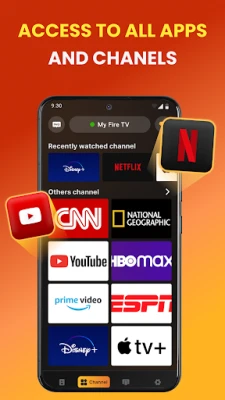
- Quick Access to Favorite Apps: Launch your preferred apps and channels with a single tap.
- Power ON/OFF and Volume Control: Manage your TV's power and volume effortlessly.
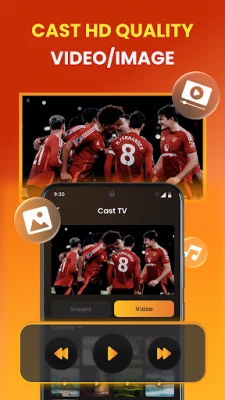
- Cast Photos and Videos: Share your media directly from your phone to your Fire TV.
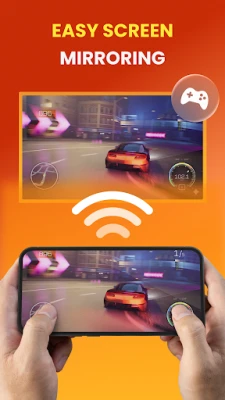
- Screen Mirroring: Mirror your phone's screen to your Fire TV for a larger display.
How to Connect Your Android Phone to Fire TV
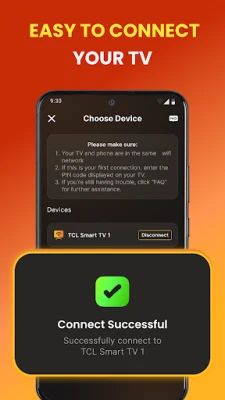
Connecting your Android phone to your Fire TV is a straightforward process. Follow these simple steps:
- Enable ADB Debugging: Go to your Fire TV device settings and enable ADB debugging.
- Connect to the Same Wi-Fi Network: Ensure both your Fire TV and Android phone are connected to the same Wi-Fi network.
- Open the App: Launch the Remote Control for Fire TV app on your phone.
- Tap Connect: The app will automatically search for and pair with available Fire TV devices.
Troubleshooting Connection Issues
If you encounter any issues while connecting, here are some troubleshooting tips:
- Ensure both your Fire TV and Android phone are on the same Wi-Fi network.
- If the connection fails, try restarting your Fire TV and reopening the app.
- Reinstalling the app can resolve most connection problems.
Important Disclaimer
Please note that this application is not affiliated with, endorsed by, or sponsored by Amazon.com Inc. The Remote Control for Fire TV is an independent third-party tool developed for compatibility with Fire TV and Firestick devices. It is not an official Fire TV remote application.
Download the Remote Control for Fire TV Today!
Ready to take control of your entertainment experience? Download the Remote Control for Fire TV app now and enjoy fast, smooth, and convenient TV control right from your Android phone. Experience the future of home entertainment with just a few taps!
Thank you for choosing the Remote Control for Fire TV app. Enjoy your viewing experience like never before!
Rate the App
User Reviews















Popular Apps










Editor's Choice









