


Latest Version
1.0.0.3
December 23, 2025
Remo Software
Tools
Android
0
Free
com.remo.remofileeraser
Report a Problem
More About Remo File Eraser
Securely Erase Your Sensitive Files with Remo File Eraser
In today's digital age, safeguarding your personal information is more crucial than ever. The Remo File Eraser app offers a reliable solution for securely deleting sensitive files and folders from your Android devices, including phones and tablets. This powerful tool ensures that your data is permanently erased, making recovery impossible.
Why Choose Remo File Eraser?
The Remo File Eraser app stands out for its user-friendly interface and robust functionality. It allows you to delete targeted files and overwrite them with random numbers and characters, ensuring that your sensitive information is irretrievable. With this app, you can have peace of mind knowing that your data is secure.
Three Levels of Data Shredding
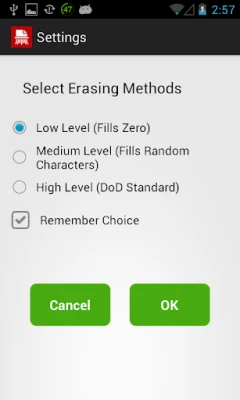
Understanding that every user has unique needs, Remo File Eraser offers three distinct shredding patterns to enhance data security. You can select the level of erasure that best fits your requirements:
1. Low-Level Shredding
The Low-Level Shredding option is designed for files that hold minimal importance. This method overwrites the targeted files with zeroes. For instance, if you wish to erase a 10KB file, the app will overwrite the corresponding area with 10KB of zeroes. This level of shredding is quick and efficient for less sensitive data.
2. Medium-Level Shredding
For users who require a higher level of security, the Medium-Level Shredding option overwrites files with random characters. This method provides a more robust approach to data deletion, making it significantly harder for any recovery software to retrieve your erased files.
3. High-Level Shredding
The High-Level Shredding option is the most secure method available within the app. It employs a three-pass overwriting technique: first, it overwrites the targeted files with a fixed value (0×00), then with its complement value (0xff), and finally with random values. This comprehensive approach ensures that all traces of your data are eliminated, leaving no chance for recovery.
How to Use Remo File Eraser
Using the Remo File Eraser app is straightforward. Follow these simple steps to securely erase your files:
- Download and Install: Get the Remo File Eraser app from the Google Play Store and install it on your Android device.
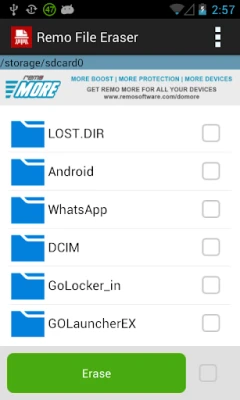
- Select Files: Open the app and choose the files or folders you wish to erase.
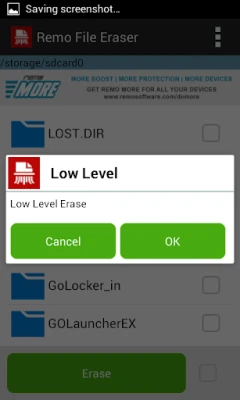
- Choose Shredding Level: Select the appropriate shredding level based on your data security needs.
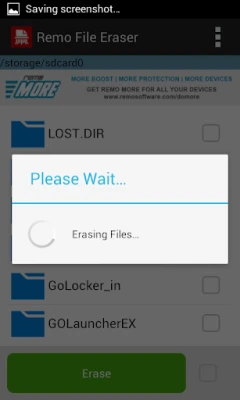
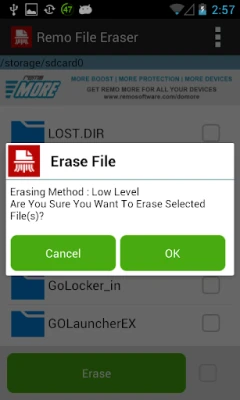
- Erase Files: Initiate the erasure process and wait for the app to complete the task.
Benefits of Using Remo File Eraser
Utilizing the Remo File Eraser app comes with numerous advantages:
- Enhanced Security: Permanently delete sensitive files, ensuring your personal information remains confidential.
- User-Friendly Interface: The app is designed for ease of use, making it accessible for all users.
- Customizable Options: Choose from three shredding levels to match your specific data security requirements.
- Free to Use: Enjoy the full functionality of the app without any cost.
Conclusion
In an era where data breaches and privacy concerns are rampant, the Remo File Eraser app provides a vital service for anyone looking to protect their sensitive information. With its three shredding levels and user-friendly design, you can confidently erase files from your Android devices, ensuring that your data is permanently destroyed. Download Remo File Eraser today and take the first step towards securing your digital life.
Rate the App
User Reviews















Popular Apps










Editor's Choice









