

Latest Version
2.15.3-prod
June 07, 2026
SolaFlashApps
Education
Android
0
Free
com.solaflashapps.releam
Report a Problem
More About Releam: Flashcards
Master Vocabulary with Innovative Flashcard Techniques
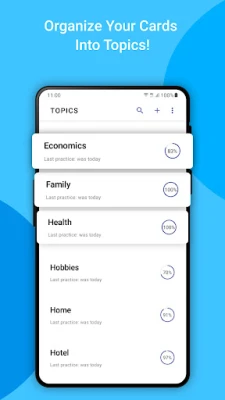
In today's fast-paced world, expanding your vocabulary is essential for effective communication. Whether you're learning a new language or enhancing your existing skills, utilizing flashcards can significantly boost your retention and recall. This article explores various methods to create and customize flashcards, ensuring a personalized learning experience that fits your needs.
Creating Flashcards: Multiple Approaches
Flashcards are a versatile tool for language learners. Here are several effective methods to create your own:
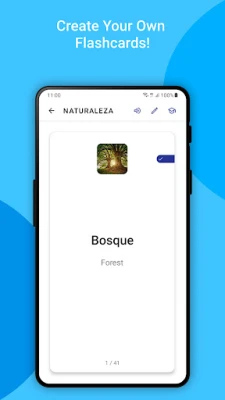
- Directly in the App: Many language learning apps allow you to add new words directly within their interface, making it easy to build your vocabulary on the go.
- Quick Add Feature: Utilize the Quick Add option from your notification panel for instant word entry, streamlining your learning process.
- Highlight and Releam: While reading online articles or books, highlight unfamiliar words or phrases and select the Releam option to add them to your flashcard collection.
- Excel Import: For those who prefer a more structured approach, compile your word list in an Excel file, import it into the app, and start your study sessions efficiently.
Enhancing Your Flashcards
When adding a flashcard, consider incorporating the following features to enrich your learning experience:
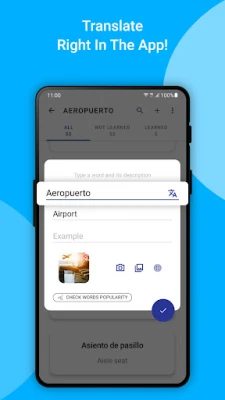
- Google Translate Integration: Access translations for over 100 languages, ensuring you understand the context and usage of each word.
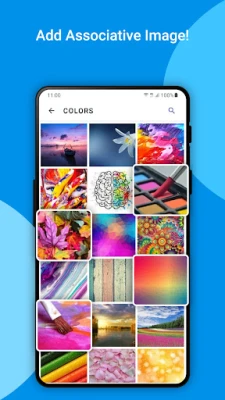
- Personalized Images: Add images that resonate with you personally, creating visual associations that enhance memory retention.
- Usage Examples: Include sentences that demonstrate how the word is used in context, providing clarity and practical application.
- Word Popularity: Check the popularity of words to focus on those that are most relevant and frequently used in everyday conversation.
Language Pair Support
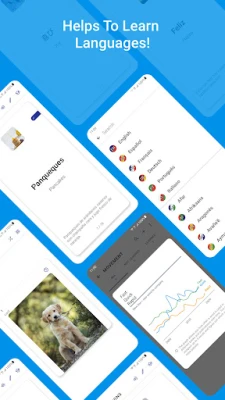
The app supports a variety of language pairs, including:
- English
- French
- German
- Italian
- Japanese
- Korean
- Polish
- Portuguese
- Russian
- Spanish
This extensive support allows learners to choose their preferred language combinations, making the app a versatile tool for multilingual education.
Engaging Exercises for Effective Learning
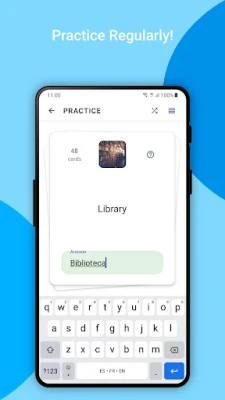
To facilitate faster memorization, the app offers a variety of exercises tailored to different learning styles. Track your progress with detailed reports that provide insights into your strengths and areas for improvement. This data-driven approach helps you stay motivated and focused on your language learning journey.
Sharing and Collaboration
Learning is often more enjoyable when shared with others. The app allows you to share your flashcard sets with friends through various platforms, including:
- Instant messengers
- Cloud storage services
Additionally, you can import and export flashcards in Excel and Releam formats, making collaboration seamless and efficient.
Backup and Customization Options
To ensure your hard work is never lost, save a backup of your flashcards to your personal Google Drive account. This feature provides peace of mind, allowing you to focus on learning without worrying about data loss.
Moreover, customize your flashcards with various themes, color palettes, and font sizes to create a visually appealing study environment that suits your preferences.
Offline Accessibility
One of the standout features of the app is its offline functionality. You can continue your studies without an internet connection, making it convenient for learners on the go.
Feedback and Suggestions
Your input is invaluable for improving the app. If you have any comments or suggestions, please reach out to us at solaflashapps@gmail.com. We are committed to enhancing your learning experience and appreciate your feedback.
In conclusion, mastering vocabulary through innovative flashcard techniques can transform your language learning journey. By utilizing the various features and customization options available, you can create a personalized and effective study plan that meets your unique needs. Start building your vocabulary today and unlock new opportunities for communication and understanding!
Rate the App
User Reviews















Popular Apps










Editor's Choice









