
Latest Version
1.03.06
December 06, 2025
RBC Financial (Caribbean) Limited
Finance
Android
4
Free
com.rbccaribbean.ezpay2
Report a Problem
More About RBC EZPay 2.0
Streamline Your Business Transactions with RBC EZPay 2.0
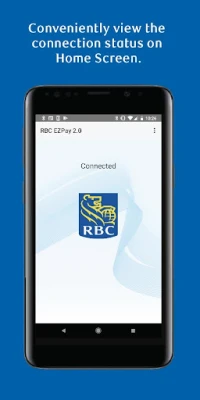
In today's fast-paced business environment, accepting payments on-the-go has never been easier. With the RBC EZPay 2.0 application, you can effortlessly manage transactions right from your Android device. This innovative solution connects seamlessly to the RBC EZPay 2.0 device via Bluetooth, allowing you to enhance your customer service and streamline your payment processes.
Effortless Payment Processing
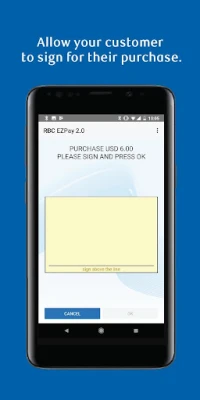
The RBC EZPay 2.0 application simplifies the payment process, enabling you to accept payments anytime, anywhere. Whether you're at a trade show, a client meeting, or a local market, this application ensures that you can process transactions quickly and efficiently. With just a few taps on your device, you can complete sales and keep your business moving forward.
Instant Access to Transaction Receipts
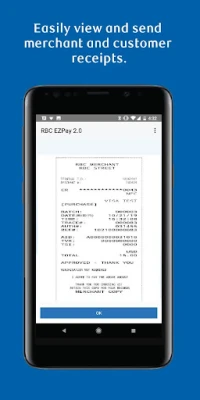
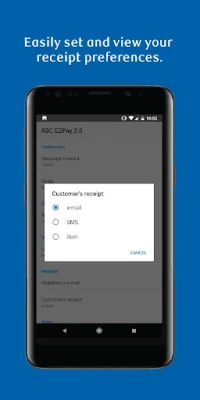
One of the standout features of the RBC EZPay 2.0 application is the ability to view transaction receipts instantly. After completing a sale, you can easily send receipts to your customers via SMS or email. This not only enhances customer satisfaction but also helps you maintain accurate records of your transactions.
Security and Privacy Assurance
When it comes to handling financial transactions, security is paramount. The RBC EZPay 2.0 application is designed with robust security measures to protect your data and your customers' information. By installing the application, you consent to its functionalities, which include using your text and email accounts to send receipts securely.
For more information on how RBC prioritizes your privacy and security, visit the RBC Privacy and Security page.
Installation and Consent
To get started with the RBC EZPay 2.0 application, simply select the install option. By doing so, you agree to the installation of the application and consent to receive future updates or upgrades automatically. If you ever wish to withdraw your consent, you can easily delete the application from your device.
Understanding the Legal Framework
Before installing the RBC EZPay 2.0 application, it is essential to review the terms and conditions outlined in the RBC Royal Bank Merchant Agreement. This agreement provides important information regarding your rights and responsibilities as a user of the application.
Explore RBC Merchant Services
To learn more about how RBC Merchant Services can benefit your business, visit your nearest RBC Royal Bank branch or explore our website. Simply select your country, navigate to the “Business” section in the right-hand menu, and click on “Merchant Services” for detailed information.
Conclusion
The RBC EZPay 2.0 application is a game-changer for businesses looking to enhance their payment processing capabilities. With its user-friendly interface, secure transaction handling, and instant receipt delivery, it empowers you to focus on what matters most—growing your business. Don’t miss out on the opportunity to streamline your payment processes; download the RBC EZPay 2.0 application today and take your business to the next level.
For further assistance or inquiries, feel free to reach out to RBC customer service or visit your local branch. Experience the convenience and efficiency of RBC EZPay 2.0 and transform the way you handle payments.
®/™ Trademarks of Royal Bank of Canada. RBC and Royal Bank are registered trademarks of Royal Bank of Canada.
Rate the App
User Reviews















Popular Apps










Editor's Choice









