

Latest Version
6.6.5
October 12, 2024
Telemetry for F1, GT7 & Forza
Games
iOS
67.9 MB
0
Free
Report a Problem
More About Race Dash for Sim Games
Ultimate Guide to Customizable Racing Dashboards: Enhance Your Gaming Experience
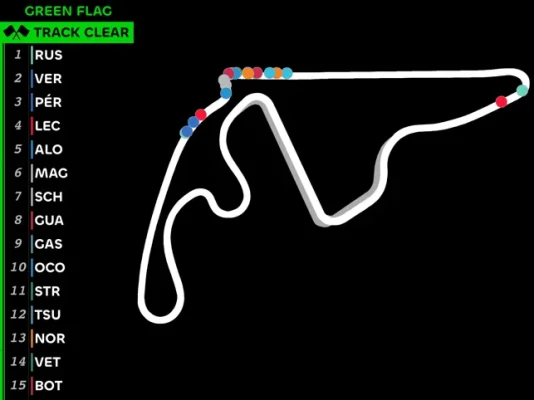
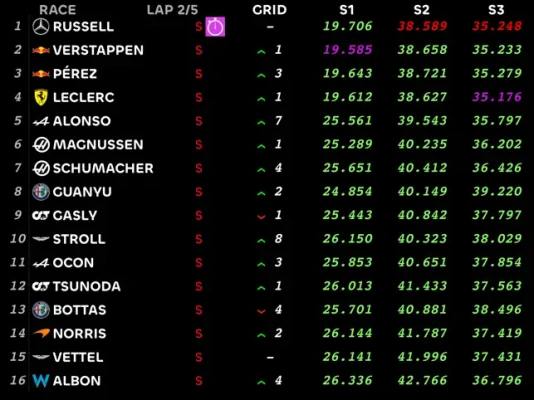
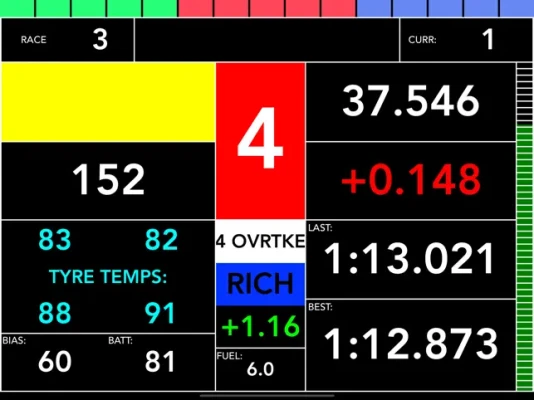
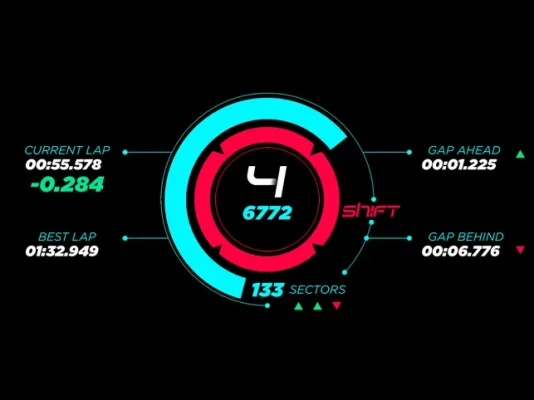
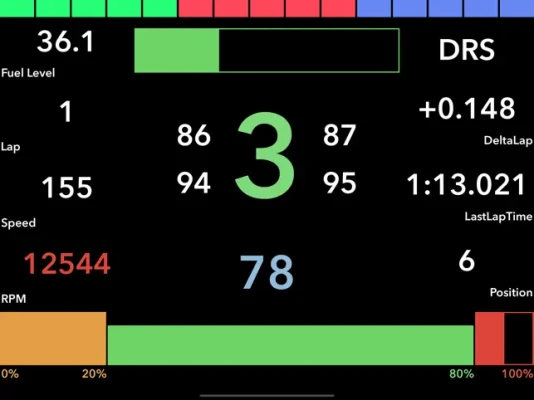
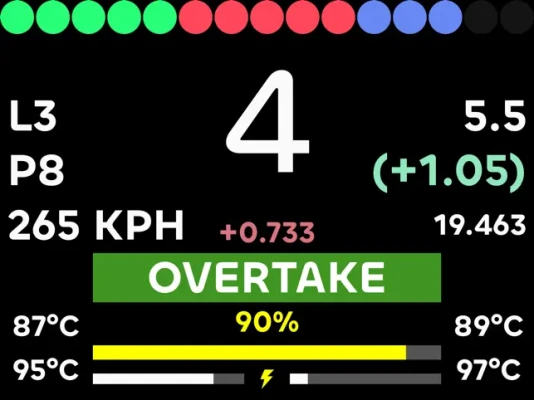
In the world of racing simulations, having access to real-time data is crucial for optimizing performance. A customizable racing dashboard can display essential metrics such as speed, gear, RPM, fuel level, ERS, lap time, and lap delta. This article explores the features and benefits of these dashboards, ensuring you have the tools needed to elevate your gaming experience.
Key Features of Customizable Racing Dashboards
Customizable racing dashboards offer a range of features designed to enhance your gameplay. Here are some of the key elements:
- Real-Time Data Display: Monitor critical information like speed, gear, and RPM at a glance.
- Customizable RPM Lights: Tailor the RPM lights to your preferences, allowing for a personalized touch. The entire display can even flash at the gear shift point, providing visual cues to improve your timing.
- Simple Yet Effective Dashboard: A straightforward dashboard layout is included, with numerous additional styles available as add-ons. This flexibility allows you to choose a design that suits your aesthetic and functional needs.
Customization Options for Enhanced Performance
Customization is at the heart of a great racing dashboard. Here are some options you can adjust:
- Backlight Color: Choose a backlight color that enhances visibility and matches your gaming setup.
- Measurement Units: Select your preferred units for speed, pressure, and temperature, ensuring that the data is presented in a way that makes sense to you.
Efficient Dashboard Management
Managing your dashboards efficiently can significantly improve your racing experience. Here’s how:
- Add Multiple Dashboards: You can add up to 10 dashboards to your sequence for each game, allowing for quick access to different layouts as needed.
- Quick Swiping: Easily swipe between dashboards for fast access to the information you need during critical moments in the race.
- Game-Specific Sequences: Each game can have three distinct sequences tailored for different scenarios, such as Race, Qualifying, and Practice.
- Controller Integration: Some games allow you to switch dashboards directly from your controller or steering wheel, providing seamless interaction without disrupting your focus.
Compatibility Across Platforms
To fully utilize the features of customizable racing dashboards, ensure compatibility with your gaming platform. The relevant games must be installed on PC, PlayStation, or Xbox, depending on the telemetry feature availability. Here’s what you need to know:
- Telemetry Mode: This app requires the UDP telemetry mode to be enabled in each game. Detailed instructions for enabling this feature are typically provided within the app or on the developer’s website.
- Game Requirements: Not all games support the same telemetry features, so it’s essential to check compatibility before making any purchases or customizations.
Conclusion: Elevate Your Racing Experience
Customizable racing dashboards are an invaluable tool for any serious racing enthusiast. By providing real-time data and extensive customization options, these dashboards enhance your ability to perform at your best. Whether you’re looking to improve your lap times or simply enjoy a more immersive gaming experience, investing in a customizable dashboard can make all the difference. Explore the options available, and take your racing to the next level!
Rate the App
User Reviews













Popular Apps










Editor's Choice









