

Latest Version
December 27, 2025
Quad City Bank & Trust
Finance
Android
0
Free
com.qcbt.rdcbusinessmobile
Report a Problem
More About Quad City Bank Business Deposi
Revolutionize Your Banking: The Ultimate Guide to Business Mobile Remote Deposit
In today's fast-paced business environment, efficiency and security are paramount. The Business Mobile Remote Deposit app offers a seamless solution for business clients, enabling them to deposit checks directly from their smartphones or tablets. This innovative service not only saves time but also enhances the overall banking experience.
What is Business Mobile Remote Deposit?
The Business Mobile Remote Deposit app is a cutting-edge tool designed for business clients of Quad City Bank & Trust. It allows users to deposit checks electronically by simply taking a photo of the check and uploading it through the app. This eliminates the need for physical trips to the bank, streamlining your financial operations.
How to Use the Business Mobile Remote Deposit App
Using the app is straightforward and user-friendly. Follow these simple steps to make your deposits:
- Download the App: Ensure you have the Business Mobile Remote Deposit app installed on your smartphone or tablet.
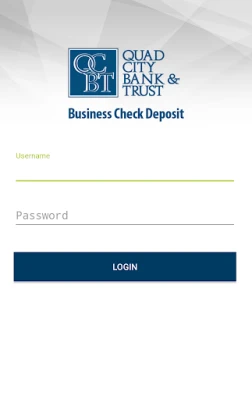
- Log In: Access the app using your secure credentials as a registered business client.
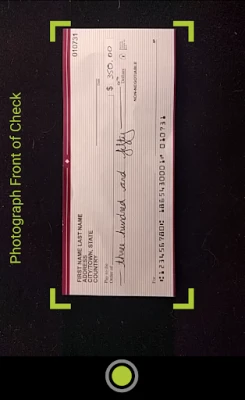
- Capture the Check: Take a clear photo of the front and back of the check you wish to deposit.
- Submit the Deposit: Follow the prompts to upload the images and confirm your deposit.
Once submitted, your deposit will be processed electronically, making it a quick and efficient way to manage your finances.
Eligibility Requirements
To utilize the Business Mobile Remote Deposit app, you must be a registered business client of Quad City Bank & Trust and enrolled in the Remote Deposit Capture service. This ensures that your transactions are secure and compliant with banking regulations.
Benefits of Using the Business Mobile Remote Deposit App
Adopting the Business Mobile Remote Deposit app comes with numerous advantages:
- Convenience: Deposit checks anytime, anywhere, without the need to visit a bank branch.
- Time-Saving: Reduce the time spent on banking tasks, allowing you to focus on your core business activities.
- Enhanced Security: The app employs advanced security measures to protect your financial information.
- Immediate Access: Funds are typically available faster than traditional deposit methods.
Important Considerations
While the Business Mobile Remote Deposit app offers many benefits, there are a few important considerations to keep in mind:
- Data Rates: Be aware that data rates may apply when using the app. Check with your mobile carrier for specific details.
- Deposit Limits: There may be limits on the amount you can deposit through the app, so review your account terms for specifics.
- Retention of Checks: It is advisable to keep the physical checks for a certain period after depositing them electronically, in case of any discrepancies.
Contact Us for More Information
For more details about the Business Mobile Remote Deposit app and other banking services, visit www.qcbt.bank or reach out to our customer service team at 563.388.4783. Our representatives are ready to assist you with any questions or concerns you may have.
Conclusion
The Business Mobile Remote Deposit app is a game-changer for business clients looking to enhance their banking experience. With its convenience, security, and efficiency, it empowers businesses to manage their finances more effectively. Embrace this innovative solution and take your banking to the next level.
Member FDIC
Rate the App
User Reviews















Popular Apps










Editor's Choice









