

Latest Version
1.0.1
February 22, 2026
Philipp Crocoll (Croco Apps)
Tools
Android
1
Free
keepass2android.plugin.qr
Report a Problem
More About QR Plug-in for KP2A
Unlocking the Power of QR Codes in Keepass2Android: A Comprehensive Guide
In today's digital age, managing passwords securely is more crucial than ever. Keepass2Android, a popular password management tool, has enhanced its functionality with a powerful plug-in that integrates QR code technology. This article explores the features of this plug-in, how to use it effectively, and the benefits it brings to your password management experience.
Key Features of the Keepass2Android QR Code Plug-in
The QR Code plug-in for Keepass2Android introduces several innovative features that streamline the way you manage and share your passwords:
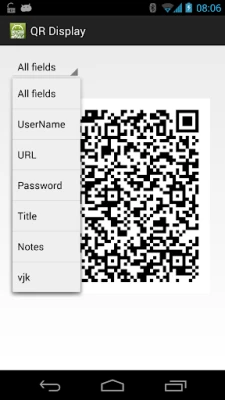
- Display Passwords as QR Codes: Easily convert your passwords, usernames, and other entry details into QR codes for quick access.
- Scan QR Codes for Quick Retrieval: Quickly find specific entries by scanning QR codes, saving you time and effort.
- Add Scanned Text to Your Database: Effortlessly add new entries to your Keepass database by scanning QR codes containing relevant information.
How to Share Credentials Securely Using QR Codes
One of the standout features of this plug-in is its ability to facilitate secure sharing of credentials between Android devices. Whether you want to share login information with a friend or transfer data between your devices, the process is straightforward. Follow these steps to share your credentials securely:
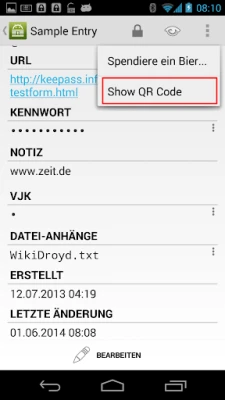
- Open the Entry: On the first device, navigate to the entry you wish to share.
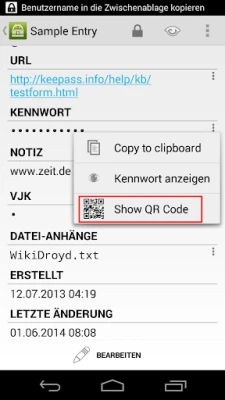
- Select "Show QR Code": Tap on the options menu in the action bar and choose "Show QR Code."
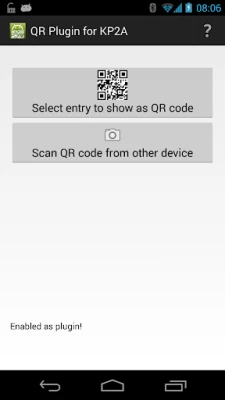
- Open the Plug-in App: On the second device, launch the QR Code plug-in app.
- Select "Scan QR Code from Other Device": Choose this option to initiate the scanning process.
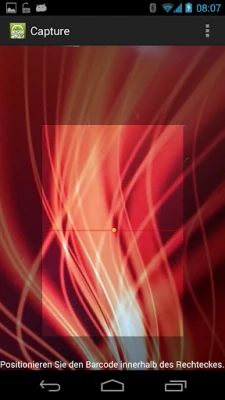
- Scan the QR Code: Point the camera of the second device at the QR code displayed on the first device.
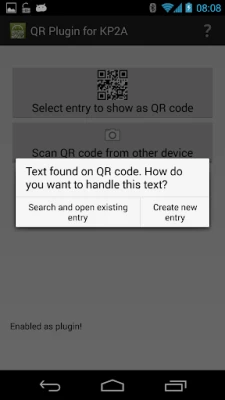
- Choose Your Action: After scanning, you will be prompted to either search for an existing entry or create a new one. Select "Create new entry."
- Log In to Your Database: If your database isn’t already open, log in to access your entries.
- Select the Group: Choose the appropriate group where you want to add the new entry and click "Add entry."
- Review and Save: Finally, review the entry details and select "Save" to complete the process.
Benefits of Using QR Codes in Password Management
Integrating QR codes into your password management routine offers numerous advantages:
- Enhanced Security: QR codes provide a secure method for sharing sensitive information without the need for manual entry, reducing the risk of errors.
- Time Efficiency: Scanning QR codes is faster than typing out long passwords, making it a convenient option for users on the go.
- Seamless Data Transfer: Easily transfer database entries between devices, ensuring you always have access to your credentials wherever you are.
Conclusion: Elevate Your Password Management with Keepass2Android
The QR Code plug-in for Keepass2Android significantly enhances the way users manage and share their passwords. By leveraging the power of QR codes, you can enjoy a more secure, efficient, and user-friendly experience. Whether you’re sharing credentials with friends or transferring data between devices, this plug-in is an invaluable tool for anyone serious about password management. Embrace the future of secure credential sharing and take full advantage of the features offered by Keepass2Android today!
Rate the App
User Reviews















Popular Apps










Editor's Choice









