
Latest Version
1.2.0
September 21, 2024
CloudMosa Inc
Tools
Android
0
Free
com.cloudmosa.puffintvcontroller
Report a Problem
More About Puffin TV Remote
Enhance Your Puffin TV Experience with the Ultimate Navigation App
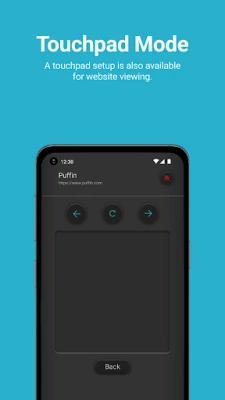
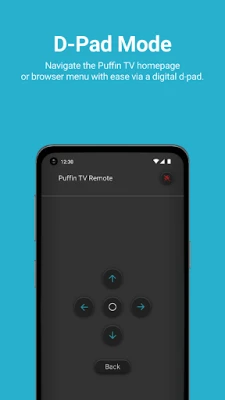
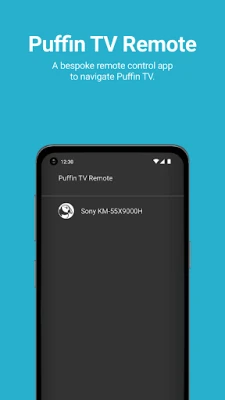
Unlock the full potential of your Puffin TV with a powerful navigation app designed to streamline your browsing experience. Whether you're exploring the Puffin TV homepage or navigating through the browser menu, this app offers two intuitive options: a digital d-pad and a touchpad. With these tools at your fingertips, you can enjoy a more efficient and user-friendly experience on the Puffin TV Browser.
Seamless Navigation with Puffin TV Browser
The Puffin TV Browser is specifically tailored for smart TV users, providing a unique browsing experience that stands out from traditional web browsers. Available for download on Google Play, this browser is optimized for large screens, ensuring that you can easily access your favorite websites and content without any hassle.
Choose Your Navigation Style
One of the standout features of the Puffin TV navigation app is the flexibility it offers. Users can select between a digital d-pad or a touchpad, allowing for personalized navigation that suits their preferences. The digital d-pad provides a classic control experience, while the touchpad offers a more modern, fluid interaction. This versatility ensures that every user can find a navigation style that feels comfortable and intuitive.
Why Choose Puffin TV Browser?
There are several reasons to opt for the Puffin TV Browser over other options:
- Speed: Puffin TV Browser is known for its lightning-fast performance, allowing you to load websites quickly and efficiently.
- Compatibility: The browser is designed to work seamlessly with various streaming services and websites, making it a versatile choice for all your online needs.
- User-Friendly Interface: The layout is optimized for TV screens, ensuring that navigation is straightforward and enjoyable.
- Regular Updates: The developers consistently improve the app, adding new features and enhancing performance based on user feedback.
Getting Started with Puffin TV Browser
To begin your journey with Puffin TV Browser, follow these simple steps:
- Visit Google Play and download the Puffin TV Browser app.
- Install the app on your Puffin TV device.
- Open the app and choose your preferred navigation style: digital d-pad or touchpad.
- Start browsing your favorite websites and enjoy a seamless online experience!
Support and Resources
If you encounter any issues or have questions about using the Puffin TV Browser, comprehensive support is available. Visit the official support page at Puffin Support for detailed guides, troubleshooting tips, and FAQs. The dedicated support team is ready to assist you in making the most of your Puffin TV experience.
Conclusion
In summary, the Puffin TV Browser, combined with its innovative navigation app, transforms how you interact with your smart TV. With options for both digital d-pad and touchpad navigation, users can enjoy a tailored browsing experience that is both efficient and enjoyable. Download the Puffin TV Browser today and elevate your streaming and browsing activities to new heights!
Rate the App
User Reviews















Popular Apps










Editor's Choice









