

Latest Version
1.0.16
April 06, 2026
Tool Apps Hub
Tools
Android
0
Free
psremoteplay.gamecontroller.playstream
Report a Problem
More About PS Remote Play Controller
Ultimate Guide to PS4 Remote Play: Stream and Game Anywhere
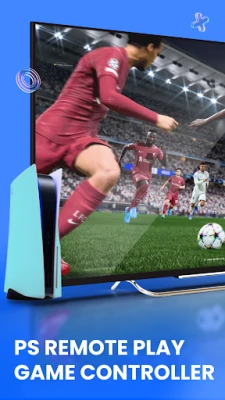
In today's gaming landscape, the ability to play your favorite titles from anywhere is a game-changer. With the PS4 Remote Play app, you can seamlessly switch between screen mode for mobile gaming and gamepad mode for a traditional console experience on your TV. This comprehensive guide will explore the core features of the PS4 remote play controller, ensuring you maximize your gaming experience.
Core Features of the PS4 Remote Play Controller
The PS4 Remote Play app is designed to enhance your gaming experience with a variety of features that cater to both casual and hardcore gamers. Here’s what you can expect:
Complete Virtual Game Remote Controller
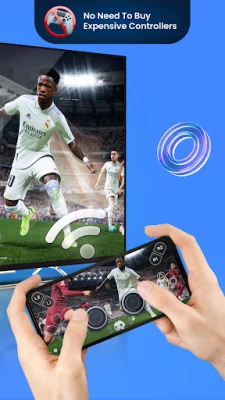
Transform your mobile device into a fully functional game controller. The PS5 and PS4 controller app offers an on-screen remote game controller that mimics the classic DualShock and DualSense layouts. Enjoy full access to buttons, joysticks, and triggers, allowing for an immersive gaming experience.
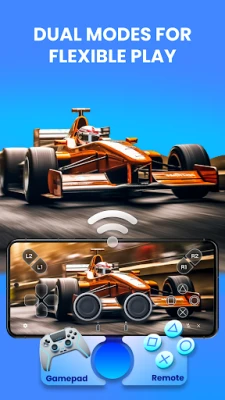
Dual Modes for Versatile Gaming
Choose between two distinct modes: gamepad mode for a traditional console feel on your TV or screen mode to stream and play directly on your phone. This flexibility ensures that you can enjoy your games in the way that suits you best.
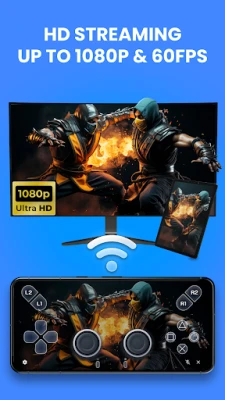
Seamless Streaming & Low-Latency Performance
Experience smooth gameplay with responsive controls and stable streaming. The PS4 remote play app supports high-definition streaming at 1080p and 60 FPS where applicable, providing a fluid connection that enhances your gaming sessions.
Custom Button Mapping for Personalized Control
Take control of your gaming experience with custom button mapping. Remap buttons to suit your preferences and save unique control profiles, ensuring that your setup is tailored to your gaming style.
Easy Import/Export Settings
Backing up your custom layouts has never been easier. The import/export settings feature allows you to save your configurations and restore them on other devices, making it simple to switch between setups without losing your personalized settings.
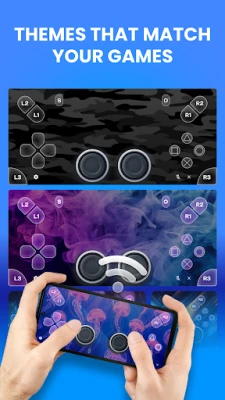
Skins & Themes for Customization
Make your virtual gamepad truly yours with a selection of vibrant skins. Choose between light and dark modes for the interface, allowing you to customize the look and feel of your gaming experience.
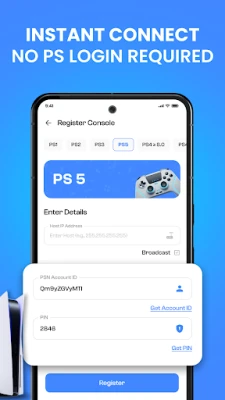
Easy Pairing & Quick Setup
Getting started is a breeze. Connect your device instantly via auto-detect or manual PIN entry. Turn your phone into a PS4 controller without the need for a PS account login, ensuring a secure and private connection.
Full Compatibility with PS4 & PS5
The app is designed to work seamlessly with official PS5 controller setups, ensuring that you can enjoy all the features without compatibility issues.
Quick Setup: Get Playing in Minutes
Follow these simple steps to start gaming with the PS4 Remote Play app:
- Enable remote play in your PS4/PS5 settings.
- Open the PS4 remote play app and enter your PS username to fetch your unique account ID.
- Connect your Android device and console to the same high-speed Wi-Fi network (5 GHz is recommended).
- Enter the PIN shown on your PS4 or PS5 console (follow the tutorial).
- Once paired, select your preferred mode and start playing with the PS5 remote play app!
With just a few steps, you can transform your phone into a low-latency wireless controller, giving you the freedom to game remotely.
Disclaimer
This app is an independent, third-party application developed by an independent developer and is not affiliated with or endorsed by Sony Interactive Entertainment. Please note that this app does not stream games directly; it only works with the official PS remote play feature enabled on your console. Performance may vary based on console firmware, network conditions, and device specifications. All trademarks and product names, including PS4, PS5, DualShock, and DualSense, are the property of their respective owners and are used here for identification purposes only.
Privacy Policy and Support
For more information on our privacy practices, please visit our Privacy Policy. If you need assistance with the PS controller or virtual game controller, feel free to contact us at toolhubapps@gmail.com.
Embrace the future of gaming with the PS4 Remote Play app and enjoy the flexibility of gaming on your terms!
Rate the App
User Reviews















Popular Apps










Editor's Choice









