
Latest Version
June 09, 2026
MMM Software e.U.
Education
Android
0
Free
at.mmmsoftware.ProDApp
Report a Problem
More About ProDrive
The Ultimate Guide to Earning Your Driver's License with ProDrive App
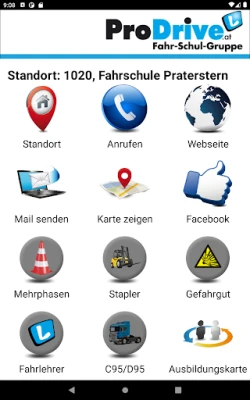
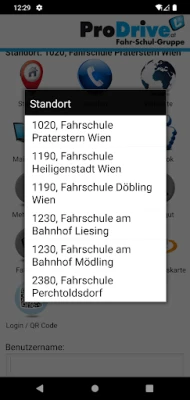
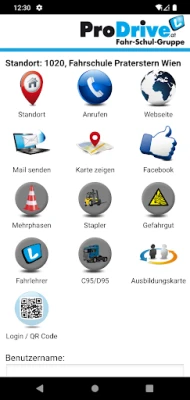
In today's fast-paced world, obtaining your driver's license has never been easier, thanks to innovative tools like the ProDrive App. This comprehensive application offers a range of features designed to streamline your learning process and prepare you for the theoretical driving exam. With its user-friendly interface and effective study aids, the ProDrive App stands out as the most efficient way to achieve your driving goals.
One-Click Access to Online Driving Theory Trainer
One of the standout features of the ProDrive App is its one-click access to the online driving theory trainer. This tool is specifically designed to assist you in mastering the exam questions that you will encounter during your theoretical driving test. By providing instant access to a wealth of resources, the app ensures that you can study anytime and anywhere, making it easier to fit your learning into a busy schedule.
Why Choose the ProDrive App?
The ProDrive App is not just another study tool; it is a comprehensive platform that enhances your learning experience. Here are some compelling reasons to choose this app:
- User-Friendly Interface: The app is designed with simplicity in mind, allowing users of all ages to navigate effortlessly.
- Comprehensive Study Materials: Access a wide range of practice questions and explanations that cover all aspects of the theoretical exam.
- Progress Tracking: Monitor your learning progress and identify areas that need improvement, ensuring you are well-prepared for the test.
- Flexible Learning: Study at your own pace, whether you have a few minutes or several hours to dedicate to your preparation.
How to Get Started with ProDrive
Getting started with the ProDrive App is a straightforward process. Here’s how you can begin your journey towards obtaining your driver's license:
- Download the App: The ProDrive App is available for both iOS and Android devices. Simply download it from your device's app store.
- Register Your Account: Create an account within the app. This will allow you to access personalized features and track your progress.
- Obtain Access Credentials: To utilize the online driving theory trainer, you will need access credentials. These can be obtained from your driving school, so be sure to ask your instructor for the necessary information.
- Start Learning: Once you have your credentials, dive into the study materials and begin preparing for your theoretical exam.
Tips for Effective Studying
While the ProDrive App provides excellent resources, effective studying requires strategy. Here are some tips to maximize your learning:
- Set a Study Schedule: Consistency is key. Set aside dedicated time each day to focus on your studies.
- Practice Regularly: Use the app’s practice questions to test your knowledge and reinforce what you’ve learned.
- Review Mistakes: Take the time to review any questions you get wrong. Understanding your mistakes is crucial for improvement.
- Stay Motivated: Keep your end goal in mind. Visualize yourself passing the exam and driving confidently on the road.
Conclusion
The ProDrive App is revolutionizing the way aspiring drivers prepare for their theoretical driving exams. With features like one-click access to an online driving theory trainer and a wealth of study materials, it simplifies the learning process and enhances your chances of success. Remember, the key to passing your exam lies in consistent practice and effective study habits. Download the ProDrive App today and take the first step towards earning your driver's license!
Rate the App
User Reviews















Popular Apps










Editor's Choice









