

Latest Version
1.7.0
January 19, 2026
Life on Air
Entertainment
Android
0
Free
com.lifeonair.postparty
Report a Problem
More About Postparty
Mastering Gameplay Sharing: How Postparty Revolutionizes Your Gaming Experience
In the dynamic world of gaming, sharing your epic moments has become an essential part of the experience. Whether you’re a professional streamer eager to showcase your latest victory or a casual gamer wanting to preserve unforgettable moments with friends, sharing gameplay clips has never been more straightforward. With the advent of innovative tools like Postparty, gamers can effortlessly capture and share their best gameplay moments, whether they’re on console or PC.
Capture and Share Your Gaming Triumphs
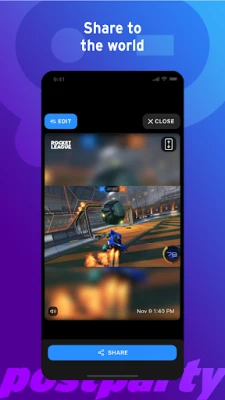
Imagine executing a jaw-dropping move in your favorite game and having the ability to share that moment instantly with your followers. Postparty not only captures these awe-inspiring moments but also prompts you to clip your highlights, ensuring you never miss an opportunity to showcase your skills. After capturing your gameplay, Postparty provides a seamless editing experience, allowing you to refine your clips before sharing them across various social media platforms, messaging apps, or even via email. This means you can finally receive the recognition you deserve for your gaming prowess.
Store and Access Your Clips Anytime
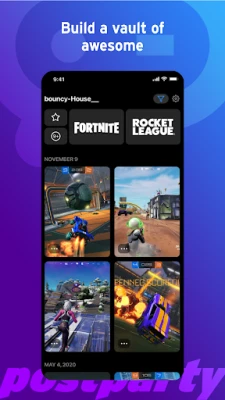
One of the standout features of Postparty is its ability to store your clips for easy access. Whether you want to share your gameplay immediately or save it for later, Postparty keeps your clips organized and readily available. This functionality allows you to revisit your favorite moments repeatedly, enhancing your personal enjoyment of the game. With Postparty, you can curate a collection of your best gameplay highlights, making it easy to share them whenever you choose.
How to Use Postparty: A Step-by-Step Guide
Getting started with Postparty is a breeze. Follow these simple steps to begin sharing your gameplay clips:
- Log In with Your Epic Games Account: To start using Postparty, log in with your Epic Games account. This integration allows you to upload your content directly to the Postparty app.
- Capture Your Moments: While playing Epic Games’ Fortnite or Psyonix’s Rocket League, simply press and hold a button on your controller to capture your gameplay moments. Postparty will automatically save, store, and organize your content within the app.
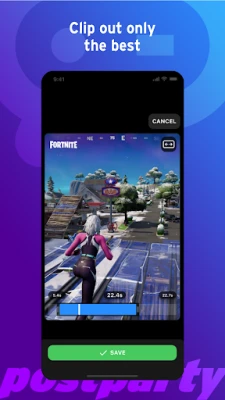
- Edit and Share Your Clips: Once you’ve captured your gameplay, you can easily trim and edit your clips. When you’re satisfied with your creation, share it across your preferred platforms with just a few clicks.
Enhancing Your Gaming Community Engagement
Sharing gameplay clips is not just about showcasing your skills; it’s also about engaging with your gaming community. By using Postparty, you can foster connections with fellow gamers, receive feedback, and even inspire others with your gameplay. The ability to share your highlights instantly encourages interaction and builds a sense of camaraderie among players.
Why Choose Postparty for Your Gameplay Sharing Needs?
Postparty stands out in the crowded market of gameplay sharing tools for several reasons:
- User-Friendly Interface: The app is designed with simplicity in mind, making it accessible for gamers of all skill levels.
- Seamless Integration: With direct integration into Epic Games, capturing and sharing gameplay is a hassle-free experience.
- Comprehensive Editing Tools: Postparty offers a range of editing features, allowing you to customize your clips to perfection before sharing.
- Organized Storage: Keep your clips neatly organized, making it easy to find and share your favorite moments whenever you want.
Conclusion: Elevate Your Gaming Experience with Postparty
In today’s gaming landscape, the ability to share your gameplay moments is more important than ever. Postparty simplifies this process, allowing you to capture, edit, and share your highlights with ease. Whether you’re looking to impress your followers or simply relive your best moments, Postparty is the ultimate tool for gamers. Embrace the future of gameplay sharing and start showcasing your skills today!
Rate the App
User Reviews















Popular Apps










Editor's Choice









