

Latest Version
2.7.0
December 10, 2025
TT Design: Ad & Airpush Detector, Adware Removal
Tools
Android
0
Free
popup.ads.detector
Report a Problem
More About Popup Ad Detector & Blocker
Eliminate Annoying Pop-Up Ads with Popup Ad Detector
Are you frustrated with persistent pop-up ads disrupting your mobile experience? Look no further! The Popup Ad Detector is here to help you identify and eliminate those intrusive ads once and for all. This powerful tool can detect various types of ads that plague your device, ensuring a smoother and more enjoyable user experience.
What Can Popup Ad Detector Identify?
Popup Ad Detector is designed to pinpoint the source of annoying advertisements on your device. Here’s what it can detect:
- Lock Screen Ads: Ads that appear when your device is locked.
- Home Screen Ads: Intrusive ads that pop up on your home screen.
- Ads Over Other Apps: Advertisements that overlay on top of other applications.
- Notification Bar Ads: Also known as Airpush ads, these appear in your notification area.
How Does Popup Ad Detector Work?
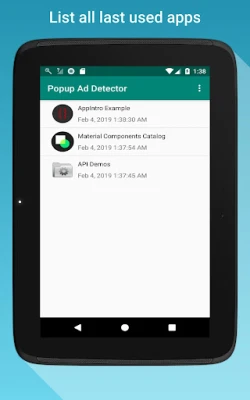
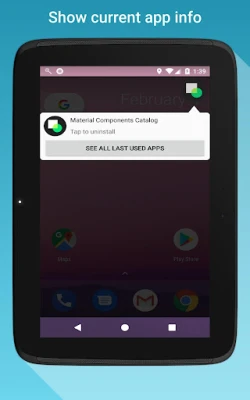
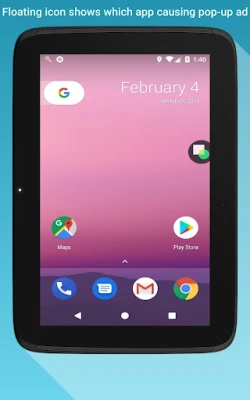
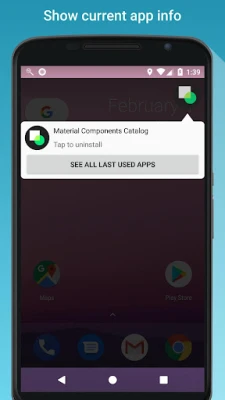
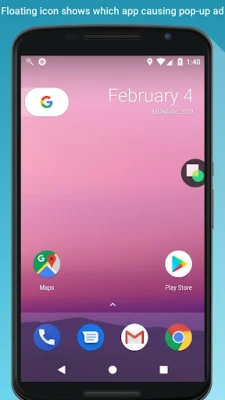
Using Popup Ad Detector is simple and effective. Once you set it up, a floating icon will appear on your screen. This icon acts as your personal ad detective. The next time a pop-up ad appears, the app will indicate which application is responsible for the ad. With this information, you can easily uninstall the offending app, eliminating those pesky pop-ups for good!
Essential Setup Requirements
To ensure Popup Ad Detector functions optimally, you need to complete a couple of essential steps:
- Grant Accessibility Access: This permission allows the app to monitor and detect ads effectively.
- Allow Displaying Over Other Apps: This setting enables the floating icon to function correctly across different applications.
Addressing Known Issues
While Popup Ad Detector is a powerful tool, some users may encounter minor issues. One common problem is that the floating icon can make certain apps unclickable. If you experience this, simply disable the floating icon temporarily. Once you finish using the affected app, you can re-enable the icon to continue monitoring for ads.
Share Your Experience
If you successfully identify the app responsible for those annoying pop-up ads, consider leaving a review. Your feedback helps others understand how effective Popup Ad Detector is in combating intrusive advertisements. Sharing your experience can guide fellow users in making informed decisions about their app usage.
Contact Us for Support
Do you have questions or suggestions regarding Popup Ad Detector? Feel free to reach out! You can contact us at ttdesignfeedback@gmail.com. We are committed to providing prompt responses to your inquiries.
Take control of your mobile experience today! With Popup Ad Detector, you can finally enjoy an ad-free environment and focus on what truly matters—your content and applications.
Rate the App
User Reviews















Popular Apps










Editor's Choice









