


Latest Version
1.6.3
June 13, 2025
highsecure
Games
Android
0
Free
com.highsecure.pixel.art
Report a Problem
More About Pixel Art - Color by number
Unlock Your Creativity with the Pixel Color App: A Comprehensive Guide
In today's fast-paced world, finding a creative outlet can be a challenge. The Pixel Color app offers a unique solution, allowing users to complete stunning artwork quickly and effortlessly. With its innovative coloring tools, you can transform ordinary images captured by your camera into vibrant pixel masterpieces. Let’s explore the outstanding features of this app and how it can enhance your coloring experience.
Outstanding Features of the Pixel Color App
The Pixel Color app is designed for users of all ages, providing a plethora of features that cater to both children and adults. Here’s what makes it stand out:
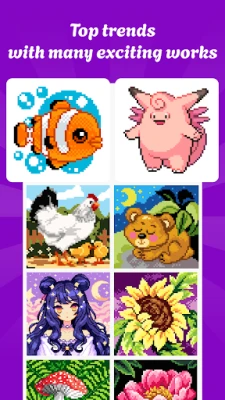
1. A Treasure Trove of Artworks
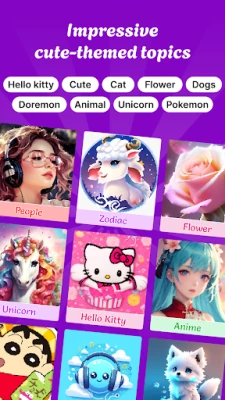
With hundreds of captivating artworks available, the Pixel Color app is perfect for everyone. Children can enhance their color and number recognition skills while developing attention to detail and visual perception. For adults, the app serves as a delightful form of entertainment and relaxation, offering a range of images from simple to intricate across various themes.
2. Effortless Coloring by Number
Dive into a world of pixel art images tailored for both novices and seasoned colorists. The app’s zoom feature allows you to focus on small details, ensuring precision in your coloring. This user-friendly approach makes it easy to create beautiful art without the stress.
3. Versatile Drawing Tools
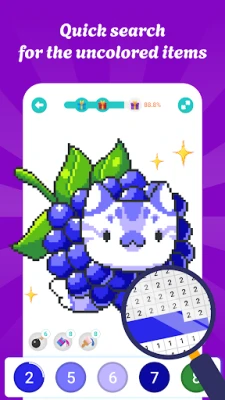
The Pixel Color app goes beyond basic pixel coloring. It includes area coloring tools, region coloring options, and a magnifying glass feature that helps you quickly identify and color every pixel accurately. This versatility enhances your coloring experience, making it more enjoyable and efficient.
4. Create Unique Images
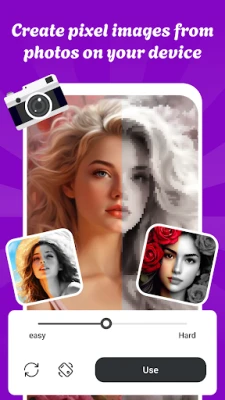
One of the app's most exciting features is the ability to create unique images from your camera or photo library. Transform simple photos into stunning pixel art with the coloring by number feature, allowing your creativity to shine.
5. Regular Updates
The Pixel Color app is consistently updated with new trends and designs, ensuring that users always have access to fresh and exciting content. This commitment to innovation keeps the coloring experience engaging and dynamic.
6. Community Sharing
Share your completed artwork with friends and fellow users with just a tap. The community sharing feature fosters a sense of connection and allows you to showcase your creativity to a broader audience.
How to Color by Number with Pixel Color
Getting started with the Pixel Color app is simple. Follow these easy steps to enhance your coloring experience:
- Use two fingers to zoom in or out for better detail.
- Tap and hold a numbered square to continuously color by number.
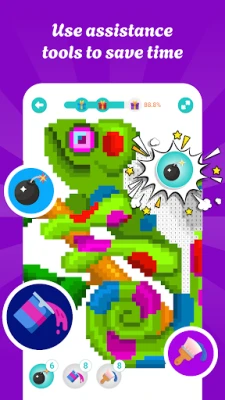
- Utilize the coloring support tool to expedite your artwork completion.
- Complete a certain percentage of your artwork to unlock exciting rewards.
More Than Just a Game
Pixel Color is not merely an entertainment app; it serves as a creative playground that promotes relaxation and stress relief. Whether you seek a way to unwind after a long day or wish to challenge your patience with intricate designs, the Pixel Color app is the ideal choice.
Start Your Colorful Journey Today!
Get ready to relax and unleash your artistic potential with the Pixel Color app. Combining artistic fun with stress relief, this app invites you to embark on a colorful journey. Download the Pixel Color app now and discover the joy of coloring by number!
Rate the App
User Reviews












Popular Apps










Editor's Choice