


Latest Version
1.1.3
February 25, 2026
WafaApps
Tools
Android
0
Free
com.phone.cleaner.wafaApps
Report a Problem
More About Phone Cleaner - Virus Scan
Optimize Your Device with a Comprehensive Junk File Cleaner and Virus Scan
In today's digital age, maintaining the performance and security of your devices is crucial. With the accumulation of junk files and the ever-present threat of viruses, having the right tools at your disposal can make all the difference. This article explores the essential features of a robust junk file cleaner and virus scanning tool, ensuring your device runs smoothly and remains secure.
What is a Junk File Cleaner?
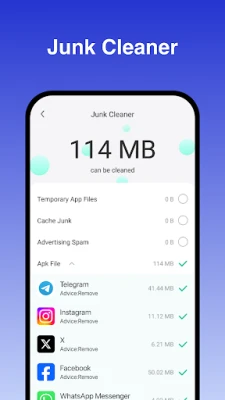
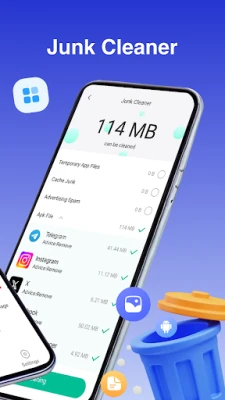
A junk file cleaner is a specialized software designed to identify and remove unnecessary files that clutter your device. These files can include cache files, temporary files, and even APKs that are no longer needed. By regularly using a junk file cleaner, you can free up valuable storage space and enhance your device's performance.
Key Benefits of Using a Junk File Cleaner
- Improved Performance: By eliminating junk files, your device can operate more efficiently, leading to faster load times and smoother performance.
- Increased Storage Space: Removing unnecessary files frees up storage, allowing you to save more important data and applications.
- Enhanced Battery Life: A cleaner device consumes less power, which can extend your battery life significantly.
How Does a Junk File Cleaner Work?
Junk file cleaners utilize advanced algorithms to scan your device for files that are no longer needed. The process typically involves:
- Scanning: The software scans your device for cache files, temporary files, and other junk.
- Analysis: It analyzes the files to determine which ones can be safely deleted.
- Deletion: After your review, the cleaner removes the selected files, optimizing your device's performance.
Understanding Virus Scanning
In addition to cleaning junk files, a comprehensive device optimization tool should include a virus scanning feature. This functionality is essential for protecting your device from malware and other security threats.
Why Regular Virus Scans are Essential
- Protection Against Malware: Regular scans help detect and eliminate malware before it can cause significant damage.
- Identifying Suspicious Files: A virus scanner can identify files that may pose a risk, allowing you to take action before it's too late.
- Peace of Mind: Knowing your device is regularly scanned for threats provides reassurance and enhances your overall digital security.
How Virus Scanning Works
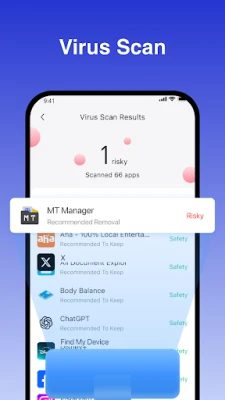
Virus scanning tools operate by examining files and applications on your device for known threats. The process generally includes:
- Database Comparison: The scanner compares files against a database of known viruses and malware.
- Behavioral Analysis: It analyzes the behavior of applications to identify suspicious activity.
- Quarantine and Removal: If a threat is detected, the scanner can quarantine the file or remove it entirely, protecting your device.
Choosing the Right Junk File Cleaner and Virus Scanner
When selecting a junk file cleaner and virus scanner, consider the following factors:
- User-Friendly Interface: Look for software that is easy to navigate, even for those who may not be tech-savvy.
- Comprehensive Features: Ensure the tool offers both junk file cleaning and virus scanning capabilities for complete device optimization.
- Regular Updates: Choose software that receives regular updates to stay ahead of new threats and improve performance.
Conclusion
In conclusion, utilizing a junk file cleaner and virus scanning tool is essential for maintaining the performance and security of your device. By regularly scanning for junk files and potential threats, you can ensure your device runs smoothly and remains protected from malware. Invest in a reliable tool today and experience the benefits of a cleaner, faster, and safer digital environment.
Rate the App
User Reviews















Popular Apps










Editor's Choice









