

Latest Version
January 04, 2026
Lianglai Tech
Tools
Android
0
Free
com.cbin.phone.cleaner
Report a Problem
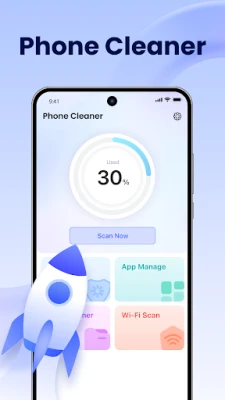
More About Phone Cleaner: Virus & Junk
Optimize Your Device: The Ultimate Guide to Phone Cleaners
In today's digital age, smartphones have become an integral part of our lives. However, as we use our devices for various tasks, they tend to accumulate junk files and other unnecessary data. This is where a phone cleaner comes into play. A phone cleaner not only helps you remove junk files but also scans for viruses, ensuring your device runs smoothly and efficiently. In this article, we will explore the benefits of using a phone cleaner, how it works, and tips for choosing the right one for your needs.
What is a Phone Cleaner?
A phone cleaner is a specialized application designed to optimize your smartphone's performance. It helps you identify and eliminate unwanted files, manage storage, and conduct routine checks to keep your device in top shape. By utilizing a phone cleaner, you can enhance your device's speed, free up valuable storage space, and protect it from potential threats.
Benefits of Using a Phone Cleaner
Using a phone cleaner offers numerous advantages that can significantly improve your smartphone experience. Here are some key benefits:
1. Remove Junk Files
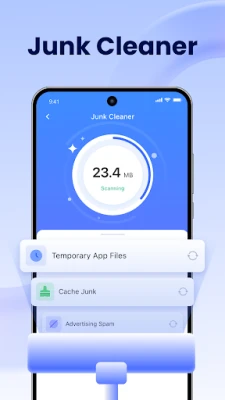
Over time, your device accumulates various junk files, including cache data, temporary files, and residual files from uninstalled applications. A phone cleaner efficiently scans your device and removes these unnecessary files, freeing up storage space and improving performance.
2. Virus and Malware Protection
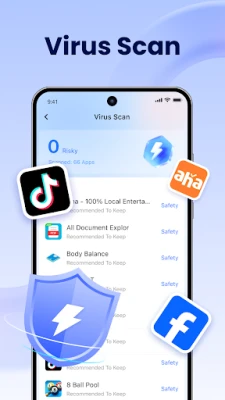
With the increasing number of cyber threats, ensuring your device's security is paramount. Many phone cleaners come equipped with built-in virus and malware scanning features. These tools help detect and eliminate harmful software, safeguarding your personal information and enhancing your device's security.
3. Optimize Storage Management
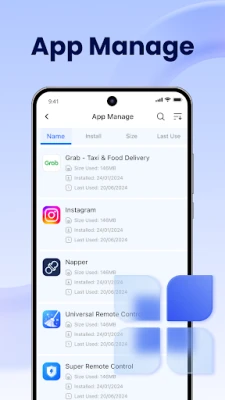
Storage management can be a daunting task, especially if you have a lot of apps, photos, and videos. A phone cleaner simplifies this process by providing easy-to-use tools for managing your storage. You can quickly identify large files, duplicate images, and unused applications, allowing you to make informed decisions about what to keep and what to delete.
4. Enhance Device Performance
As your device fills up with junk files and unnecessary data, its performance may suffer. A phone cleaner helps restore your device's speed by optimizing its performance. By regularly cleaning your phone, you can enjoy a smoother user experience and faster app loading times.
How Does a Phone Cleaner Work?
Phone cleaners utilize various algorithms and scanning techniques to identify and remove unwanted files. Here’s a brief overview of how they work:
1. Scanning
When you initiate a scan, the phone cleaner analyzes your device's storage and identifies junk files, cache data, and potential threats. This process typically takes just a few minutes, depending on the amount of data on your device.
2. Recommendations
After the scan, the phone cleaner presents you with a list of files that can be safely removed. You can review these recommendations and choose which files to delete. This feature ensures that you don’t accidentally remove important data.
3. Cleaning
Once you’ve made your selections, the phone cleaner will proceed to delete the unwanted files. This process is usually quick and efficient, allowing you to reclaim storage space without hassle.
Choosing the Right Phone Cleaner
With numerous phone cleaners available on the market, selecting the right one can be challenging. Here are some factors to consider:
1. User-Friendly Interface
Look for a phone cleaner with an intuitive and easy-to-navigate interface. A user-friendly design ensures that you can quickly access the features you need without confusion.
2. Features and Functionality
Consider the features offered by the phone cleaner. Look for essential functions such as junk file removal, virus scanning, storage management, and app optimization. The more comprehensive the tool, the better it will serve your needs.
3. Reviews and Ratings
Before downloading a phone cleaner, check user reviews and ratings. This feedback can provide valuable insights into the effectiveness and reliability of the application.
4. Compatibility
Ensure that the phone cleaner is compatible with your device's operating system. Some cleaners are designed specifically for Android or iOS, while others may work on both platforms.
Conclusion
In conclusion, a phone cleaner is an essential tool for anyone looking to optimize their smartphone's performance. By removing junk files, scanning for viruses, and managing storage, these applications help keep your device running smoothly. When choosing a phone cleaner, consider its features, user interface, and compatibility to find the best fit for your needs. Regularly using a phone cleaner can significantly enhance your smartphone experience, ensuring that it remains efficient and secure.
Rate the App
User Reviews















Popular Apps










Editor's Choice









