

Latest Version
July 13, 2026
Sunsol Apps
Tools
Android
0
Free
com.sc.phonecleaner.storagecleaner
Report a Problem
More About Phone Cleaner: Storage Cleaner
Ultimate Phone Cleaner for Android: Effortlessly Remove Junk Files and Optimize Storage
In today's digital age, smartphones have become an essential part of our lives. However, as we accumulate photos, videos, and apps, our devices can quickly become cluttered with junk files. This is where a reliable phone cleaner for Android comes into play. The right app can help you swiftly remove unnecessary files, optimize storage, and enhance your device's performance. In this article, we will explore the features and benefits of a top-notch phone cleaner app designed to keep your device running smoothly.
Why You Need a Phone Storage Cleaner
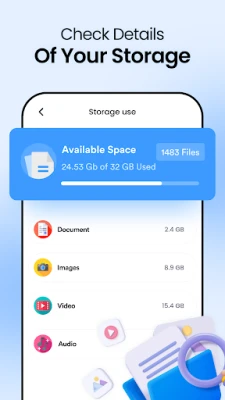
As you use your Android device, temporary files and large documents can take up valuable storage space. A dedicated phone storage cleaner app simplifies the process of managing your files, allowing you to focus on what matters most. With an AI-powered phone cleaner, you can quickly locate and delete unwanted files, saving you time and effort.
Key Features of the Phone Cleaner App
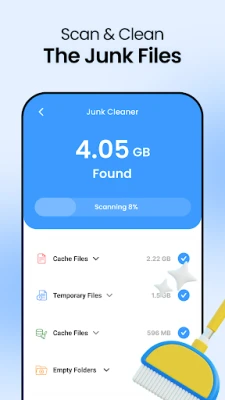
1. Junk File Cleaner
The junk file cleaner feature is a standout aspect of this app. It intelligently scans your device for temporary and obsolete files that consume storage space. By using this smart cleaner app, you can easily remove junk files, freeing up space for essential data and applications.
2. AI Cleanup
With the AI cleanup feature, the app employs advanced algorithms to detect unnecessary data. It helps you identify and delete large files and old screenshots in just a few simple steps. This functionality ensures that your device remains clutter-free and performs optimally.
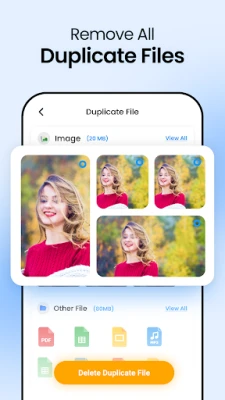
3. Delete Duplicate Files
Duplicate files can be a significant drain on your storage. The phone cleaner app scans your entire device to find and eliminate duplicate photos, videos, and documents. By removing these duplicates, you can optimize your phone's performance and reclaim valuable storage space.
4. App Uninstaller
Managing installed applications is crucial for maintaining device efficiency. The app uninstaller feature allows you to view the storage space each app occupies and uninstall those that are no longer in use. This functionality helps you quickly clean up unused apps, ensuring your device runs smoothly.
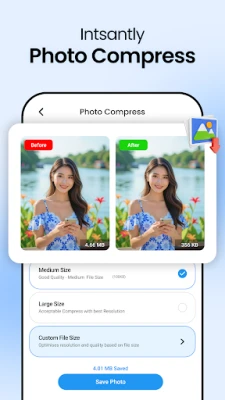
5. Photo Compressor
Large images can take up significant storage space. The image compressor tool reduces image sizes without compromising quality. By compressing large images, you can free up storage space while retaining your precious memories in high resolution.
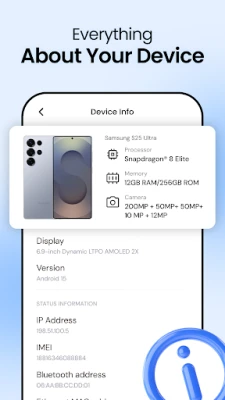
6. Device Information
Stay informed about your device's performance with real-time device information. The app provides insights into battery temperature, health, and voltage, allowing you to monitor your device's status effectively.
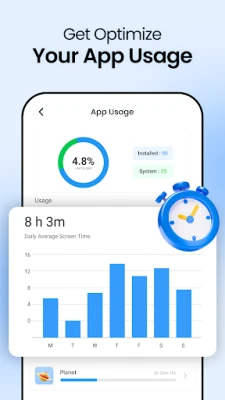
7. App Usage Details
Understanding how much storage and time each app consumes is vital for optimizing your device. The phone cleaner app offers detailed app usage statistics, helping you monitor screen time and identify apps that may be draining your resources.
Enhance Your Device's Performance
Using a phone cleaner for Android ensures that your device remains in peak condition. Whether you need to quickly clean large file caches, uninstall unused apps, or compress large images, this all-in-one cleaner app provides the necessary tools to keep your smartphone running efficiently.
Privacy and Data Safety
Your privacy is paramount. The phone cleaner app does not collect or store any personal data from users. All permissions requested are transparent and solely used for the app's stated features, ensuring your information remains secure.
Permissions We Request and Their Purpose
- MANAGE EXTERNAL STORAGE (Android 11+): Required to scan and remove junk or duplicate files across device storage.
- READ MEDIA IMAGES/VIDEO/AUDIO (Android 13+): Necessary for identifying duplicate or unnecessary media files.
- READ/WRITE EXTERNAL STORAGE (Android 12 and below): Legacy permission for cleaning residual files.
- PACKAGE USAGE STATS: Used to display app usage statistics and recommend memory optimization.
- INTERNET / ACCESS NETWORK STATE: Utilized only for delivering ads and checking for updates.
Conclusion
In conclusion, a reliable phone cleaner for Android is essential for maintaining optimal device performance. With features like junk file cleaning, AI cleanup, duplicate file deletion, and app management, this app is designed to streamline your smartphone experience. Prioritize your device's health and efficiency by utilizing a comprehensive phone cleaner app today!
Rate the App
User Reviews















Popular Apps










Editor's Choice









