

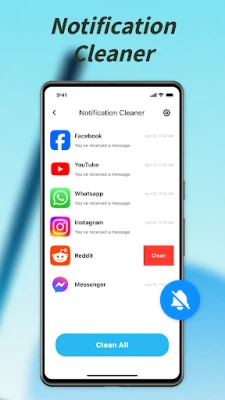
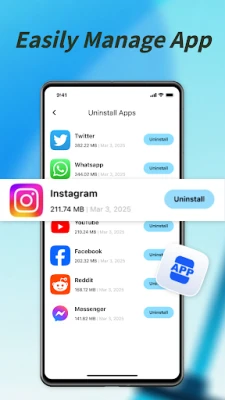
Latest Version
July 30, 2026
Mocha games
Tools
Android
0
Free
com.cleanerpro.easyphone
Report a Problem
More About Phone Cleaner PRO:Easy Clean
Ultimate Guide to Efficient File Management: Optimize Your Device with Ease
In today's digital age, managing files efficiently is crucial for maintaining optimal device performance. With a user-friendly interface and straightforward steps, you can easily browse, select, and eliminate unnecessary files. This article explores the essential features of a top-notch file management application that empowers you to take full control of your storage, ensuring a transparent, safe, and reliable experience.
Core Functions of an Effective File Management Tool
1. Junk File Management
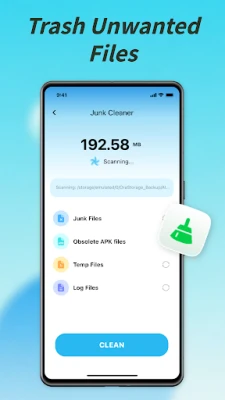
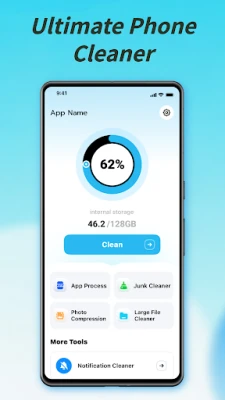
One of the primary functions of a robust file management application is its ability to detect and eliminate junk files. These temporary residual files, often generated by various applications, can clutter your device and consume valuable storage space. By regularly cleaning out these unnecessary files, you can reclaim storage and keep your device organized, enhancing its overall performance.
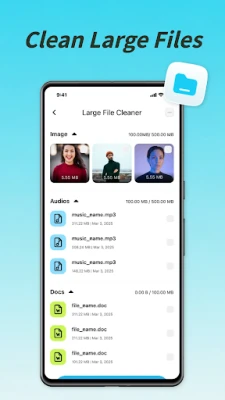
2. Large File Finder
Managing large files can be a daunting task, especially when they occupy significant storage space. A reliable file management tool allows you to quickly scan your device for large documents. With filtering options based on file size and type, you can easily identify and manage content that takes up too much space, ensuring your device runs smoothly.
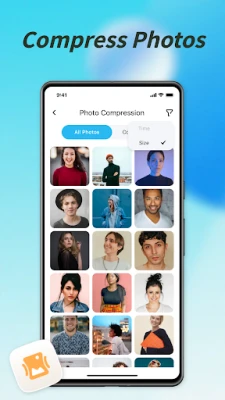
3. Image Compression
Images often take up a considerable amount of storage, which can lead to performance issues. An effective file management application offers image compression features that reduce the size of image files without compromising quality. This ensures that your gallery remains optimized, allowing you to store more images while maintaining their visual integrity.
4. User-Friendly Design
A modern and clean visual interface enhances the user experience significantly. An intuitive operation process allows users to navigate the application effortlessly, making file management a pleasant experience. With a well-designed interface, you can focus on managing your files rather than struggling with complicated navigation.
Understanding Permissions for Optimal Functionality
To provide essential file management features, the application requires specific permissions that enhance its functionality:
1. MANAGE_EXTERNAL_STORAGE
This permission is vital for the application to operate effectively. It enables the app to scan, identify, and remove redundant files, organize large documents, and support efficient file management across your device's storage. By granting this permission, you allow the app to optimize your storage experience fully.
2. FOREGROUND_SERVICE (Special Use/Data Sync)
This permission ensures that user-initiated tasks, such as deep file analysis, image compression, or batch organization, are completed reliably in the background. This means you can continue using your device without interruptions, allowing for a seamless file management experience.
Rest assured, the application adheres strictly to the Google Play User Data Policy and all relevant regulations regarding the use of permissions.
Privacy and Terms of Service
For more information regarding user privacy and data handling, please refer to our Privacy Policy and Terms of Service.
Contact Us
If you have any questions or need assistance, feel free to reach out via email at junkcleanercare@proton.me.
In conclusion, an efficient file management application not only simplifies the process of managing files but also enhances your device's performance. By utilizing core functions such as junk file management, large file detection, and image compression, you can maintain an organized and optimized digital environment. Embrace the power of effective file management today!
Rate the App
User Reviews















Popular Apps










Editor's Choice









