

Latest Version
April 19, 2026
Dream Super Apps
Tools
Android
0
Free
com.junkcleaner.phonecleaner.dsa
Report a Problem
More About Phone Cleaner - Junk Cleaner
Optimize Your Device: Remove Junk Files with a Phone Storage Cleaner App
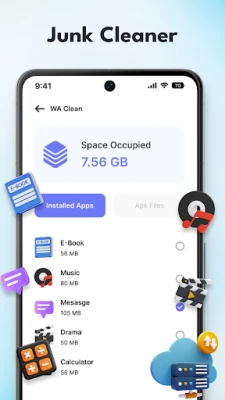
In today’s digital age, smartphones have become an essential part of our lives. However, as we download apps, take photos, and store files, our devices can quickly become cluttered with junk files. This not only consumes valuable storage space but can also slow down your device's performance. Fortunately, a phone storage cleaner app can help you reclaim that space and enhance your device's efficiency. In this article, we will explore the benefits of using a storage cleaner app and provide tips on how to effectively remove junk files.
Understanding Junk Files
Junk files are unnecessary data that accumulate on your device over time. They can include:
- Cache files from apps
- Temporary files created during downloads
- Old backups and installation files
- Unused apps and their residual data
These files can take up significant storage space, leading to performance issues and a sluggish user experience. Regularly cleaning your device can help maintain its speed and efficiency.
Why Use a Phone Storage Cleaner App?
Using a phone storage cleaner app offers several advantages:
- Efficient Space Management: These apps can quickly identify and remove junk files, freeing up storage space.
- Improved Performance: By eliminating unnecessary files, your device can run smoother and faster.
- User-Friendly Interface: Most storage cleaner apps are designed with simplicity in mind, making it easy for anyone to use.
- Scheduled Cleanups: Many apps allow you to schedule regular cleanups, ensuring your device remains clutter-free.
How to Choose the Right Phone Storage Cleaner App
With numerous options available, selecting the right storage cleaner app can be overwhelming. Here are some key factors to consider:
- Reputation: Look for apps with positive reviews and a strong reputation in the market.
- Features: Choose an app that offers comprehensive features, such as junk file removal, cache cleaning, and app management.
- Ease of Use: The app should have an intuitive interface that allows for easy navigation and operation.
- Security: Ensure the app prioritizes user privacy and does not collect unnecessary data.
Steps to Remove Junk Files Using a Storage Cleaner App
Once you’ve chosen a suitable phone storage cleaner app, follow these steps to effectively remove junk files:
- Download and Install: Visit your device’s app store, download the chosen app, and install it.
- Launch the App: Open the app and grant any necessary permissions for it to access your device’s storage.
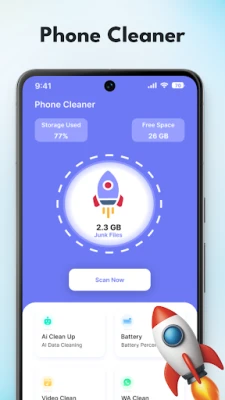
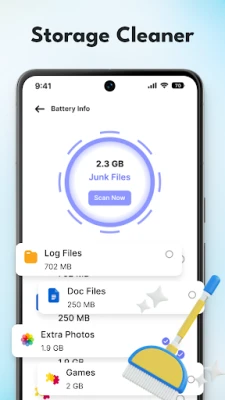
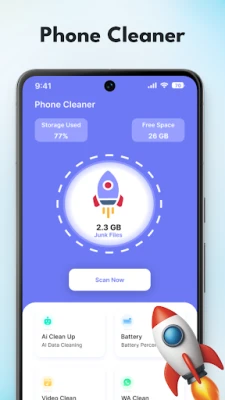
- Scan for Junk Files: Initiate a scan to identify junk files and unnecessary data on your device.
- Review the Results: The app will present a list of files that can be safely removed. Review this list to ensure no important files are included.
- Clean Up: Confirm the removal of the selected junk files. The app will then proceed to delete them from your device.
- Schedule Regular Cleanups: Set up a schedule for regular cleanups to maintain optimal performance.
Additional Tips for Maintaining Device Storage
In addition to using a storage cleaner app, consider these tips to keep your device storage in check:
- Uninstall Unused Apps: Regularly review your installed apps and remove those you no longer use.
- Manage Media Files: Transfer photos and videos to cloud storage or an external device to free up space.
- Clear Browser Cache: Regularly clear your browser cache to remove temporary files that can accumulate over time.
- Optimize Settings: Adjust app settings to limit the amount of data they store on your device.
Conclusion
Maintaining your smartphone’s storage is crucial for optimal performance. By utilizing a phone storage cleaner app, you can efficiently remove junk files and reclaim valuable space. Regular cleanups not only enhance your device's speed but also improve your overall user experience. Remember to choose a reputable app, follow the steps for effective cleaning, and implement additional storage management strategies to keep your device running smoothly.
Take control of your device’s storage today and enjoy a faster, more efficient smartphone experience!
Rate the App
User Reviews















Popular Apps










Editor's Choice









