

Latest Version
May 03, 2026
DANDELIONSIT
Tools
Android
0
Free
com.junk_cleaner_app.junk_cleaner_app
Report a Problem
More About Phone Cleaner: Junk & Cache
Reclaim Your Phone's Memory with Phone Cleaner: The Ultimate Junk & Cache Management Tool
Are you tired of losing your favorite memories due to limited storage on your Android device? It's time to take control and reclaim your phone's memory with Phone Cleaner: Junk & Cache, a professional storage utility designed specifically for Android users. This powerful all-in-one storage manager and file cleaner helps you organize your device, eliminate digital clutter, and maintain a healthy storage system.
Why You Need Phone Cleaner
In today's digital age, our smartphones are filled with countless photos, videos, and apps that can quickly consume storage space. Whether you're dealing with hidden system cache, residual junk, or large folders from social media apps, Phone Cleaner provides a safe and efficient way to free up space in seconds. Here’s how it can transform your mobile experience.
Key Features of Phone Cleaner
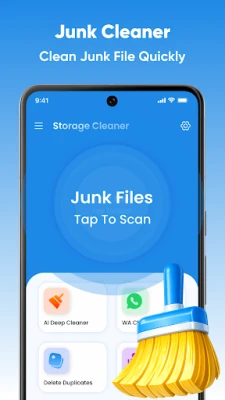
Smart Junk Cleaner
Our advanced scanning engine identifies unnecessary files that clutter your system. It effectively targets:
- System Cache: Temporary data stored by the Android OS.
- App Cache: Residual files saved by apps that are no longer needed.
- Residual Junk: Leftover data from apps you have already uninstalled.
- Obsolete APKs: Old installation files that take up valuable space.
- Temporary Files: Clutter created during web browsing or app usage.
Storage Analyzer & File Manager
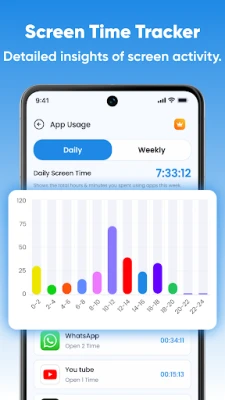
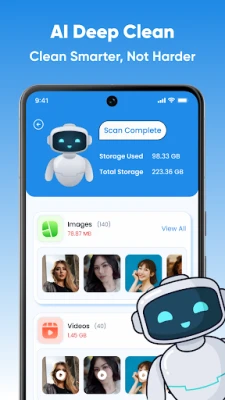
Gain insights into your device's storage with our visual breakdown. The storage analyzer shows exactly how much space is occupied by apps, images, videos, and documents. Use the built-in file manager to navigate through folders and delete heavy files that are clogging your memory.
Duplicate File Remover
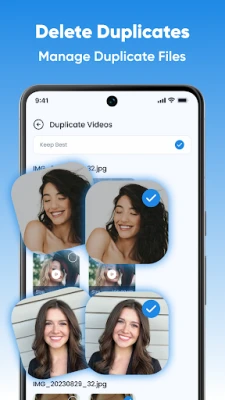
Are identical files eating away at your storage? Our duplicate finder scans your gallery and folders to identify:
- Duplicate Photos: Identical images often saved by multiple downloads.
- Duplicate Videos: Heavy media files saved more than once.
- Duplicate Documents: PDF or Zip files that are wasting space.
Review them side-by-side and remove the extras with a single tap to save gigabytes of space.
Smart App Manager & Uninstaller
Managing your apps has never been easier:
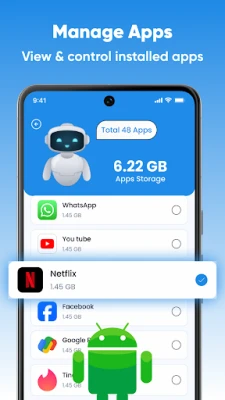
- Batch Uninstaller: Select multiple unused apps and remove them at once.
- App Analysis: See which apps consume the most space and when you last used them.
- APK Management: Find and delete APK files that were already used for installation.
Social Media Clutter Cleaner
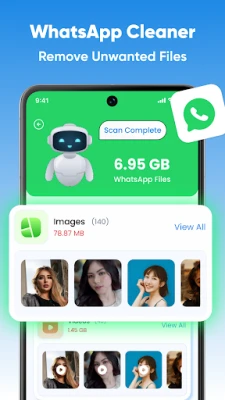
Messaging apps can store thousands of hidden files. Our social media cleaner helps you find and remove:
- Old voice notes and audio clips.
- Received videos and GIFs that are no longer needed.
- Profile pictures and cached media files.
Keep your chats but eliminate the heavy junk files!
Large File Finder
Don’t let large files hide on your device. Our file cleaner identifies files larger than 50MB or 100MB, making it the fastest way to perform a deep clean and recover significant amounts of space.
Why Choose Phone Cleaner?
- User Privacy First: We prioritize your privacy and do not access your personal photos or documents without your permission.
- Safe & Policy Compliant: We focus solely on storage optimization and junk removal, avoiding misleading claims about "boosting battery" or "cooling the CPU."
- One-Tap Operation: Enjoy a user-friendly experience with one tap to scan and one tap to clean junk.
- Lightweight & Efficient: The small app size ensures it doesn't waste the space it frees.
- User-Controlled: We never delete personal files (photos, videos, docs) unless you manually select them for removal.
How to Use Phone Cleaner
- Initial Scan: Open the app and tap "Scan" to find junk, cache, and temporary files.
- Review & Clean: Browse through the categories and tap "Clean" to remove clutter.
- Deep Clean: Utilize the Duplicate Remover or Large File Finder to tackle bigger storage issues.
- Organize: Use the App Manager to uninstall bloatware and unused apps.
Stop the storage lag and clear the clutter! Download Phone Cleaner: Junk & Cache today and master your mobile storage. Keep your device organized, clean, and ready for new memories!
Rate the App
User Reviews















Popular Apps










Editor's Choice









