

Latest Version
1.0.31
August 28, 2024
Zed LATAM
Tools
Android
0
Free
phonecleaner.viruscleaner.junkcleaner.cachecleaner.androidmaster
Report a Problem
More About Phone Cleaner & Antivirus
Ultimate Guide to Optimizing Your Android Device: Cleaners, Managers, and Security Tools
In today's digital age, maintaining the performance of your Android device is crucial. With numerous apps and files accumulating over time, your phone can become cluttered, leading to slower performance and potential security risks. This comprehensive guide will explore essential tools like junk cleaners, app managers, antivirus solutions, and battery managers to help you optimize your device effectively.
1. The Importance of a Junk Cleaner
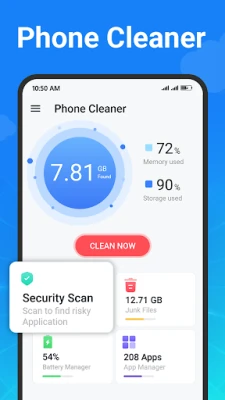
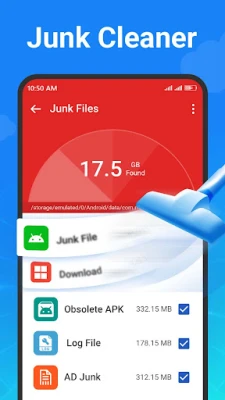
A junk cleaner is an indispensable tool for anyone looking to enhance their phone's performance. It efficiently identifies and removes unwanted files, including temporary files, residual data, and obsolete APKs. By regularly using a junk cleaner, you can free up valuable storage space and ensure your device runs smoothly.
With a user-friendly interface, a phone cleaner scans your storage and presents a list of junk files. You have the flexibility to select which files to delete, allowing for a customized cleaning experience. This not only improves your device's speed but also prolongs its lifespan.
2. Streamlining Your Apps with an App Manager
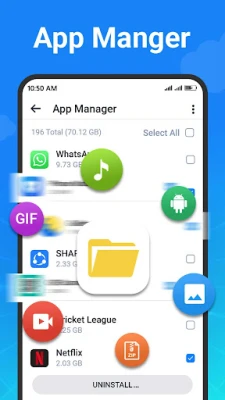
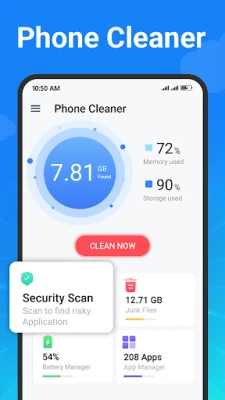
An app manager is essential for effectively overseeing the applications installed on your device. This tool provides a comprehensive view of all your apps, enabling you to manage them efficiently. You can quickly identify large applications that may be consuming excessive storage and decide whether to keep or uninstall them.
Additionally, an app manager allows you to check the size of each application, making it easier to prioritize which apps to keep based on your usage patterns. By decluttering your app list, you can enhance your device's performance and improve your overall user experience.
3. Protecting Your Device with an Antivirus Cleaner
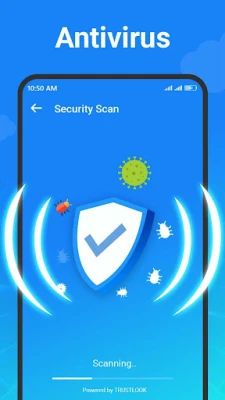
Security is a top priority for any smartphone user, and an antivirus cleaner plays a vital role in safeguarding your device. This powerful tool scans all applications for potential viruses, trojans, and malware, ensuring your personal information remains secure.
Utilizing a robust antivirus engine, certified by TRUSTLOOK, this cleaner not only detects but also removes harmful threats from your device. Regular scans help maintain a secure environment, allowing you to use your phone without worrying about security breaches.
4. Monitoring Battery Health with a Battery Manager
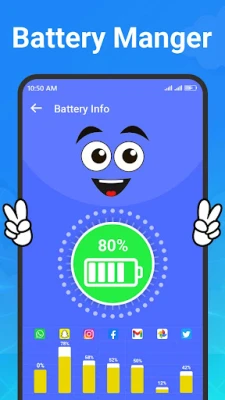
A battery manager is crucial for understanding your device's battery health and optimizing its usage. This tool provides insights into your battery's current status, including how much charge remains and the estimated time until depletion.
Moreover, a battery manager analyzes the power consumption of various apps, helping you identify which applications drain your battery the most. By managing these apps effectively, you can extend your device's battery life and enhance your overall experience.
5. Ensuring Privacy and Security
When using cleaning and management tools, it's essential to prioritize your privacy. Reputable applications adhere to strict privacy and cookie policies, ensuring that your information remains secure. They do not store or process sensitive data such as usernames or email addresses, allowing you to use their services with confidence.
Conclusion: Optimize Your Android Experience
In conclusion, utilizing a combination of a junk cleaner, app manager, antivirus cleaner, and battery manager can significantly enhance your Android device's performance and security. These tools work together to ensure your phone remains clutter-free, secure, and efficient. By regularly maintaining your device, you can enjoy a seamless user experience and prolong its lifespan.
For any suggestions or feedback, feel free to reach out via email. Embrace the power of these tools and take control of your Android experience today!
Rate the App
User Reviews















Popular Apps










Editor's Choice









