

Latest Version
1.2.0
February 05, 2026
JR Beetroots
Tools
Android
0
Free
jrbeetroots.phonebackup
Report a Problem
More About Phone Backup
Ultimate Guide to Phone Backup: Secure Your Data with Ease
In today's digital age, safeguarding your data is more crucial than ever. The Phone Backup application offers a seamless solution for managing your call logs, messages, and contacts. This guide will walk you through the essential features of the app, the permissions required, and how to effectively utilize it for your backup needs.
Why Choose Phone Backup?
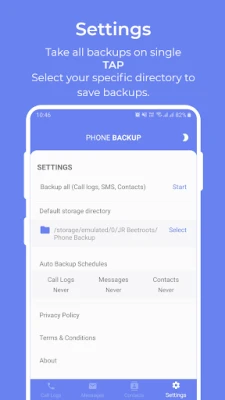
The Phone Backup application is designed to utilize your device's internal storage and Google Drive, providing a reliable way to back up your data for future use. Whether you're resetting your phone or simply want to ensure your information is safe, this app has you covered.
Key Features of Phone Backup
Phone Backup offers a range of functionalities that cater to your data management needs:
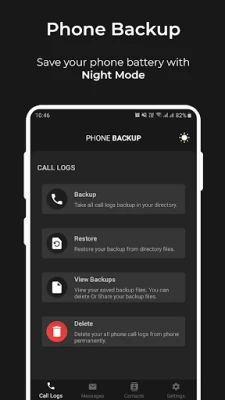
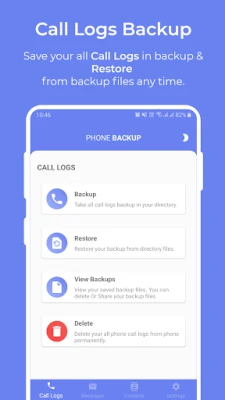
- Call Logs Backup & Restore: Easily back up and restore your call history.
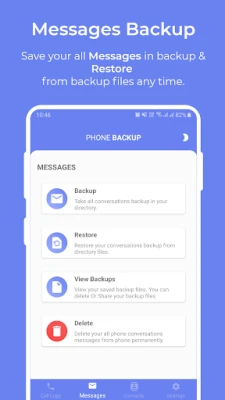
- SMS Backup & Restore: Securely save your messages and retrieve them when needed.
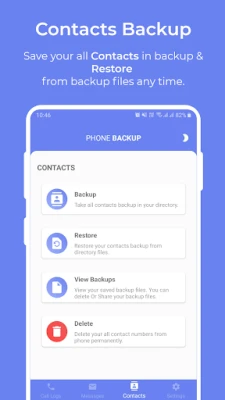
- Contacts Backup & Restore: Keep your contact list safe and easily accessible.
Understanding Permissions for Optimal Functionality
To provide you with a smooth backup experience, the Phone Backup application requires certain permissions. Here’s a breakdown of what you need to know:
Call Logs Permissions
To access your call logs, the app will request the following permissions:
- READ_CALL_LOGS: This permission allows the app to read your call logs for backup purposes.
- WRITE_CALL_LOGS: This permission enables the app to write or modify your call logs during the restore process.
SMS Permissions
For SMS backup and restoration, the app will ask for:
- READ_SMS: This permission is necessary for reading your messages.
- WRITE_SMS: This allows the app to write messages back to your device during restoration.
Additionally, to facilitate SMS backup and restore, the Phone Backup app may need to become your default SMS handler temporarily. After completing the backup or restore, you can easily reset your default SMS handler to your previous settings.
Contacts Permissions
To manage your contacts, the app will request:
- READ_CONTACTS: This permission allows the app to read your contacts for backup.
- WRITE_CONTACTS: This enables the app to restore your contacts back to your device.
Google Drive Account Sign-In
Before initiating any backup, you will need to sign in to your Google account. This step is crucial for saving your backup files securely in Google Drive. You have complete control over this access and can revoke it at any time.
Post Notification Permission
For users on Android 13 and above, the app will request notification permissions. Granting this permission allows you to receive updates on the backup status directly in your notification bar. Without it, the backup process will still complete, but you won’t receive notifications about its progress.
Your Privacy Matters
The Phone Backup application prioritizes your privacy. The permissions requested are solely for the purpose of backing up and restoring your data on your device. We do not store or record any of your data on our end. For more information, please refer to our Privacy Policy and Terms & Conditions.
Conclusion: Backup with Confidence
With the Phone Backup application, you can manage your data effortlessly and securely. By understanding the necessary permissions and features, you can ensure that your important information is always protected. Enjoy peace of mind knowing that your data is backed up and easily retrievable whenever you need it.
Start using Phone Backup today and take control of your data management!
Rate the App
User Reviews















Popular Apps










Editor's Choice









