

Latest Version
1.50.56.0
September 23, 2024
Ingo Zenz
Tools
Android
0
Free
dnsfilter.android
Report a Problem
More About personalDNSfilter
Unlock Enhanced Security with personalDNSfilter: The Ultimate DNS Filtering App for Android
In today's digital landscape, protecting your online privacy and security is more crucial than ever. Enter personalDNSfilter, a powerful DNS filtering application designed specifically for Android devices. This innovative app intercepts domain name system (DNS) resolutions, effectively blocking access to unwanted hosts associated with malware, phishing, and tracking. With personalDNSfilter, you can take control of your online experience and safeguard your device from potential threats.
Real-Time Monitoring: Discover What’s Happening Behind the Scenes
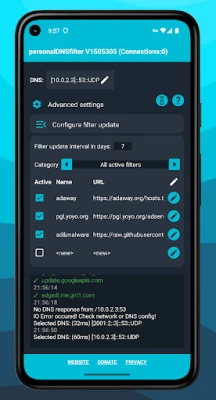
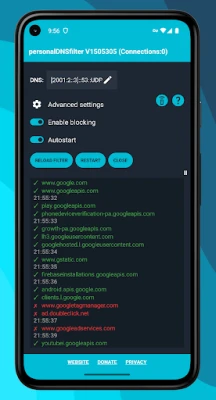
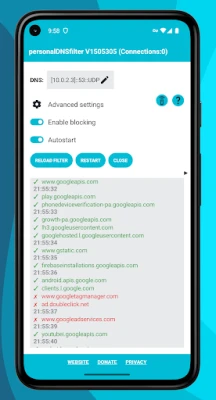
One of the standout features of personalDNSfilter is its live log functionality. This feature provides users with a real-time view of all the different domains accessed from their mobile devices. By monitoring these requests, you can gain valuable insights into your online activity and identify any suspicious domains that may pose a risk to your security.
Effective Malware and Ad Filtering Without Root Access
For Android users running version 4.2 and newer, personalDNSfilter offers an effective solution for filtering out malware, tracking, and ad servers without the need for root access. This means you can enjoy enhanced security and a cleaner browsing experience without compromising your device's integrity.
Customizable DNS Settings: Choose Your Trusted Servers
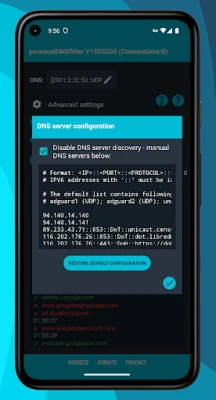
personalDNSfilter is not just a filtering app; it also functions as a DNS changer. Users can easily set any upstream DNS server they trust, allowing for greater customization and control over their internet connection. Additionally, the app supports encrypted DNS servers through DNS over HTTPS (DoH) and DNS over TLS (DoT), ensuring that your DNS queries remain private and secure.
Local Filtering: Your Data Stays Private
One of the most significant advantages of personalDNSfilter is its local filtering capability. All filtering processes occur directly on your device, meaning no tracking or data is sent to external servers. This commitment to user privacy ensures that your online activities remain confidential and secure.
Flexible Deployment: Use Locally or Centrally
personalDNSfilter offers flexibility in its deployment. You can run the app locally on your device or set it up as a central DNS server within your network. This versatility makes it an excellent choice for both individual users and families looking to enhance their online security.
Join a Supportive Community
When you choose personalDNSfilter, you’re not just getting an app; you’re joining a vibrant community. A large Telegram group is available, where friendly users from around the world are eager to provide support and share tips. Connect with others who are also focused on enhancing their online security at t.me/pDNSf.
Important Considerations: Understanding Limitations
While personalDNSfilter is a powerful tool, it’s essential to understand its limitations:
- Not a VPN: personalDNSfilter is not a traditional VPN. It does not hide your IP address or cloak your location.
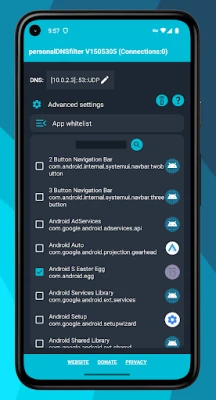
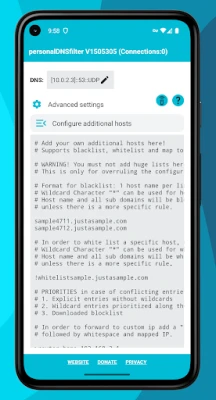
- Whitelist Functionality: The app's whitelist feature operates only in VPN filter mode, not in root mode.
- Ad Blocking Limitations: Users cannot block ads from platforms like YouTube and Facebook using personalDNSfilter. For ad-free experiences on these platforms, consider using alternative client applications.
- No Data Collection: personalDNSfilter does not collect user data, ensuring your privacy is maintained.
Backup Your Configuration Files
With the recent update to version 1.50.48.0, configuration files are now stored in storage/Android/data/dnsfilter.android/files/PersonalDNSFilter/. It’s advisable to use a file explorer to back up these files to prevent any loss of settings.
Software Disclaimer: Use at Your Own Risk
As with any software, it’s important to use personalDNSfilter at your own risk. The developer, Ingo Zenz, cannot be held liable for any malfunctions or data loss that may occur while using the app. Additionally, the filter lists utilized in personalDNSfilter are sourced from third parties, and the developer is not responsible for their content or the results of their use.
Conclusion: Take Control of Your Online Security
In a world where online threats are ever-present, personalDNSfilter stands out as a robust solution for Android users seeking to enhance their security and privacy. With its powerful filtering capabilities, customizable DNS settings, and commitment to user privacy, personalDNSfilter empowers you to take control of your online experience. Join the community today and start enjoying a safer, more secure browsing experience.
Rate the App
User Reviews















Popular Apps










Editor's Choice









