

Latest Version
1.7.4-rc1
July 04, 2025
darken
Tools
Android
0
Free
eu.darken.myperm
Report a Problem
More About Permission Pilot
Mastering Android Permissions: Simplifying Your App Management
As Android continues to evolve, the complexity of app permissions has increased significantly. Navigating through various settings to manage these permissions can be a daunting task for users. This article explores how to streamline the process of reviewing and managing app permissions effectively.
The Challenge of Android Permissions
With each Android update, the way permissions are handled becomes more intricate. Users often find themselves lost in a maze of settings scattered across different locations, making it challenging to keep track of what permissions each app has. The primary areas where permissions can be found include:
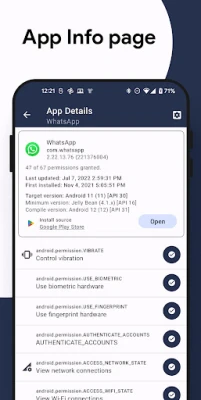
- App Info Page
- Special Access
- Permissions Manager
- And more...
This fragmentation complicates the user experience, leading to confusion and potential security risks. Fortunately, there are tools available that can simplify this process.
Introducing Permission Pilot: Your Centralized Permissions Hub
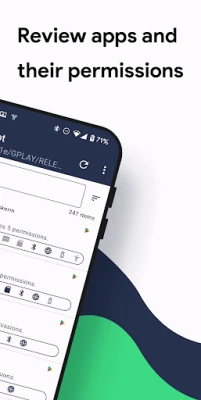
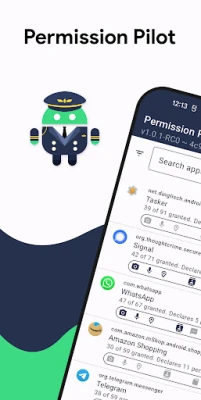
Permission Pilot is a powerful tool designed to consolidate all app permissions into a single, user-friendly interface. This application provides a comprehensive overview of permissions, allowing users to manage their app access with ease.
Two Perspectives for Enhanced Clarity
Permission Pilot offers two distinct views to help users navigate their permissions:
1. App-Centric View
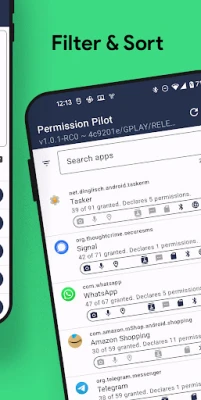
This perspective allows users to see all permissions requested by a specific app. By selecting any installed application, users can access a detailed list of permissions, including those categorized under Permissions Manager and Special Access. This view also includes essential information such as internet permissions and SharedUserID status, providing a complete picture of what each app can access.
2. Permission-Centric View
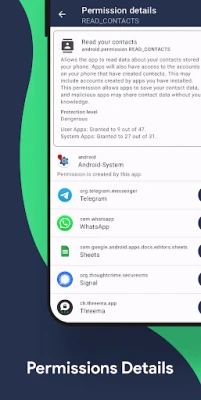
Alternatively, users can opt for a permission-centric view, which displays all permissions available on the device. This includes permissions that may be hidden under Permissions Manager and Special Access. Permissions are conveniently grouped into categories such as Contacts, Microphone, Camera, and more, making navigation straightforward. By clicking on a specific permission, users can see all apps that request access to that permission, enhancing transparency and control.
Advanced Search and Filtering Options
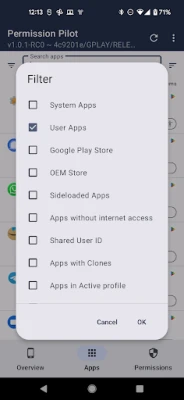
Permission Pilot also features robust search capabilities, allowing users to find specific apps or permissions quickly. The application supports free-text search, enabling users to type in keywords related to the app or permission they are looking for. Additionally, users can sort and filter results based on various criteria, making it easier to manage permissions effectively.
Why Managing Permissions Matters
Understanding and managing app permissions is crucial for maintaining privacy and security on your device. With the increasing number of apps requesting access to sensitive information, users must be vigilant about what they allow. By utilizing tools like Permission Pilot, users can take control of their app permissions, ensuring that only trusted applications have access to their data.
Conclusion: Take Charge of Your Android Experience
As Android updates continue to introduce new features and complexities, managing app permissions should not be a source of frustration. With Permission Pilot, users can simplify the process, gaining a clear understanding of what permissions each app requires and how they can manage them effectively. By taking charge of your app permissions, you enhance your device's security and ensure a safer Android experience.
In summary, mastering Android permissions is essential in today’s digital landscape. With the right tools and knowledge, you can navigate the complexities of app permissions with confidence.
Rate the App
User Reviews















Popular Apps










Editor's Choice









