


Latest Version
1.12
September 18, 2024
Shivam Rajawat
Games
iOS
67.6 MB
0
Free
Report a Problem
More About PC Builder Simulation 3D
Build Your Dream PC: A Comprehensive Guide to Customization and Performance
Have you ever dreamed of constructing your own PC, tailored to your specific needs and preferences? With the right tools and knowledge, you can create, diagnose, repair, and customize a PC that not only meets your requirements but also showcases your skills in PC building simulation. This guide will walk you through the essential aspects of building your dream PC, from customization options to performance testing.
Customizing Your PC: Unleash Your Creativity
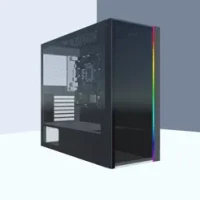
One of the most exciting aspects of building your own PC is the ability to customize every component. You can choose the perfect cabinet and paint it in your favorite colors, ensuring that your build reflects your personal style. Additionally, you have the freedom to decorate your workspace. Change the wallpaper, modify the ceiling design, and select floor tiles that resonate with your aesthetic preferences. The possibilities are endless, allowing you to create a unique environment that inspires creativity and productivity.
Testing Gaming Capabilities: Ensure Optimal Performance
Once you have assembled your PC, it’s crucial to test its gaming capabilities. Utilize the built-in feature games to benchmark your system's performance. This step is essential for ensuring that your PC can handle the latest games and applications without any hiccups. By stress testing your processor (CPU), graphics card (GPU), and storage, you can identify any potential bottlenecks and make necessary adjustments to enhance performance.
Next-Gen PC Parts: Stay Ahead of the Curve
In the world of PC building, staying updated with the latest technology is vital. The game features next-gen components that represent the pinnacle of performance and efficiency. From cutting-edge CPUs to high-performance GPUs, you can select the best parts available to assemble a powerhouse of a PC. This ensures that your build is not only current but also capable of handling future software and gaming demands.
Owning Your Store: A Business Opportunity
In addition to building PCs, you can also manage your own store. This aspect of the simulation allows you to upgrade your shop to create the ultimate PC-building experience. Customize your store layout, enhance the customer experience, and showcase your builds to attract clients. By providing exceptional service and high-quality builds, you can establish a reputation as a top-tier PC builder in your community.
Conclusion: Your Journey to Becoming a PC Building Expert
Building your own PC is not just a hobby; it’s an opportunity to express your creativity and technical skills. By customizing your components, testing performance, and staying updated with the latest technology, you can create a machine that meets your needs and exceeds your expectations. Whether you’re building for yourself or taking on client requests, the journey of PC building is both rewarding and fulfilling. So, roll up your sleeves, gather your tools, and start building the PC of your dreams today!
For any business inquiries or feedback, please contact contact.rajawat@gmail.com.
Rate the App
User Reviews















Popular Apps










Editor's Choice









