

Latest Version
3.3.5
May 21, 2026
Fawri Co. for Electronic Payment
Finance
Android
2
Free
app.wink.wallet.libya
Report a Problem
More About PayNow by Fawri
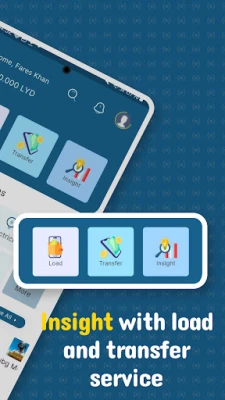
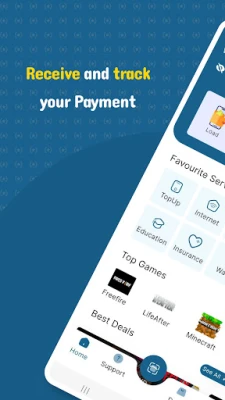
Unlock the Power of Wink Ewallet: Quick Signup and Instant Access
In today’s fast-paced digital world, managing your finances efficiently is more important than ever. With the rise of e-wallets, users are seeking seamless solutions to handle transactions, payments, and budgeting. One such innovative platform is Wink Ewallet. This article will guide you through the quick signup process and highlight the features that make Wink Ewallet a must-have for anyone looking to simplify their financial management.
Why Choose Wink Ewallet?
Wink Ewallet stands out in the crowded e-wallet market due to its user-friendly interface and robust features. Whether you’re making online purchases, transferring money to friends, or keeping track of your spending, Wink Ewallet offers a comprehensive solution tailored to your needs.
Simple Steps to Download and Sign Up for Wink Ewallet
Getting started with Wink Ewallet is a breeze. Follow these straightforward steps to download the app and create your account:
- Download the App: Visit the official website or your device’s app store. Search for "Wink Ewallet" and click on the download button.
- Install the Application: Once the download is complete, open the app and follow the installation prompts to set it up on your device.
- Create Your Account: Launch the app and click on the "Sign Up" button. Enter your email address, create a secure password, and provide any additional required information.
- Verify Your Identity: For security purposes, Wink Ewallet may require you to verify your identity. Follow the instructions to complete this step, which may include confirming your email or phone number.
- Explore the Features: After successfully signing up, you can start exploring the various features Wink Ewallet offers.
Key Features of Wink Ewallet
Once you’ve signed up, you’ll gain access to a plethora of features designed to enhance your financial experience:
1. Instant Money Transfers
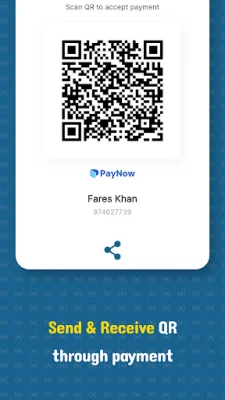
Wink Ewallet allows you to send and receive money instantly. Whether you’re splitting a bill with friends or sending money to family, the process is quick and hassle-free.
2. Secure Transactions
Security is a top priority for Wink Ewallet. The platform employs advanced encryption technology to protect your financial information, ensuring that your transactions remain safe and secure.
3. Budgeting Tools
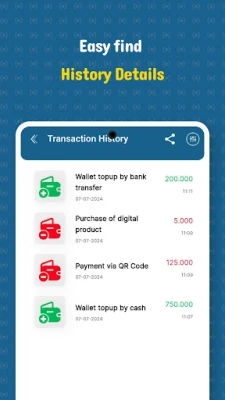
Take control of your finances with Wink Ewallet’s budgeting tools. Track your spending, set financial goals, and receive insights into your spending habits to help you make informed decisions.
4. Loyalty Rewards
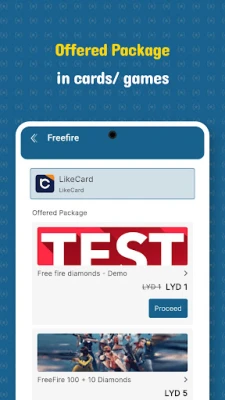
Wink Ewallet partners with various merchants to offer exclusive discounts and rewards. Enjoy cashback on purchases and special offers that can help you save money while you shop.
5. User-Friendly Interface
The app’s intuitive design makes it easy for users of all ages to navigate. Whether you’re tech-savvy or a beginner, you’ll find the app straightforward and easy to use.
Getting the Most Out of Wink Ewallet
To maximize your experience with Wink Ewallet, consider the following tips:
- Regularly Update the App: Ensure you have the latest version of Wink Ewallet to access new features and security updates.
- Utilize Budgeting Features: Take advantage of the budgeting tools to keep your finances in check and avoid overspending.
- Stay Informed: Keep an eye on promotions and offers from Wink Ewallet partners to make the most of your transactions.
Conclusion
Wink Ewallet is more than just a digital wallet; it’s a comprehensive financial management tool that empowers users to take control of their money. With a quick signup process and a suite of features designed to enhance your financial experience, there’s no reason to wait. Download Wink Ewallet today and unlock the potential of effortless financial management.
Rate the App
User Reviews















Popular Apps










Editor's Choice









