

Latest Version
v2
June 06, 2026
FUTO
Tools
Android
0
$11.99
org.futo.keyboardpayment
Report a Problem
More About Payment for FUTO Keyboard
Understanding FUTO Voice Input and Keyboard Payment Structure
If you have already purchased the FUTO Voice Input or the FUTO Keyboard from another source, there’s no need to make an additional payment.
Prerequisites for FUTO Voice Input
Before you proceed with the purchase of the FUTO Voice Input application, ensure that you have the FUTO Keyboard installed on your device. This is a crucial step, as the functionality of the voice input app relies on the keyboard being present.
Optional Purchase via Google Play
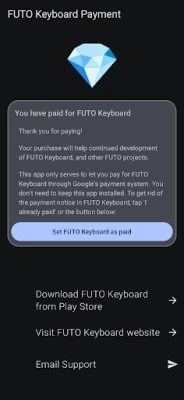
The FUTO Voice Input app is available for purchase through Google Play, but it is important to note that this is an optional transaction. By buying this app, you are essentially paying for the FUTO Keyboard app as well. This means that your payment not only grants you access to the voice input features but also supports the keyboard functionality.
Removing Payment Notices
One of the key benefits of purchasing the FUTO Voice Input app is the ability to eliminate the payment notice that appears in the base application. This feature enhances your user experience by providing a seamless interaction without constant reminders of payment.
Conclusion
In summary, if you have already invested in the FUTO Voice Input or Keyboard, you can enjoy the benefits without incurring extra costs. Ensure that you have the necessary applications installed to maximize your experience, and consider the optional purchase to enhance your functionality and remove any payment notifications.
Rate the App
User Reviews















Popular Apps










Editor's Choice









