
Latest Version
1.5.4
March 23, 2026
Texode Technologies LLC
Tools
Android
0
Free
com.texode.securex.passwordmanager
Report a Problem
More About Password Manager - SecureX
Why SecureX Password Manager is Your Ultimate Safety Solution
In today's digital age, safeguarding your personal information is more crucial than ever. With the rise of cyber threats, a reliable password manager is essential. SecureX stands out as a top-tier solution, offering unparalleled security features that ensure your data remains safe and accessible. Let’s delve into the reasons why SecureX is the best choice for managing your passwords and sensitive information.
Unmatched Security with AES 256-Bit Encryption
At the core of SecureX's security is its use of AES encryption with a robust key length of 256 bits. This encryption standard is recognized globally for its strength and reliability. The encryption key is generated directly on your device, ensuring that no one—neither hackers nor even the application itself—can access your data without it. Your information is stored locally in an encrypted format, providing an additional layer of security.
Secure Key Storage in Android Keystore
SecureX utilizes the Android Keystore to store encryption keys securely. This feature prevents unauthorized access and exportation of keys, even by the application itself. On certain devices, the Keystore may be housed in a dedicated chip, further enhancing security. It’s important to note that if your device is flashed, data may be lost, emphasizing the need for regular backups. Importantly, no data is transmitted over the network or stored on our servers, ensuring your information remains private.
Data Recovery and Synchronization
While losing your PIN or Master Password means you cannot recover your data due to stringent security policies, activating synchronization with your cloud storage allows you to restore your information on any device, provided you have your Master Password. This feature is crucial for maintaining access to your data across multiple platforms.
User-Friendly Interface
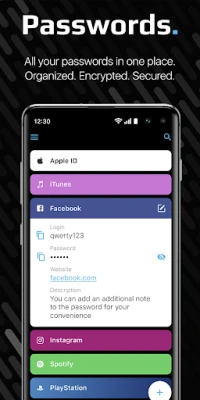
Despite its complex internal structure, SecureX boasts a simple and intuitive interface. Users can navigate the application effortlessly, making it accessible for everyone. The free version of SecureX imposes no restrictions on data storage, allowing you to manage your passwords without limitations.
Recognized Excellence in Mobile Security
SecureX has been selected by SecureNews as the best password manager for mobile platforms. The application is praised for its convenience, reliability, and optimization for nine languages, making it a versatile choice for users worldwide.
Key Features of SecureX
Photo Vault
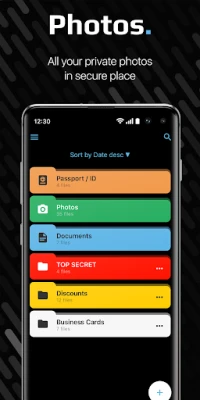
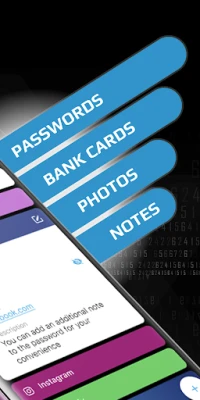
SecureX includes a Photo Vault feature, allowing you to store sensitive images such as documents, passports, and IDs securely. All photos are encrypted, ensuring that only you have access to them.
Offline Mode
With SecureX, you can download and use the application without the need for an internet connection. Your data is always accessible, no matter where you are, making it a perfect companion for travel or remote work.
Convenient Data Entry
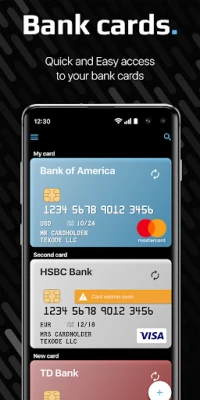
Adding information to SecureX is a breeze. Utilize the Password Generator to create complex and unique passwords. You can also quickly add credit card details using your device’s camera and NFC technology.
Effortless Data Sharing
SecureX allows you to share passwords, notes, and credit card information seamlessly through various platforms, including instant messengers, social networks, SMS, or email. This feature enhances collaboration while maintaining security.
Advanced Search and Sorting
Finding your stored information is easy with SecureX’s convenient sorting and search functionalities. Quickly locate items by name, ensuring you can access what you need without hassle.
Autofill Capabilities
SecureX simplifies your online experience with its autofill feature, automatically filling in passwords on websites and mobile applications, as well as payment information for bank cards.
Robust Security Measures
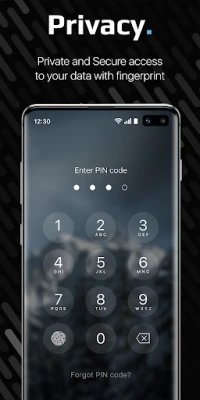
Protecting your data is our top priority. SecureX offers multiple security features, including access via fingerprint or PIN code. Additional functionalities include Face Down Lock (which opens another application when the screen is rotated), Emergency PIN (to delete all data), and automatic data deletion after multiple incorrect PIN attempts. Your encryption key is stored solely on your device, ensuring that even we cannot access your data.
Seamless Synchronization Across Devices
SecureX enables you to use the password manager across multiple devices by connecting to your Dropbox or Google Drive cloud storage. We do not have access to your data, ensuring your privacy while keeping your information synchronized and up-to-date.
Free Password Manager with Unlimited Storage
The free version of SecureX offers unlimited storage for your data, allowing you to manage your passwords without any restrictions. This makes it an ideal choice for users looking for a comprehensive password management solution without financial commitment.
Experience Premium Features for Free
Try SecureX premium features free for one week. Enjoy additional security options and synchronization capabilities with your cloud storage. This premium experience allows you to protect your data from loss and share it seamlessly across devices on different platforms.
Conclusion
In a world where digital security is paramount, SecureX Password Manager offers a robust, user-friendly solution for managing your passwords and sensitive information. With its advanced encryption, intuitive interface, and comprehensive features, SecureX is the ultimate choice for anyone looking to enhance their online security. Don’t compromise on your safety—choose SecureX today!
Rate the App
User Reviews















Popular Apps










Editor's Choice









