



Latest Version
2.22.10
July 30, 2026
Pantum
Tools
Android
0
Free
com.pantum.mobileprint
Report a Problem
More About Pantum Mobile Print & Scan
Unlocking the Power of Pantum Printers: Key Features You Need to Know
In today's fast-paced digital world, having a reliable printer that meets all your office needs is essential. Pantum printers stand out with their innovative features designed to enhance productivity and streamline your workflow. This article delves into the key features of Pantum printers, focusing on their capabilities for automatic device discovery, mobile printing, and seamless connectivity.
Automatic Discovery of Supported Network Devices
One of the standout features of Pantum printers is their automatic discovery of supported network devices. This functionality allows users to effortlessly connect their printers to various devices within the network. Whether you are using a desktop, laptop, or mobile device, the printer can quickly identify and establish a connection, eliminating the hassle of manual setup. This feature is particularly beneficial in office environments where multiple devices are in use, ensuring that everyone can access the printer without complications.
Comprehensive Printing, Scanning, and Faxing Capabilities
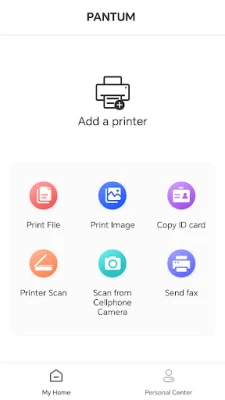
Pantum printers are not just limited to printing; they offer a full suite of functionalities, including printing, scanning, and faxing. This versatility makes them an ideal choice for businesses that require a multifunctional device. Users can print high-quality documents, scan images or files directly to their devices, and even send faxes, all from one machine. This all-in-one capability saves both time and space, making it a valuable addition to any office setup.
Seamless Scanning to Mobile Devices
In an era where mobile devices dominate, Pantum printers allow users to scan images or files directly to their mobile devices. This feature enhances convenience, enabling users to quickly access scanned documents on their smartphones or tablets. Whether you need to share a document on the go or store important files for later use, this functionality ensures that your important information is always at your fingertips.
Social Media Integration for Enhanced Connectivity
Pantum printers also offer links to popular social media platforms such as Facebook, Twitter, and LinkedIn. This integration allows users to print images and documents directly from their social media accounts, making it easier to share memories or important information. The ability to connect with social media enhances the printer's functionality, catering to both personal and professional needs.
Direct Office Document Printing from Mobile Devices
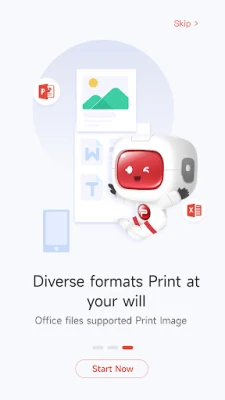
Another remarkable feature of Pantum printers is the ability to print office documents directly from mobile devices. This capability is particularly useful for professionals who are always on the move. With just a few taps on your smartphone or tablet, you can send documents to the printer without needing to transfer files to a computer. This feature not only saves time but also increases productivity, allowing you to focus on what matters most.
Compatibility with Various Pantum Printer Models
Pantum printers are designed to support a wide range of models, including the Pantum P2500, M6500, M6550, M6600, P3010, P3300, M6700, M6800, M7100, M7200, and M7300 series. This extensive compatibility ensures that users can enjoy the benefits of these features regardless of the specific model they own. Whether you are upgrading your existing printer or purchasing a new one, you can rest assured that these functionalities will enhance your printing experience.
Wi-Fi Support for Effortless Connectivity
For those who prefer wireless printing, Pantum printers come equipped with Wi-Fi support. This feature allows users to connect their printers to the internet, enabling printing from anywhere within the network. The convenience of wireless printing eliminates the need for cumbersome cables and provides flexibility in positioning the printer within your workspace.
Designed for Android 8.0 and Above
To ensure optimal performance, Pantum's mobile application is specifically designed for use with Android 8.0 devices or above. This compatibility guarantees that users can take full advantage of the printer's features without encountering software limitations. By keeping the application updated, users can enjoy a seamless printing experience that meets modern technological standards.
Conclusion: Elevate Your Printing Experience with Pantum
Pantum printers offer a comprehensive range of features that cater to the needs of modern users. From automatic device discovery to mobile printing capabilities, these printers are designed to enhance productivity and streamline workflows. With their multifunctional capabilities and seamless connectivity, Pantum printers are an excellent choice for both personal and professional use. Embrace the future of printing and discover how Pantum can transform your office experience.
Rate the App
User Reviews















Popular Apps










Editor's Choice









